

Map your CloudTalk call dispositions to values in a Salesforce picklist field, so every campaign call lands in Salesforce with an outcome your team already uses.
When agents select a disposition on a campaign call, CloudTalk exports it to the call’s activity (Task) in Salesforce. With disposition mapping, you decide which Salesforce value each CloudTalk disposition becomes. This works for campaigns in both the AI Sales Dialer and the Power Dialer (legacy).
Before you start
You need:- an active Salesforce integration
- a picklist field on the Task object in Salesforce that holds your call outcomes. It can be a built-in field or a custom one. The values in that picklist are the outcomes you can map to.
Step 1: Choose the Salesforce field
- In the Dashboard, go to Settings > Integrations and open your Salesforce integration.
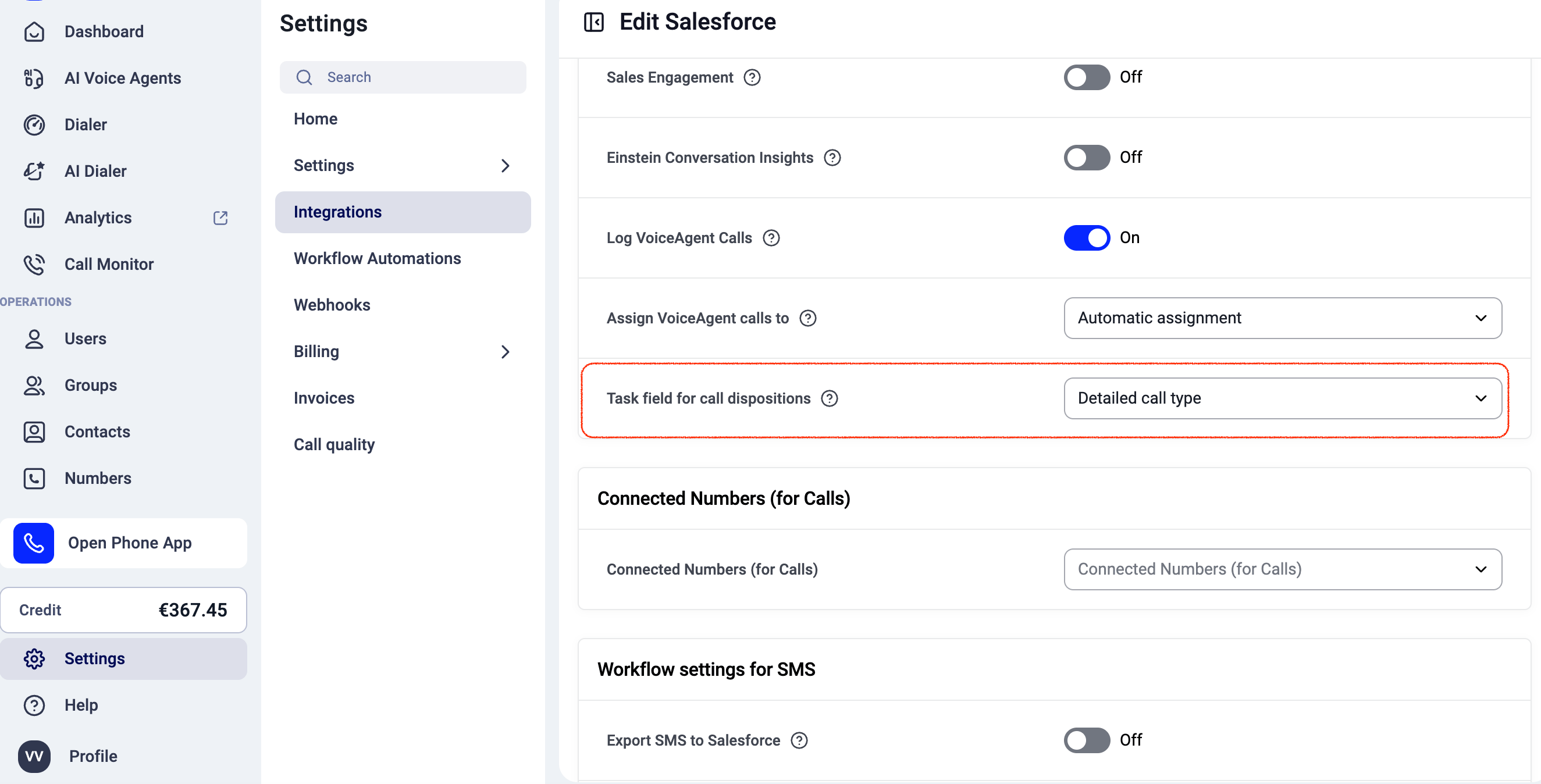
- Find Task field for call dispositions.
- Select the Task picklist field that call dispositions should be mapped to. The list shows all picklist fields on the Task object, both built-in and custom.
- Save your changes.
Step 2: Map dispositions in your campaign
- Open your campaign and go to its Disposition Settings.
- In the Integration Mapping column, choose a Salesforce value for each disposition. The values come from the picklist field you chose in step 1.
- Save the campaign.
What happens to unmapped dispositions
You don’t have to map every disposition. A disposition set to No Mapping is still exported to Salesforce, using the CloudTalk disposition name as the value.FAQ
- I don’t see any values in the mapping dropdown.
Check that a field is selected in Task field for call dispositions, and that the field has picklist values in Salesforce. - I added new values in Salesforce. Will they show up?
Yes. The mapping dropdown reads the values from the selected field, so new values become available for mapping.
Related articles
Need help or have a question? Just reach out through our Support portal. We’re here for you.