

In this guide, you will learn how to connect CloudTalk with Gorgias, make and receive calls directly in Gorgias, use the Click-to-Call feature, review caller information in real time, and log calls as activities with tags, notes, and recordings.
Calling from Gorgias
Make Outbound Calls
When logged into your Gorgias account, all phone numbers will be automatically converted into a clickable format, allowing you to initiate calls with a single click. At CloudTalk, we call this the Click-to-Call feature. To get started with Click-to-Call:- Visit the CloudTalk Click to Call page and follow the installation instructions.
- Once installed, any phone number displayed in Gorgias becomes a one-click call button.
Receive Inbound Calls
The sync works both ways. When a customer initiates a call, your agents will see a real-time customer card directly in the CloudTalk phone integration, even before the call is picked up. The real-time customer card displays all of the following information:- The customer’s contact details (name, email, phone number, company, address, website, etc.)
- Call history with call recordings
- Comments and notes
- Gorgias tickets and conversations
- Additional activities from Gorgias and CloudTalk
Call Logging and Data Exchange
Contact Sync
CloudTalk synchronizes new and updated contacts with Gorgias every 15 minutes. This applies both to new contacts created in CloudTalk and any updates to existing ones. You can find a link to the associated Gorgias customer profile directly within the CloudTalk contact profile. Synced contacts will also receive a corresponding contact tag for easy identification.Call Logging & Export
After each call, CloudTalk automatically creates a ticket in Gorgias to log the interaction. Tickets created by CloudTalk are associated with the “api” channel in Gorgias, as this is the standard channel assigned to tickets created by third-party integrations. During or after the call, agents can add tags, write notes, and evaluate the customer’s mood or call quality. Once the agent clicks Done, the call is logged as an activity in Gorgias.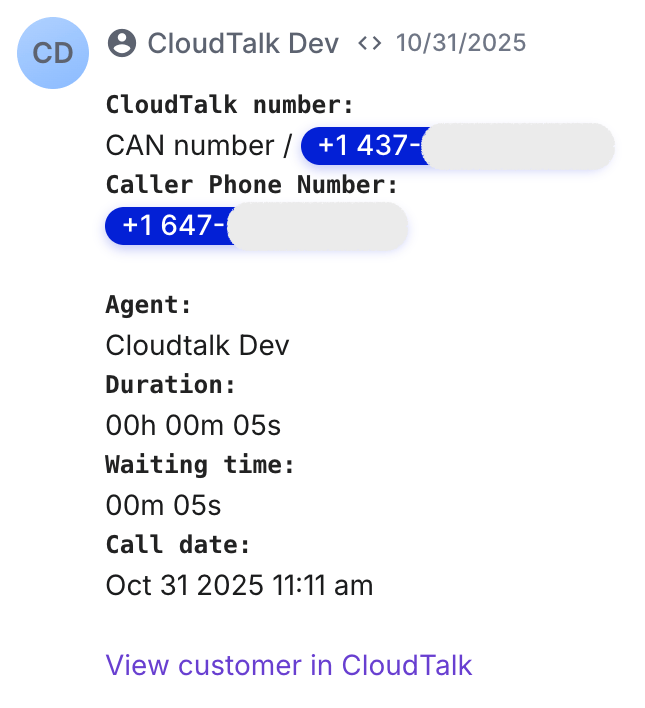
Need help or have a question? Just reach out through our Support portal — we’re here for you.