

In this article you will learn how contacts are synced between CloudTalk and Kustomer, which fields are mapped on import and export, and how calls and messages are logged as Kustomer conversations.
Call logging and data exchange
Contact sync
Import: Kustomer customers to CloudTalk contacts
Kustomer customers with no phone number will not be imported to CloudTalk.- Customers with shared emails, shared phone numbers, or shared WhatsApp numbers are never imported.
- Contacts are merged when multiple Kustomer customers share the same phone number or name. See Contact Merging for details.
When a Kustomer customer is created or updated, CloudTalk creates or updates the corresponding contact using all fields in the table above. Customers with no phone number and those with shared emails, phones, or WhatsApp numbers are never imported.
Export: CloudTalk contacts to Kustomer customers
CloudTalk contacts with the same phone number or email address as an existing Kustomer customer will not be exported. Phone numbers must be unique and valid in
E.164 format, with valid country, province, and local codes.
When a CloudTalk contact is created or updated, Kustomer creates or updates the corresponding customer using all fields in the table above. New contacts with the same phone number or email as an existing Kustomer customer are never created.
Call logging and export
Each CloudTalk call is exported to Kustomer as a new Kustomer conversation. A note is added to the conversation with the call details below.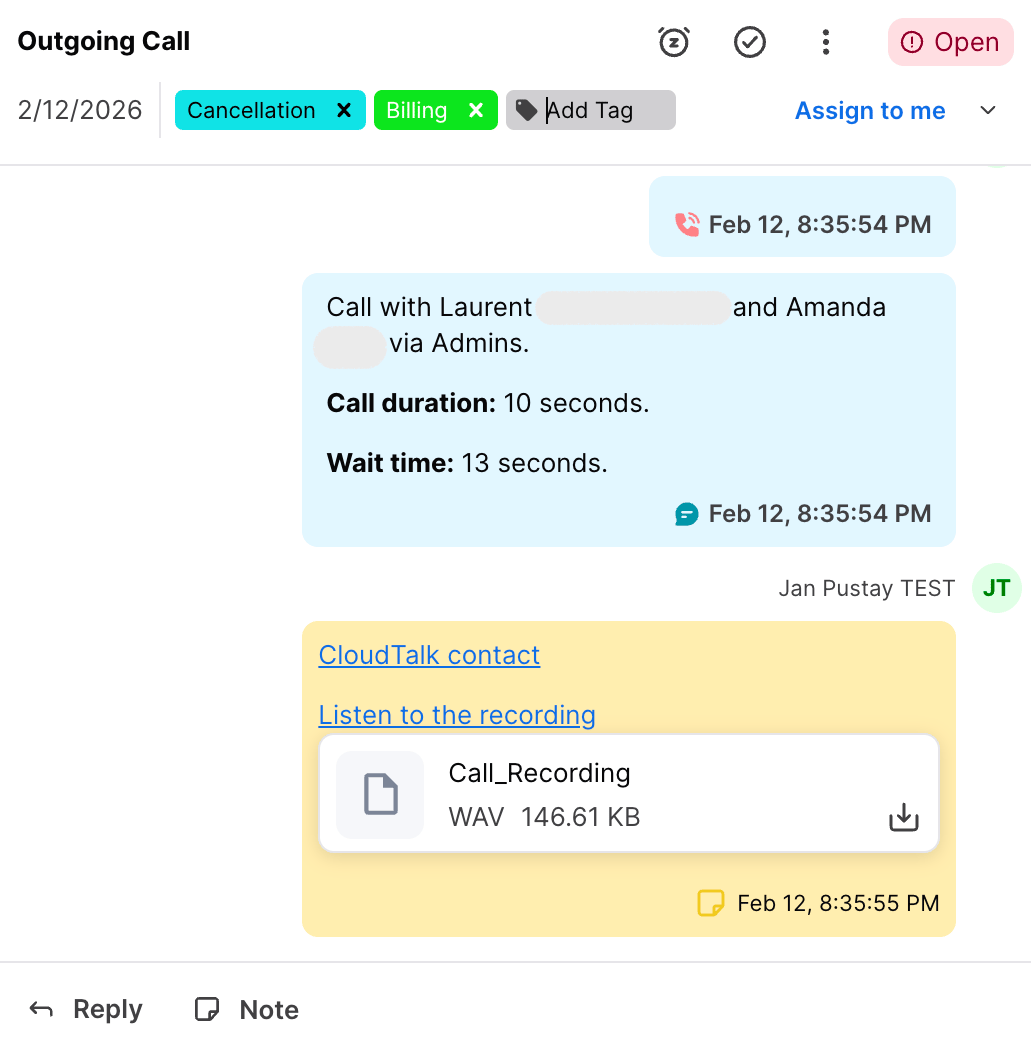
Unassociated contacts: If the caller or callee does not match any Kustomer customer, the conversation is still created in Kustomer but will not be linked to a customer record. You can manually associate it later from within Kustomer.
SMS and WhatsApp logging
CloudTalk SMS and WhatsApp messages are exported to Kustomer as new Kustomer conversations. A note is added containing the message details. The full field mapping table will be added here once available.Need help or have a question? Just reach out through our Support portal — we’re here for you.