

Step 1
Download the installation file for Mac from our website.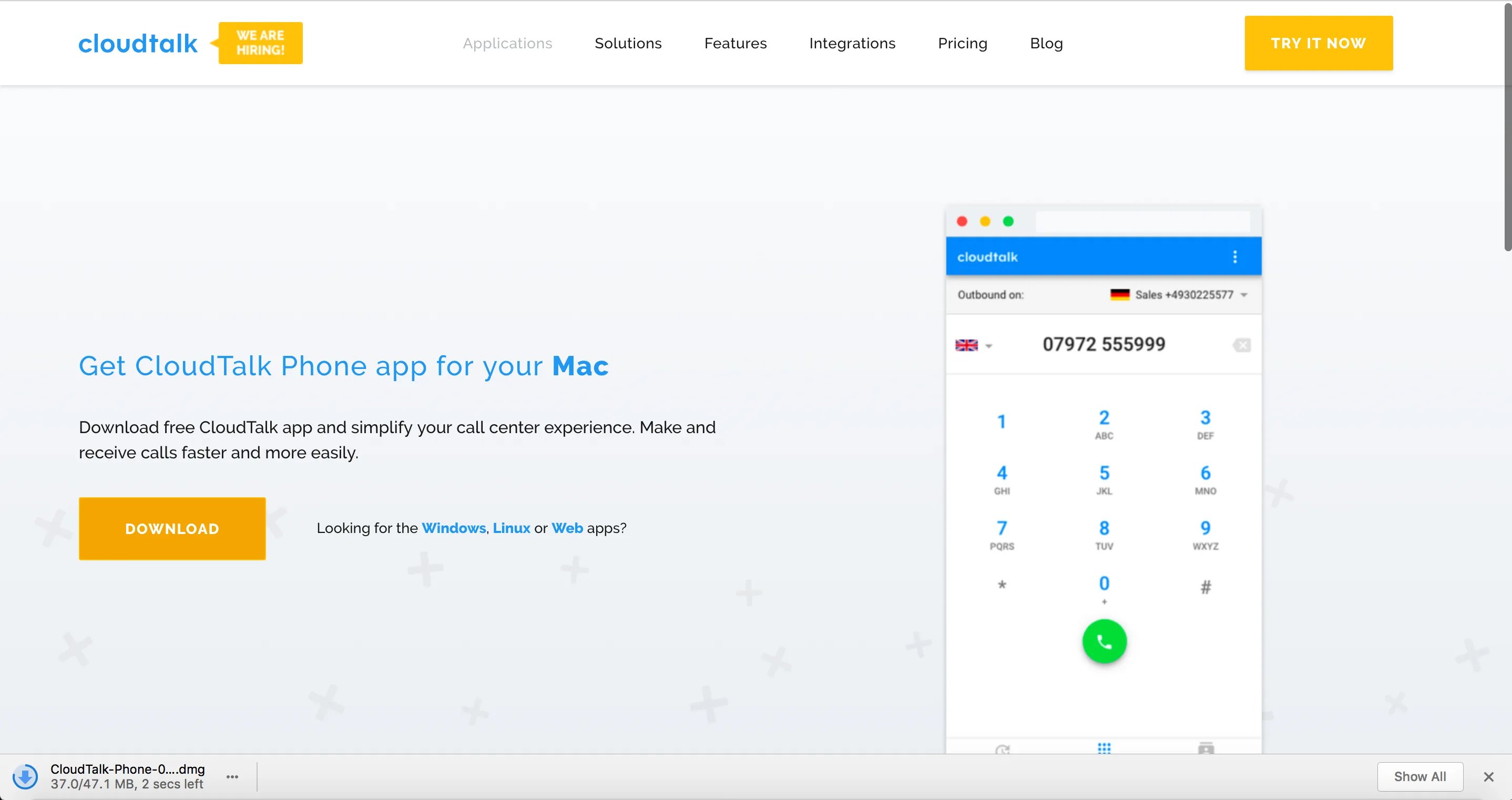
Step 2
Open the file. When your download is complete, double-click to open it. Note: In case you are unable to open the downloaded file, you need to change your security settings.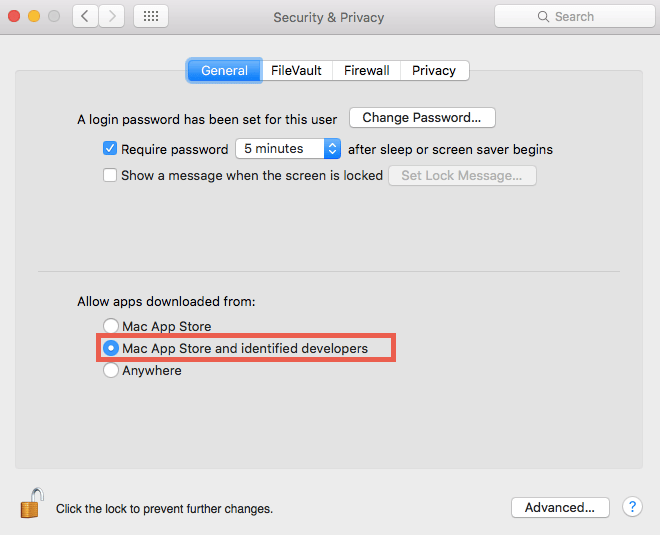
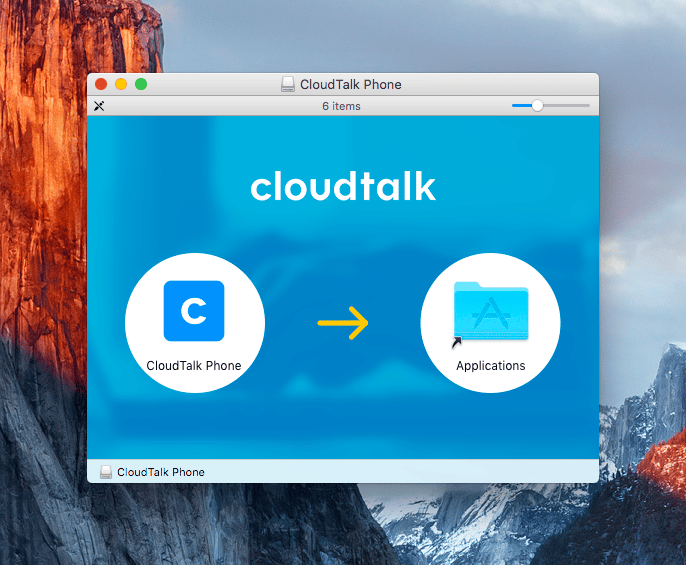
Step 3
Open the application directly in your Applications folder or your spotlight search.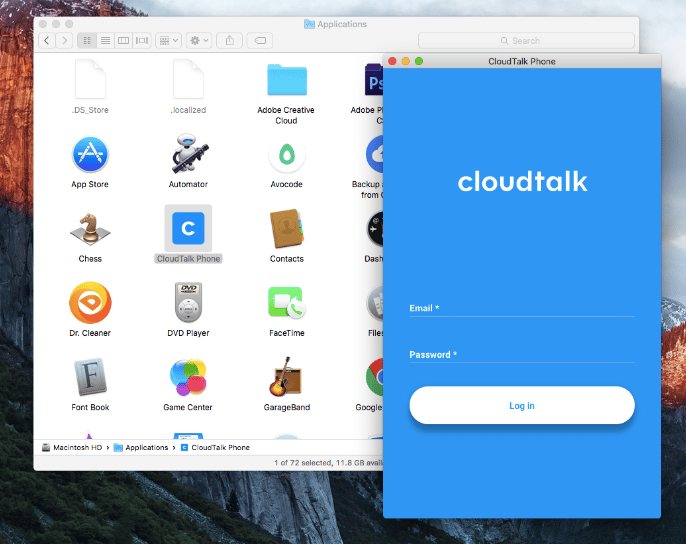
You’re all set!
Once the installation is successfully complete, you can immediately start using the app. Read more on some of the app’s features in this post.Need help or have a question? Just reach out through our Support portal — we’re here for you.