

In this guide, you will learn how to automatically trigger a CloudTalk VoiceAgent call from Freshdesk using Automation Rules. The Trigger Webhook action gives you full control over the HTTP method, URL, headers, and body, so calls can be initiated directly from ticket events.
Before you start
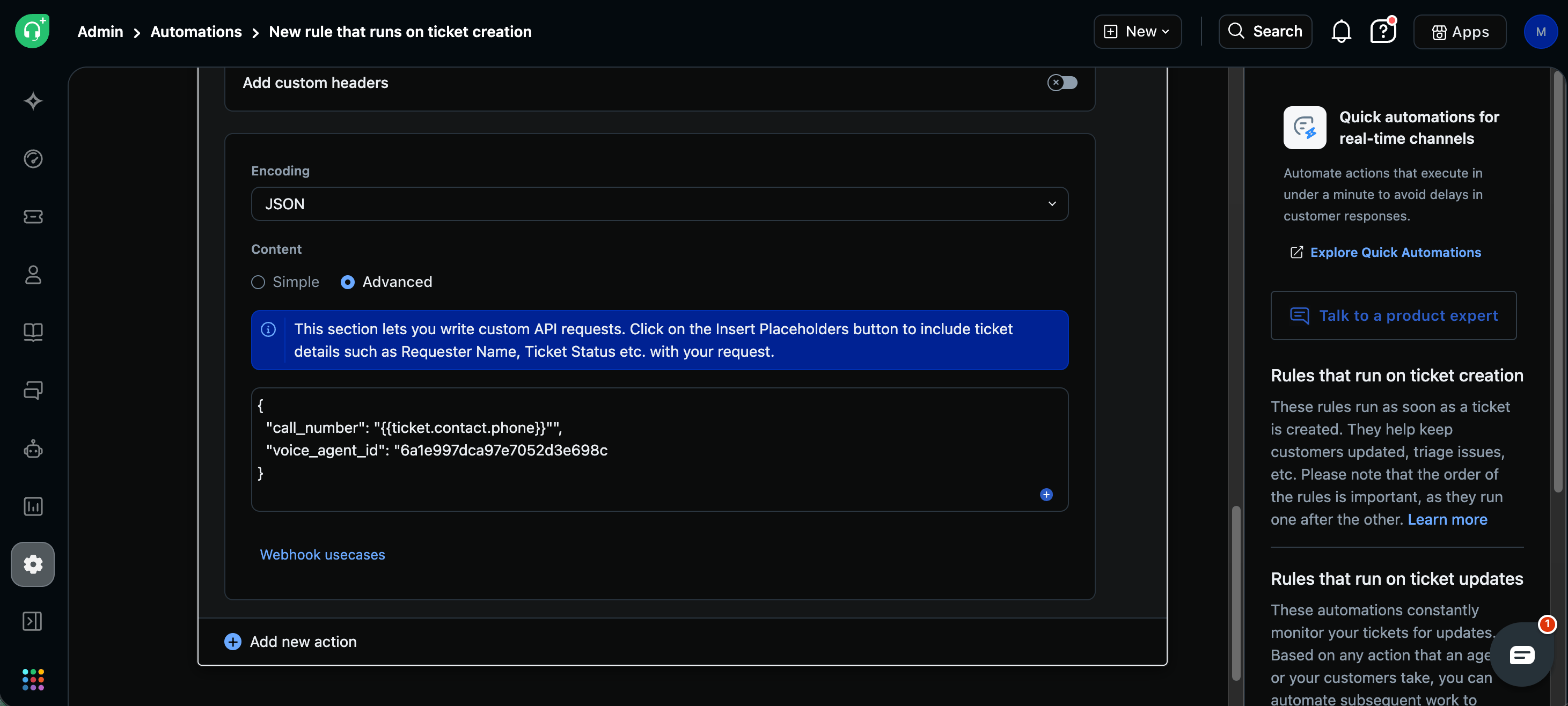
You will need:- A CloudTalk VoiceAgent already created (note the VoiceAgent ID)
- CloudTalk API credentials (API Key and Secret) found in Company Settings > Integrations > API (How to access and generate your CloudTalk API keys)
- A Freshdesk Pro plan or above
- A phone number available on Contact records
Generate the Authorization header
CloudTalk uses Basic Authentication for API requests.- Open https://www.debugbear.com/basic-auth-header-generator
- Enter your CloudTalk API Key as Username and your API Secret as Password
-
Copy the generated value. It looks like:
Basic XXXXXXXXX
Set up the integration
Create the Automation Rule
1. In Freshdesk, go to Admin > Automation > Ticket Creation (or On Ticket Update, depending on when you want calls triggered)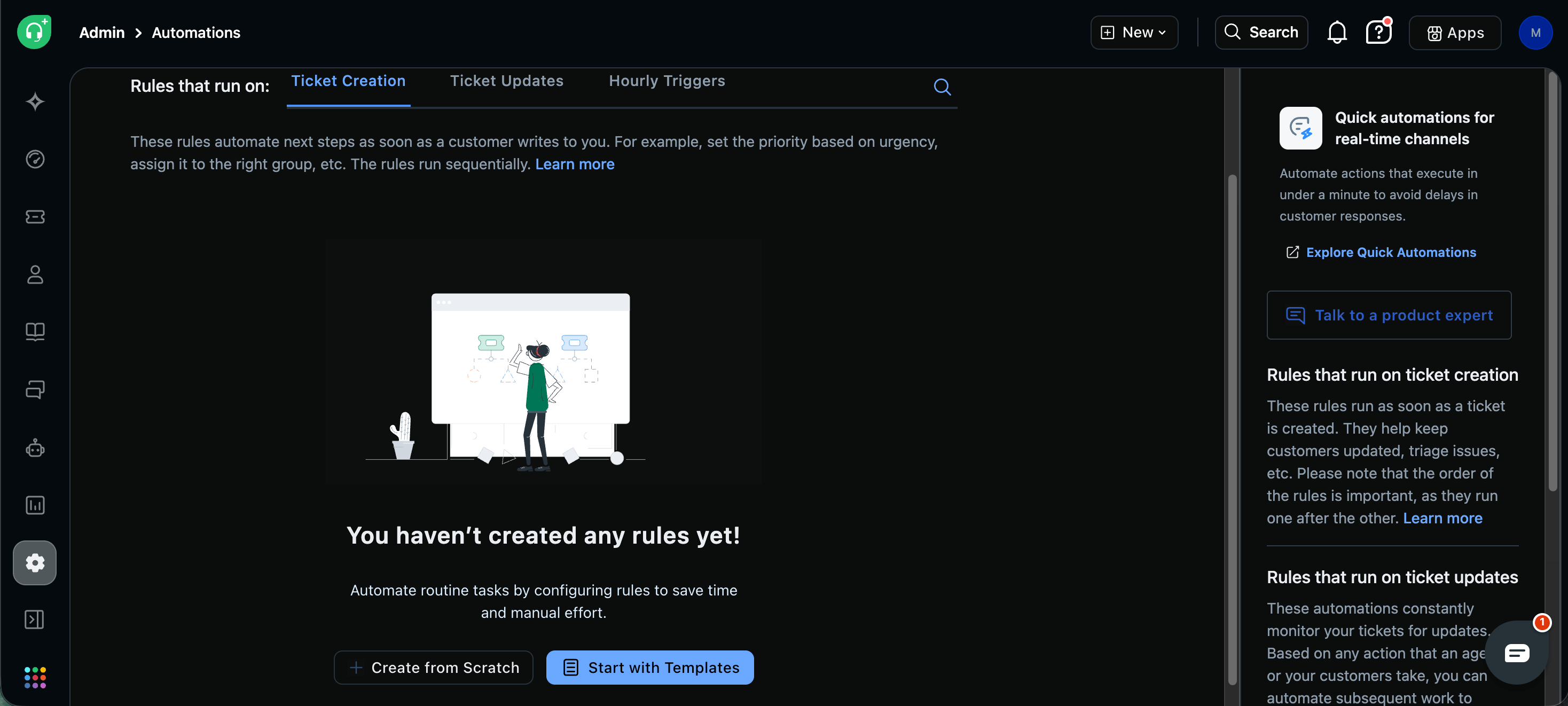
- Ticket is created
- Contact phone is present
-
Tag contains
voiceagent
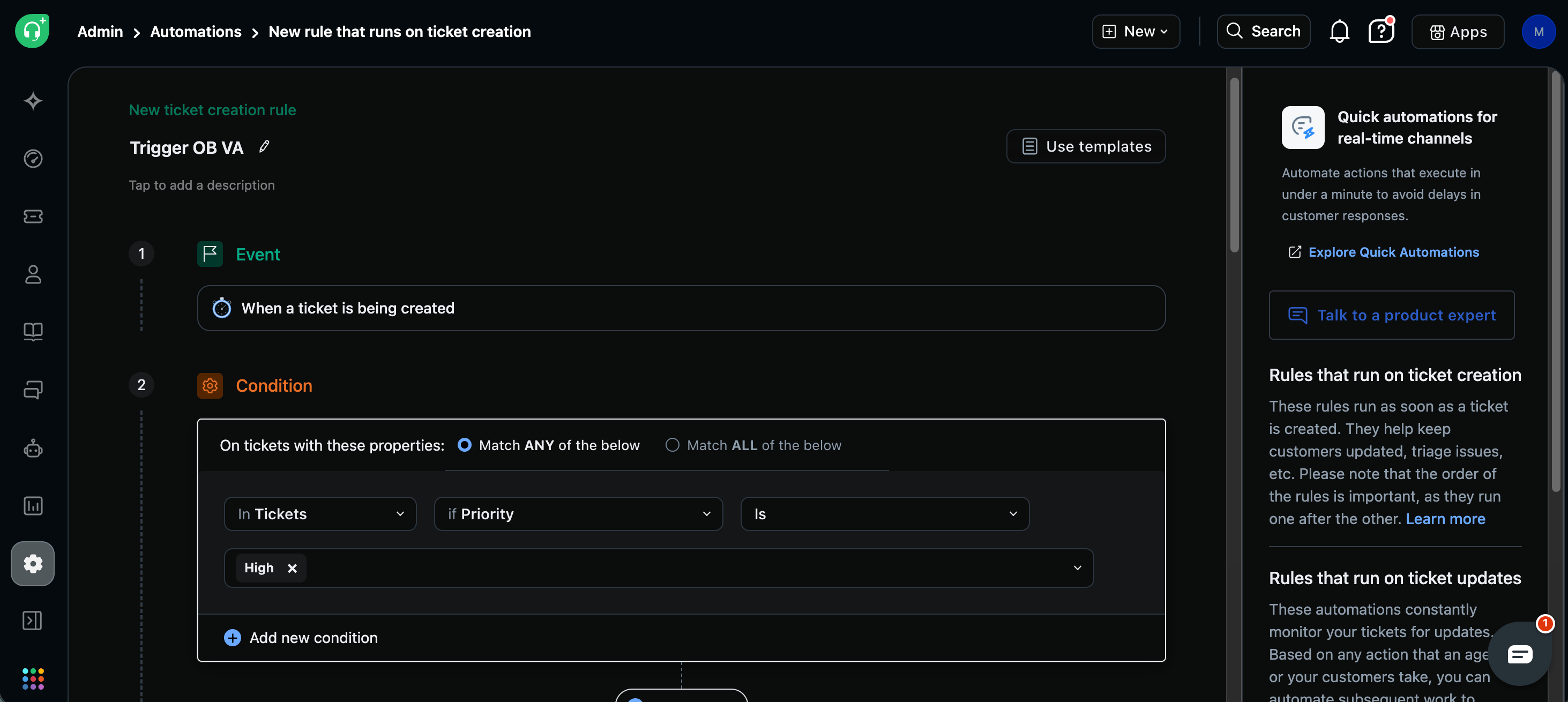
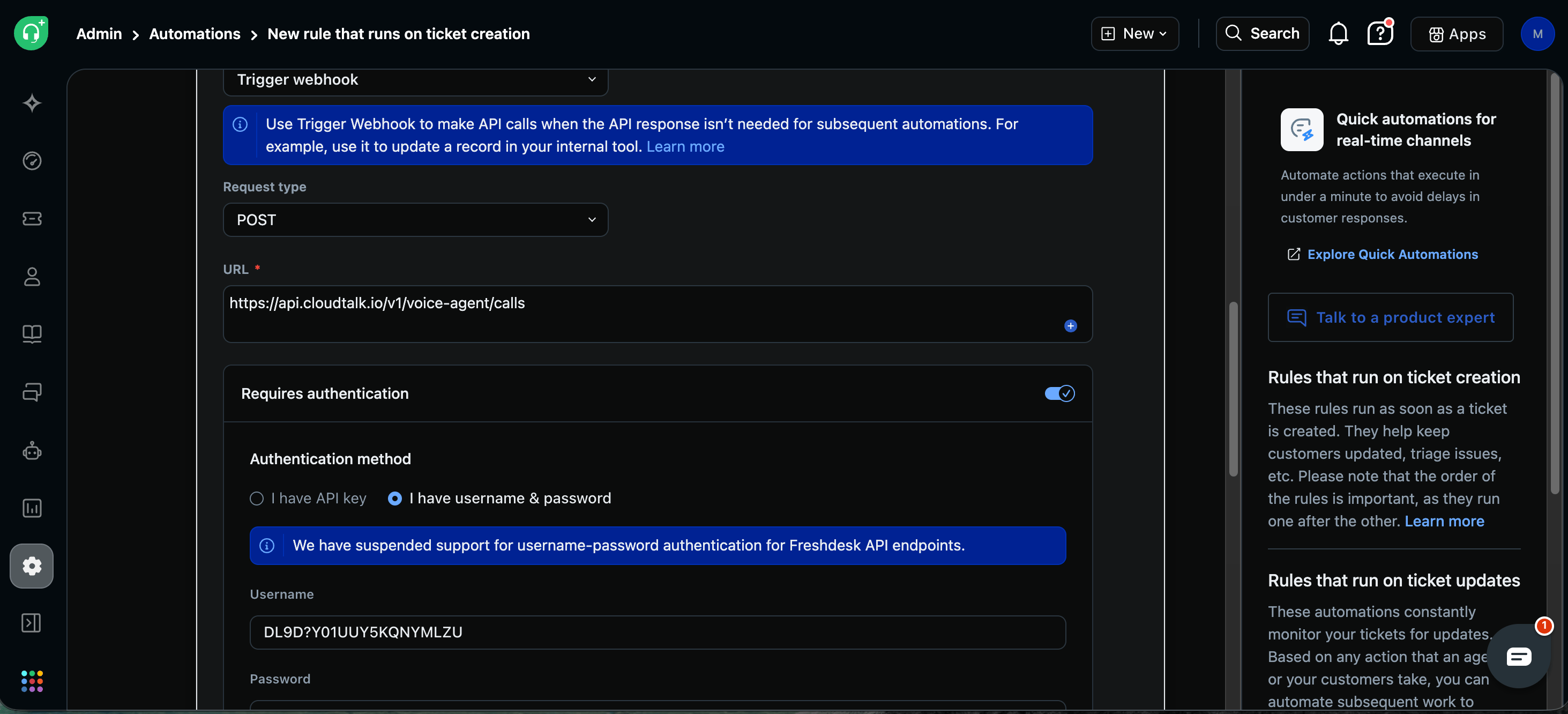
-
Authorization>Basic XXXXXXXXX -
Content-Type>application/json
Test and verify
- Create or update a ticket that matches your trigger conditions
- Go to Admin > Automation and check the rule’s execution log
- Verify in CloudTalk that the VoiceAgent call was initiated
💡 API Limits to Keep in MindTo avoid failures or throttling, make sure your Freshdesk automation handles call distribution carefully. Use delays or scheduling logic where needed, as the standard API rate limit (60 requests per minute) applies to the VoiceAgent endpoint.
Troubleshooting
Need help or have a question? Reach out through our Support portal. We’re here for you.