

You can automatically trigger a CloudTalk VoiceAgent call directly from Zoho Desk Automation Rules. This guide shows you how to create a custom function, connect it to a workflow rule, and verify that calls are being initiated correctly.
Before you start
You will need:- A CloudTalk VoiceAgent already created (note the VoiceAgent ID)
- CloudTalk API credentials (API Key and Secret) — found in Company Settings > Integrations > API (How to access and generate your CloudTalk API keys)
- A Zoho Desk account with access to Automation
- Contact records with phone numbers
Generate the Authorization header
CloudTalk uses Basic Authentication for API requests. To generate your encoded value:- Go to https://www.debugbear.com/basic-auth-header-generator
- Enter your CloudTalk API Key as Username and API Secret as Password
-
Copy the generated header. It will look similar to:
Basic XXXXXXXXX
Set up the integration
Create the Custom Function
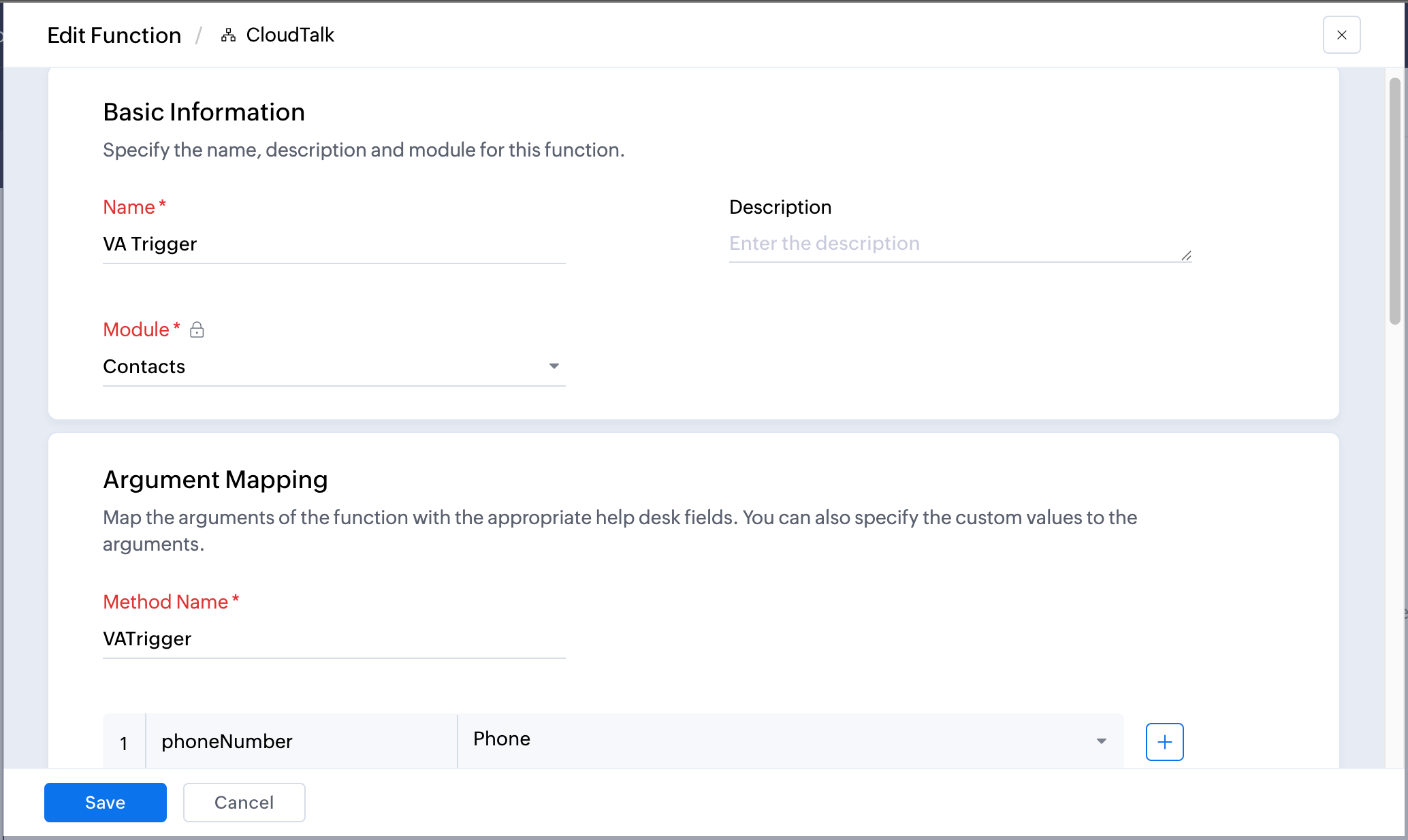
1. Go to Setup > Developer Space > Custom Functions 2. Click New Function 3. Configure the function:- Function Name: CloudTalk VoiceAgent
- Module: Select the module that will trigger the call (e.g. Contacts, Tickets)
- Argument Name:
phoneNumber> Select Field: Contact Phone (or the relevant phone field for your module)
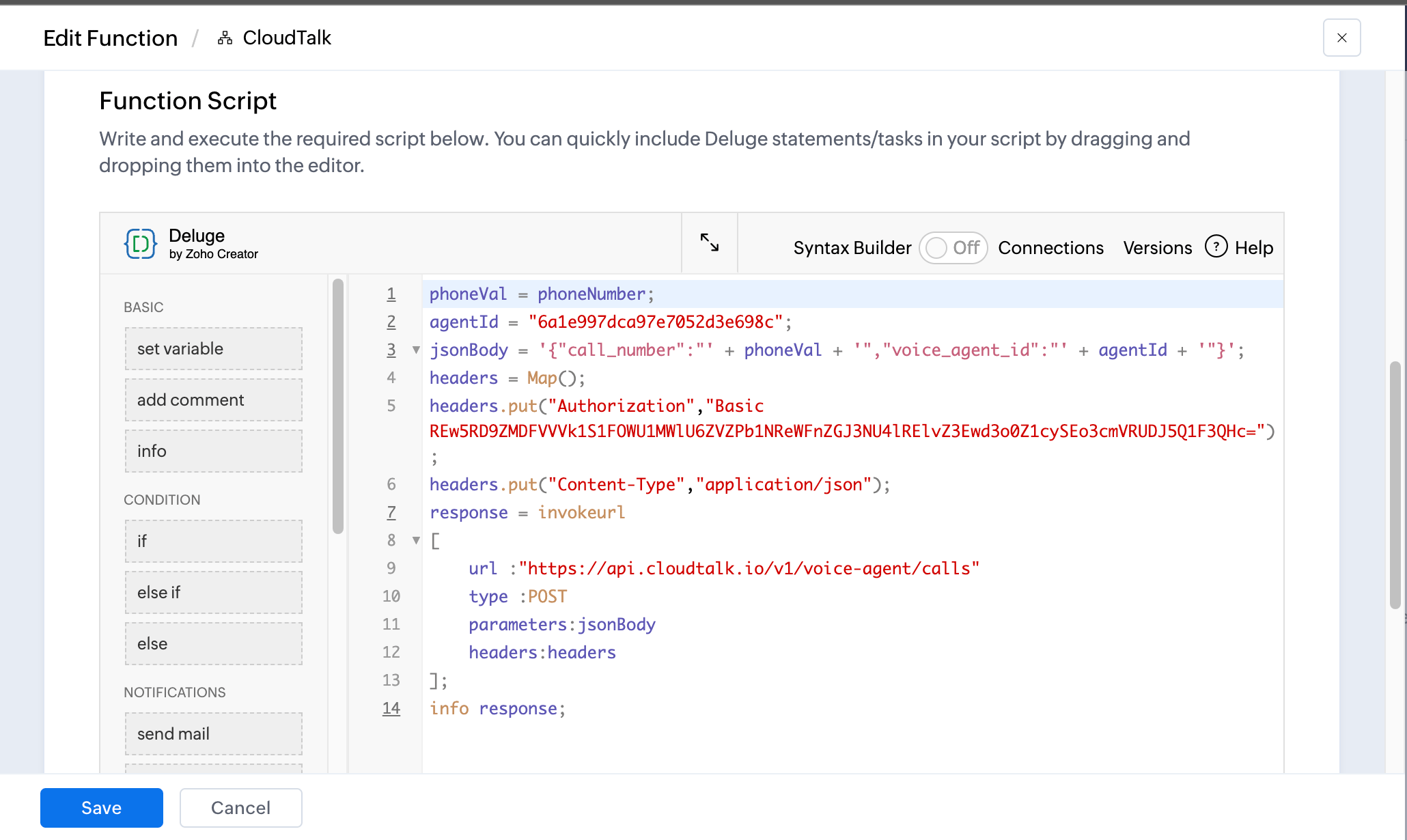
YOUR_VOICE_AGENT_ID with your actual VoiceAgent ID and XXXXXXXXX with your Base64-encoded credentials from the step above.
6. Click Save Script, then Save.
Create the Automation Rule
- Go to Setup > Automation > Workflow Rules
-
Click New Rule and select the same module you chose in Step 1
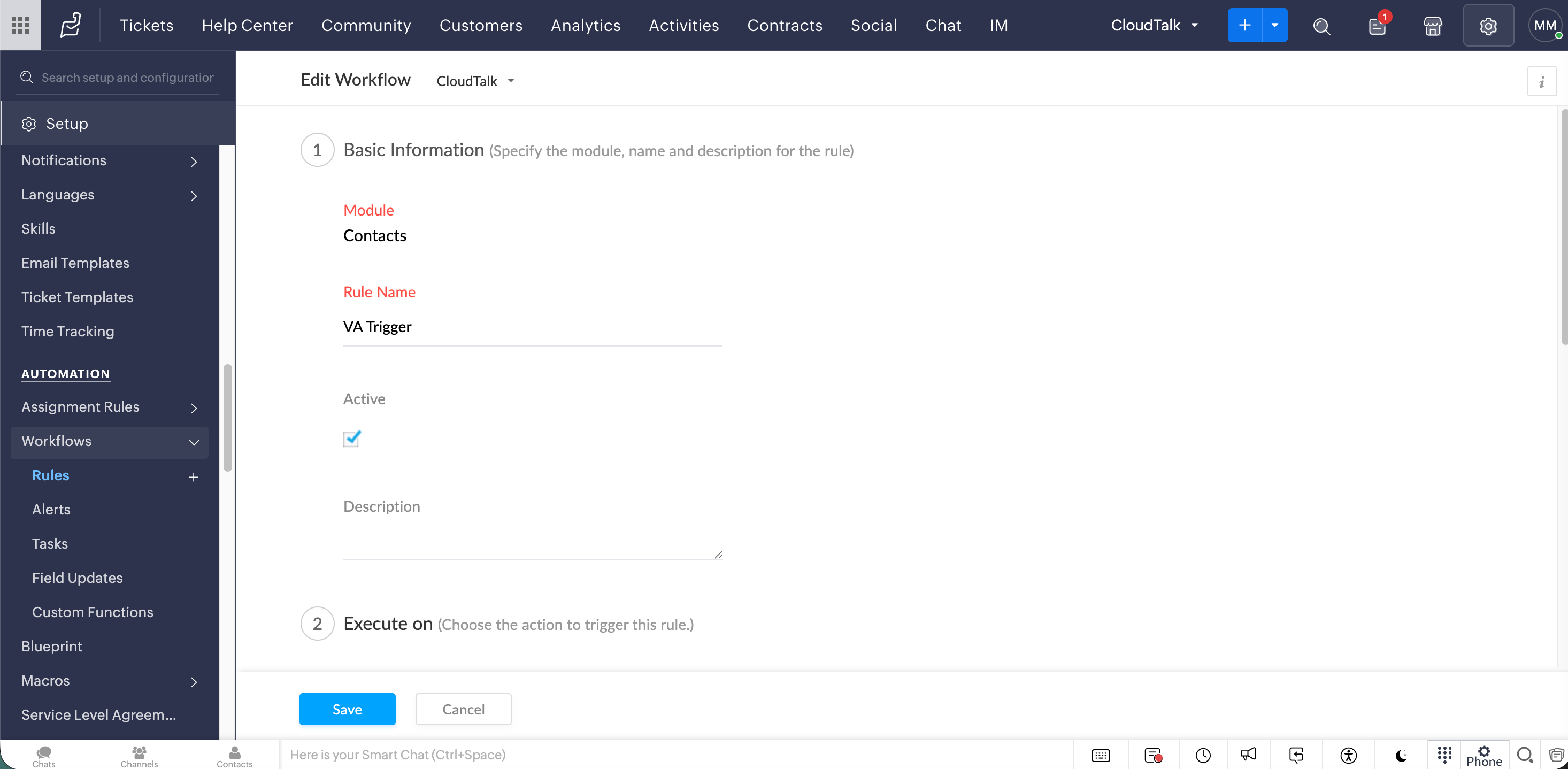
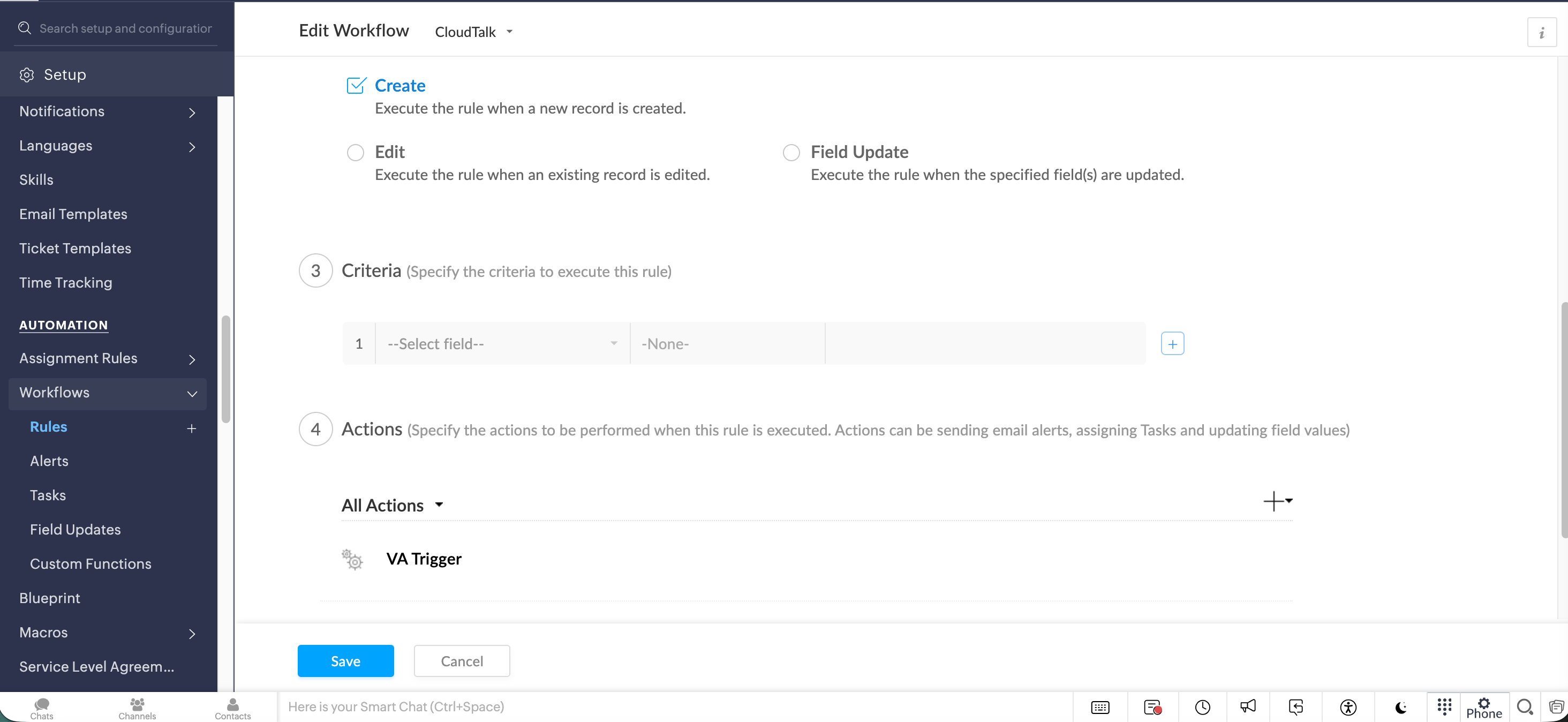
- Contact created
- Ticket status changed to Open
Test and verify
- Create or update a record that meets your trigger conditions
- Go to Setup > Automation > Workflow Rules, open your rule, and check the Logs
- Confirm in CloudTalk that the VoiceAgent call was initiated
💡 API Limits to Keep in MindTo avoid failures or throttling, make sure your Zoho Desk automation handles call distribution carefully. Use delays or scheduling logic where needed, as the standard API rate limit (60 requests per minute) applies to the VoiceAgent endpoint.
Troubleshooting
Need help or have a question? Just reach out through our Support portal — we’re here for you.