

Mobile app users can now edit or assign numbers to existing contacts, as well as add new ones.
- Agent
Add/Edit Contact from a Number in Call History
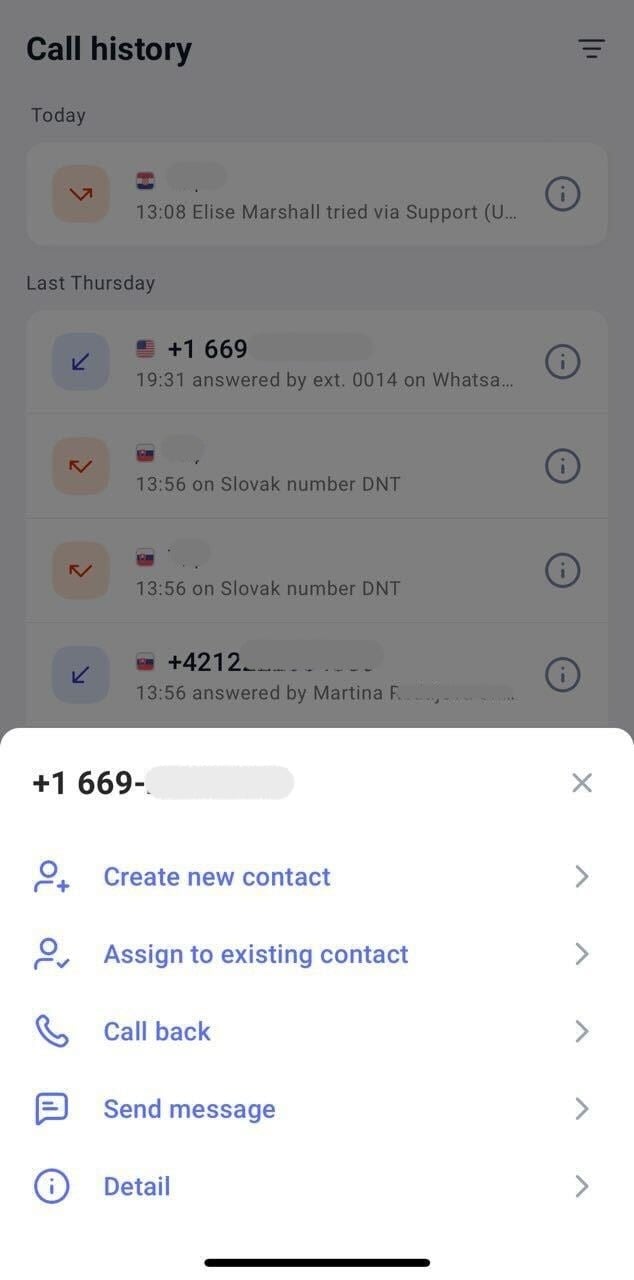
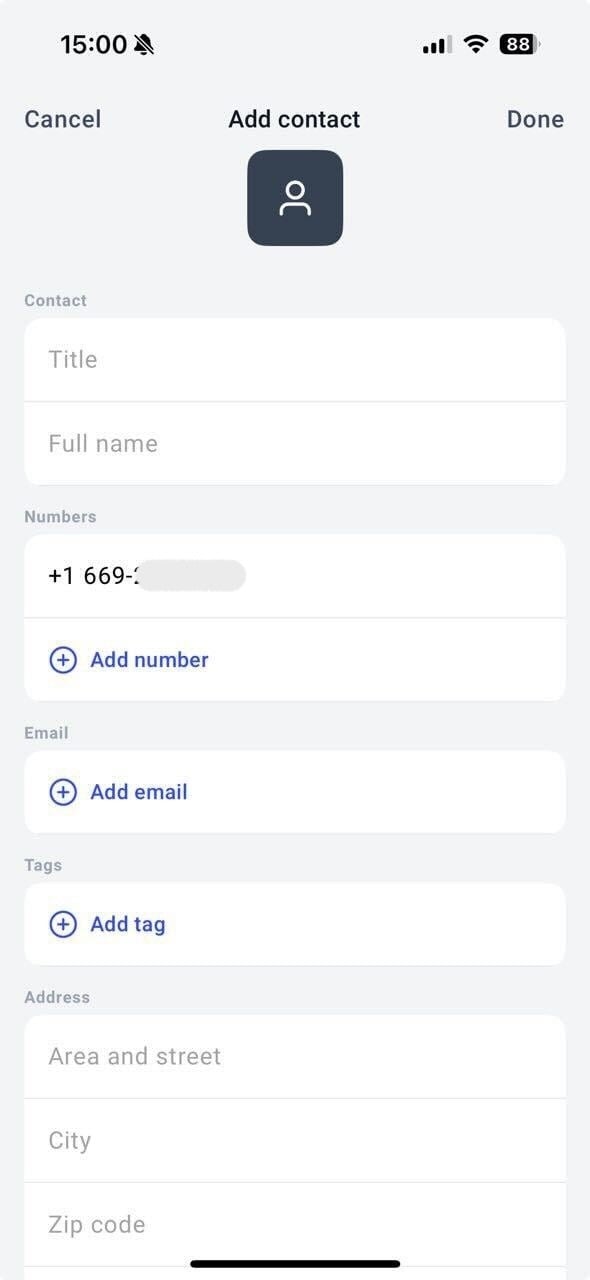
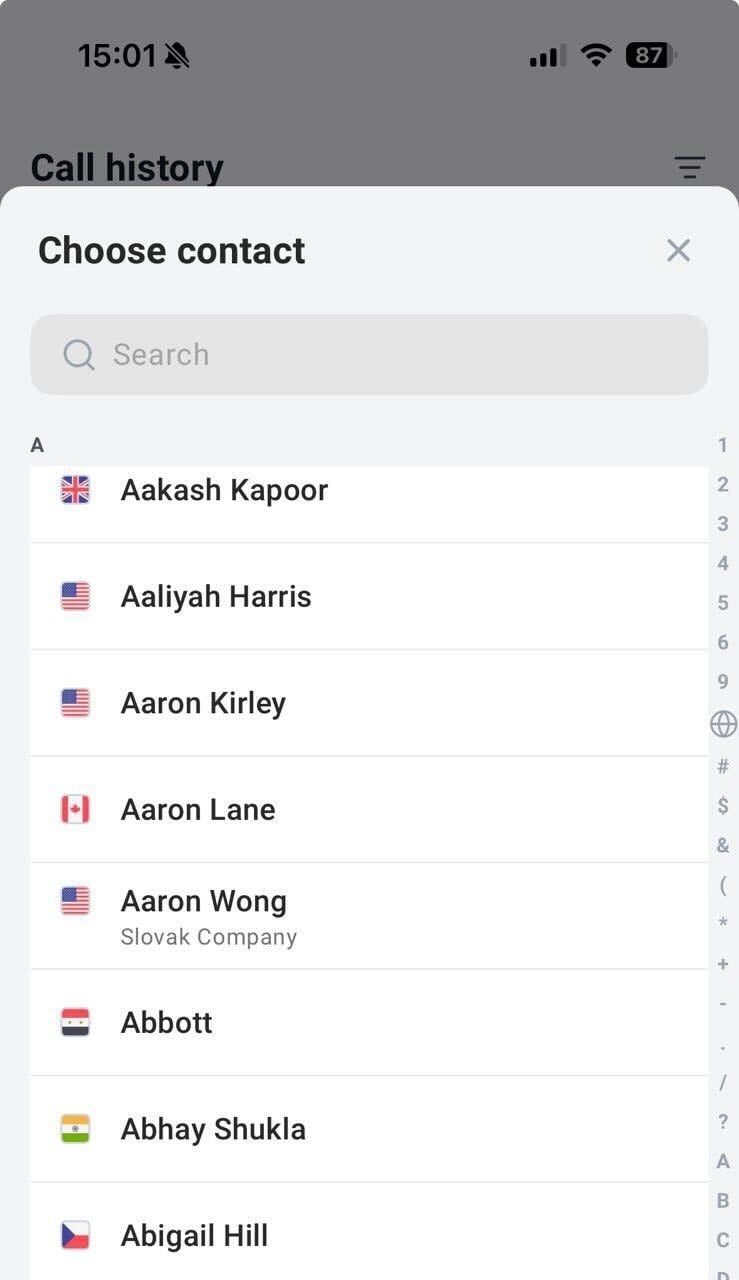
From Call History, tap and hold the number you want to add or assign to an existing contact. This will bring up a Call Detail menu, where you will see the following options for the number:- Create new contact
- Assign to existing contact
- Call back
- Send message
- Detail
Add/Edit Contact from your Contacts List
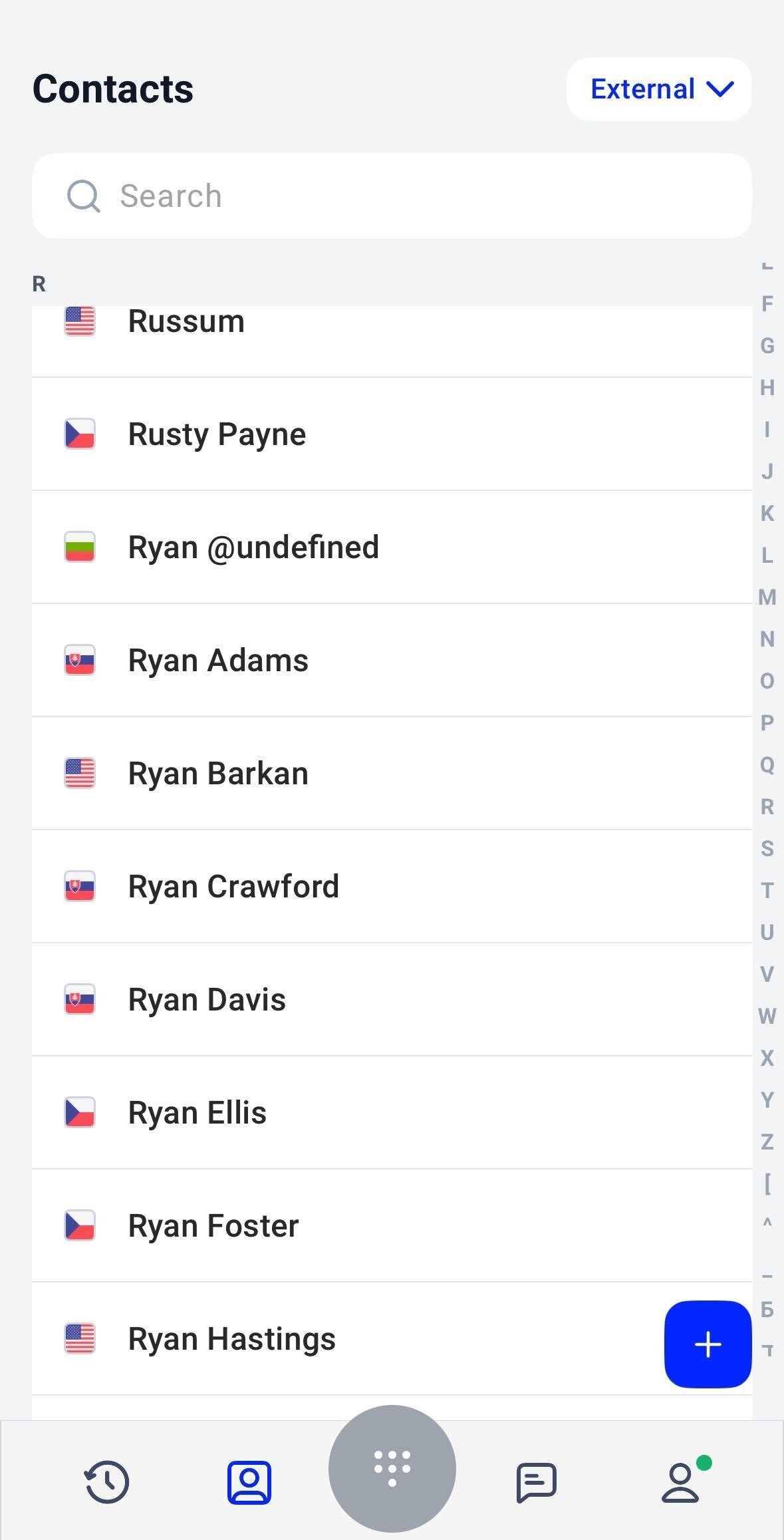
blue + icon in the bottom corner. Add the necessary contact details.
Required fields:
- Full name
- Phone number (adding more than one is optional)
- Title
- Email (may add more than one)
- Tag (choose from saved Tags or create new)
- Area and street
- City
- Zip code
- Country
- Company name
- Industry
- Web
- Favorite agent
FAQ
-
Can I sync my phone contacts into my CloudTalk Go contact list?
- Unfortunately, no. We currently don’t support this.
Need help or have a question? Just reach out through our Support portal — we’re here for you.