

Learn how sequential mode works, when to use it, and how it differs from parallel mode.
Sequential mode dials one contact at a time. It’s the right choice when each conversation matters and your agents want a moment to prepare before each call.
Setting up sequential mode
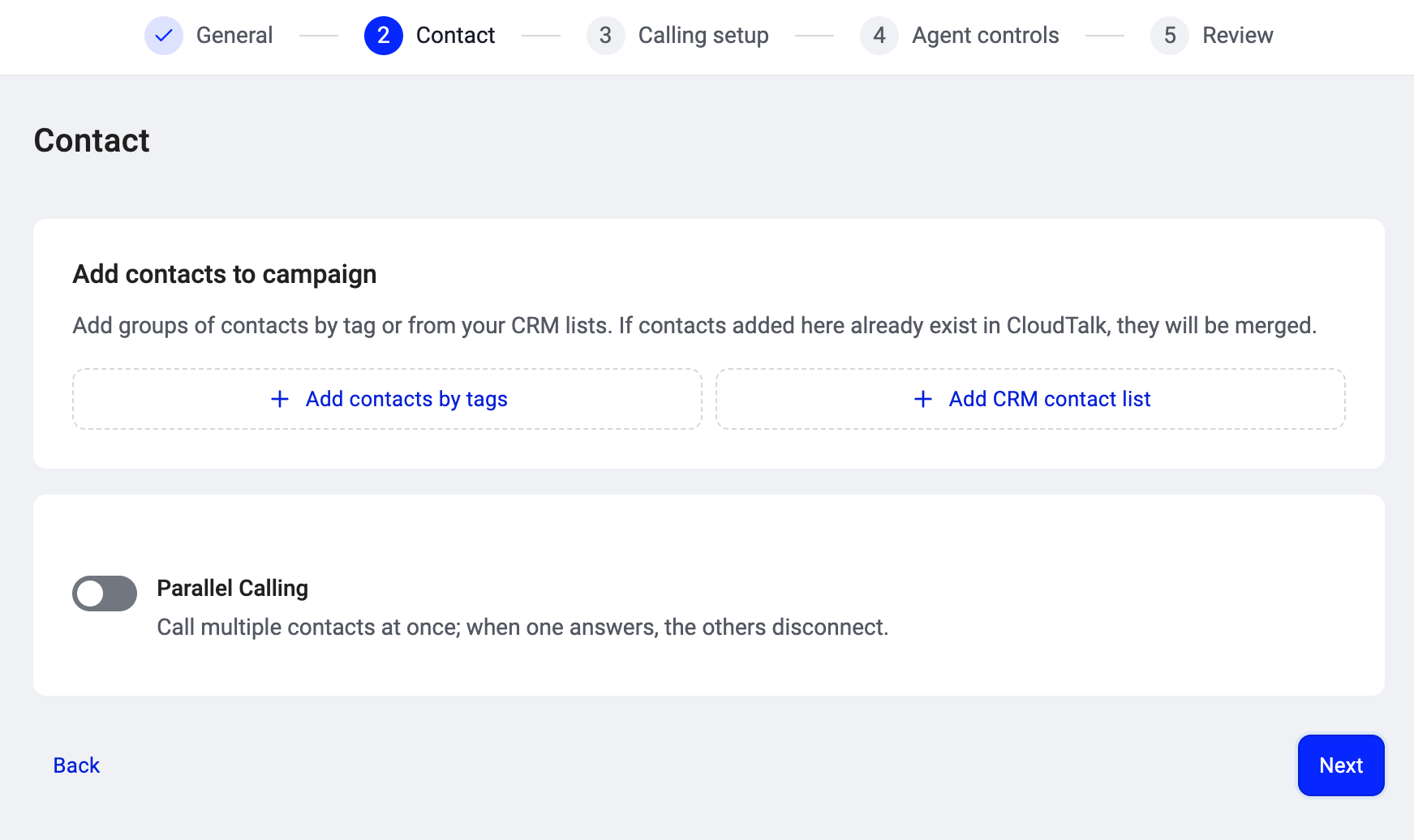
Sequential mode is the default. In Step 2: Contact of the campaign creation wizard, the Parallel Calling toggle is OFF by default, which means the campaign dials one contact at a time.- Go to Dialer (new) > Campaigns and click + Add campaign.
- Complete Step 1 (name).
-
In Step 2: Contact, add your contacts and leave the Parallel Calling toggle OFF.
- Finish the remaining steps and create the campaign. See Setting up a campaign in the AI Sales Dialer for the full walkthrough.
💡 Sequential mode does not require any add-on. Every AI Sales Dialer account can run sequential campaigns.
How sequential mode differs from parallel
How it works
- The dialer serves you the next contact and shows their details (name, number, company, CRM data).
- You review the information, then place the call when you’re ready.
- You talk. Use the script or survey if the campaign has one. Take notes on the call.
- The call ends. Set a disposition to record the outcome. This is required before the dialer moves you forward.
- If automatic dialing is on, a countdown starts and the next call is placed when it reaches zero. Click Next Call to skip the countdown. If automatic dialing is off, you click to dial manually.
- The next contact is served and the cycle repeats.
When to use sequential mode
Sequential mode works best when:- Conversations are high-value and need preparation (enterprise sales, renewals, sensitive follow-ups).
- Your list is smaller and every contact deserves full attention.
- Agents are newer and benefit from reviewing each contact before dialing.
What agents can do during a session
Everything in Running a campaign in the AI Sales Dialer applies. In sequential mode specifically:- Skip, remove, and reorder controls (if enabled by your admin) are available between calls but disabled while a call is in progress or the auto-dial countdown is running.
- Schedule a callback for contacts who ask to be called later. See Scheduled callbacks.
- Drop a voicemail manually when you hear an answering machine greeting. In sequential mode there is no automatic voicemail detection; you decide whether to leave a message or hang up.
- Pause your session any time to take a break. Your held contacts stay assigned to you.
Good to know
- Voicemail detection does not run in sequential mode. If the call reaches an answering machine, the agent hears the greeting and decides what to do (leave a voicemail drop, hang up, etc.). Automatic filtering of answering machines is a parallel-mode feature.
- Each real call counts as an attempt, whether or not the contact answered. A dial that never reached the server (e.g., an immediate network failure) does not count.
- The dialer respects the campaign’s retry and cooldown rules the same way in both modes.
Need help or have a question? Just reach out through our Support portal — we’re here for you.