

Learn how to create an AI Sales Dialer campaign step by step: audience, calling setup, dispositions, agent controls, and activation.
A campaign is a list of contacts plus the rules for how your team calls them. You create and manage campaigns in the Dashboard under AI Dialer > Campaigns. Creating a campaign takes five steps: name it, add contacts, configure calling settings, set agent controls, and review.
Step 1: General
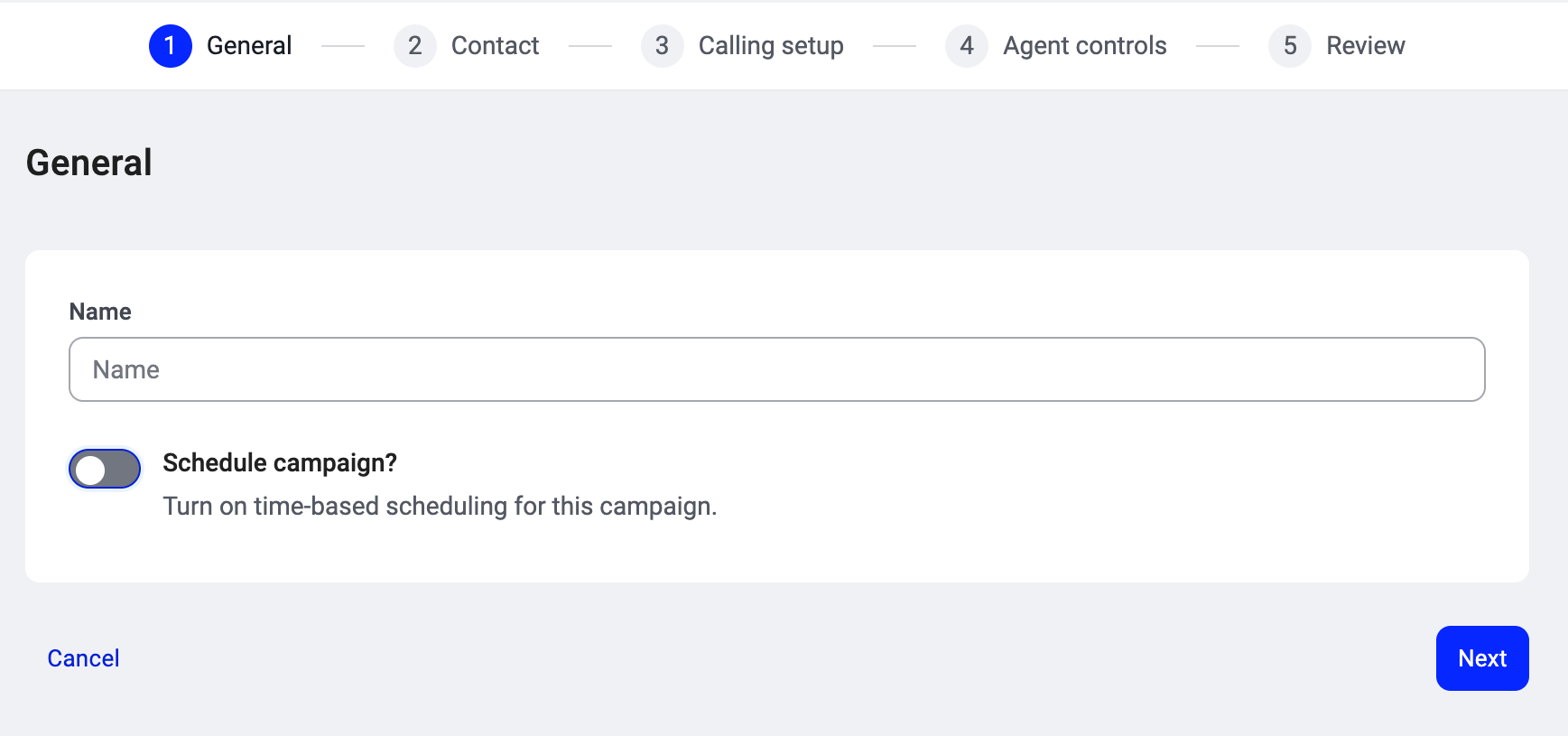
Give your campaign a name: something your agents will recognize when they pick it from their list (e.g., “Summer campaign” or “Q3 EMEA re-engagement”). Schedule campaign? (toggle). When ON, two fields appear:- Date: the date the campaign should start dialing.
- Scheduled time: the time of day dialing begins.
Step 2: Contact
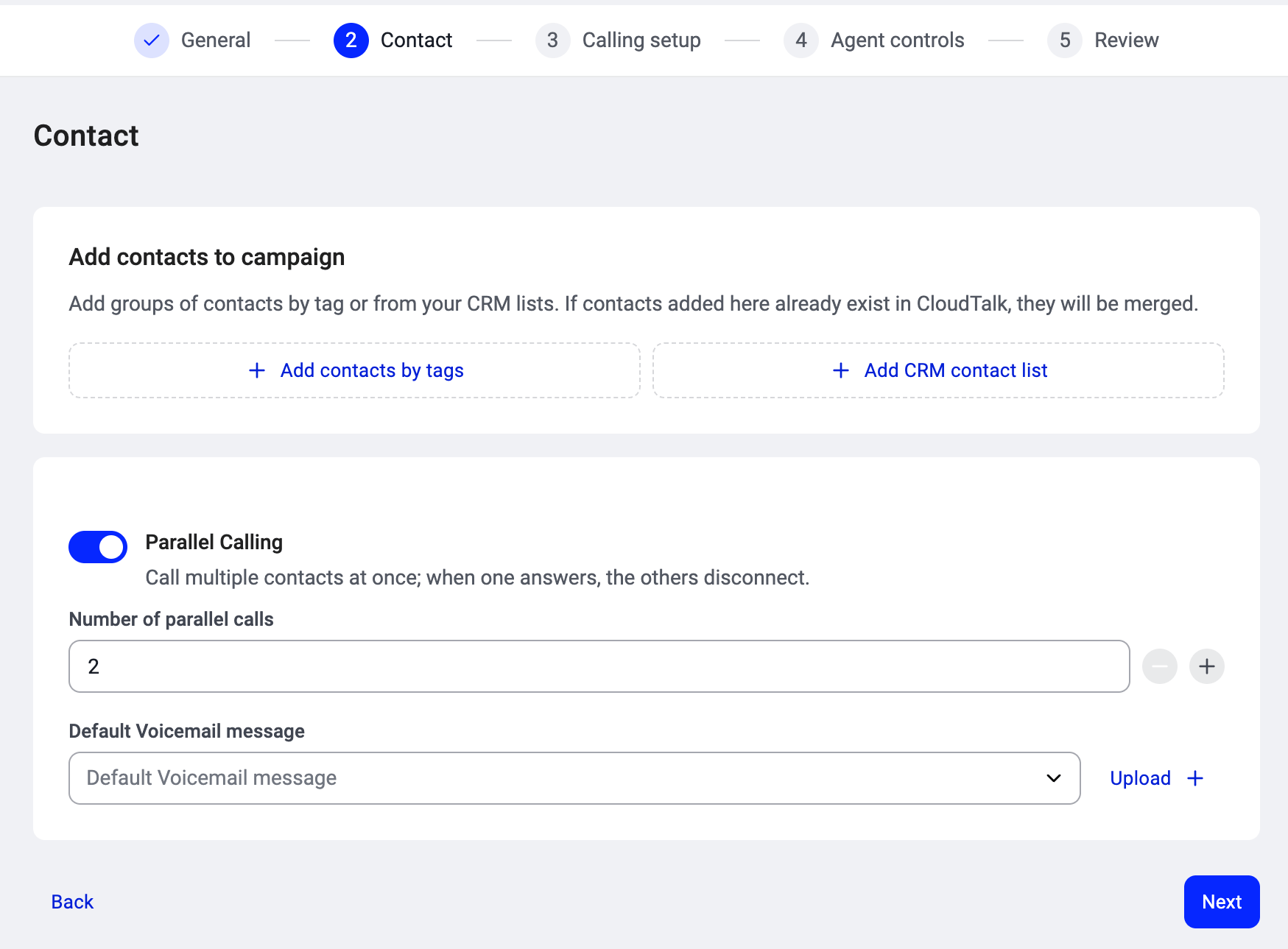
This is where you build your audience. You have two options for adding contacts:- Add contacts by tags. Pick one or more tags from your CloudTalk tag list. Every contact carrying those tags becomes part of the campaign. You can search to find the right tag. This is the most common approach and keeps your audience dynamic: if a contact gains the tag later, they’re added automatically.
- Add CRM contact list. If you have a connected CRM (HubSpot, Salesforce, Pipedrive, or Zoho), you can select a CRM list directly. The list stays in sync, so contacts added on the CRM side flow into the campaign automatically.
- Number of parallel calls: how many contacts the dialer rings simultaneously per agent, between 2 and 5. Need more than 5? Up to 10 parallel calls is available on request. Contact your account manager or Support to have it enabled.
- Default Voicemail message: the voicemail left for contacts who don’t answer. Select an existing message from the dropdown or click Upload + to add a new one.
Step 3: Calling setup
This is where you configure how the dialer handles calls for this campaign.- Assign agents directly or select groups. Select the agents or groups who will work this campaign. Click + Add group to assign an agent group, or + Add user to assign individual agents. When Parallel Calling is enabled, each agent in the picker shows a Has seat or No seat badge. Only agents with a seat can be added to the campaign. Agents marked “No seat” cannot be added until your CSM or support team assigns them a Parallel Calling seat. See Parallel Calling seats for details.

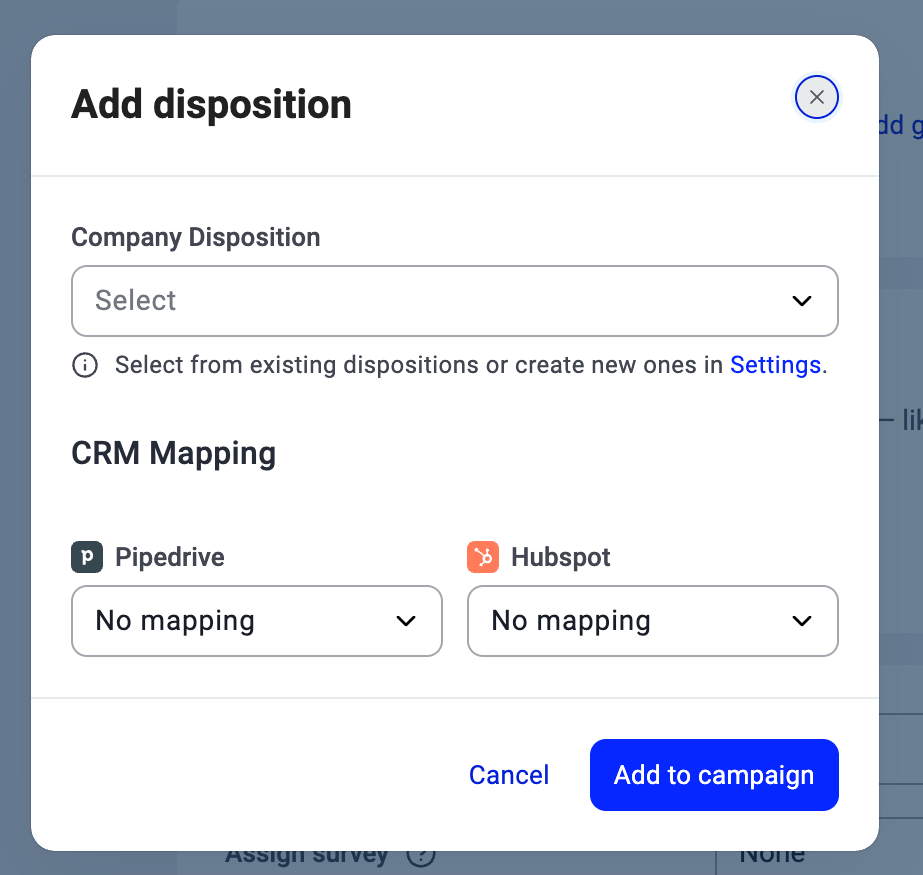
- Add dispositions. When creating a campaign, all your company’s dispositions are added automatically. Remove any you don’t want agents to see by clicking the X on the chip. To re-add one later (or when editing an existing campaign), click Add, choose it from the Company Disposition dropdown, optionally set a CRM Mapping (HubSpot, Salesforce, Pipedrive, Zoho) so the outcome syncs to your CRM, and click Add to campaign. See Dispositions and outcomes.
- Assign call script. Attach a script agents see on-screen during calls.
- Assign survey. Attach a survey agents complete during or after the call.

Step 4: Agent controls
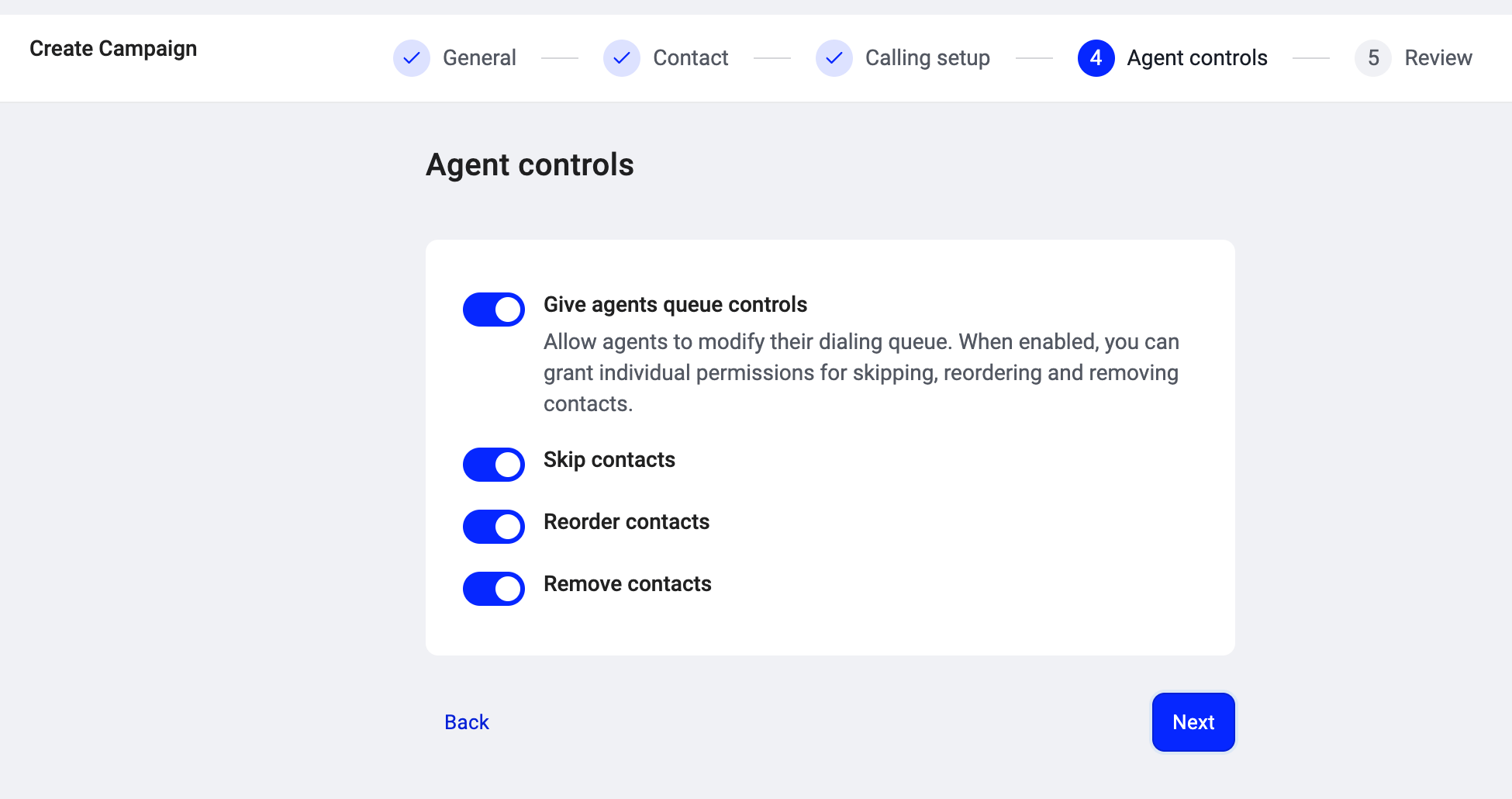
Decide whether agents can modify their dialing queue.- Give agents queue controls (toggle). When OFF, agents work the queue in the order the dialer serves it, with no ability to change it. When ON, three sub-permissions appear:
- Skip contacts: agents can skip a contact and move to the next. The skipped contact returns to the queue for later.
- Reorder contacts: agents can drag contacts to change the order in their personal queue.
- Remove contacts: agents can permanently remove a contact from the campaign queue.
Step 5: Review
Review your settings across all four sections. Each section has an Edit link that takes you back to that step if anything needs changing. At the bottom you’ll see Activate your campaign (toggle). Your campaign is saved as a draft (Inactive) by default. Turn this ON when you’re ready to start dialing contacts. You can also activate it later from the campaign list. Click Create campaign to finish.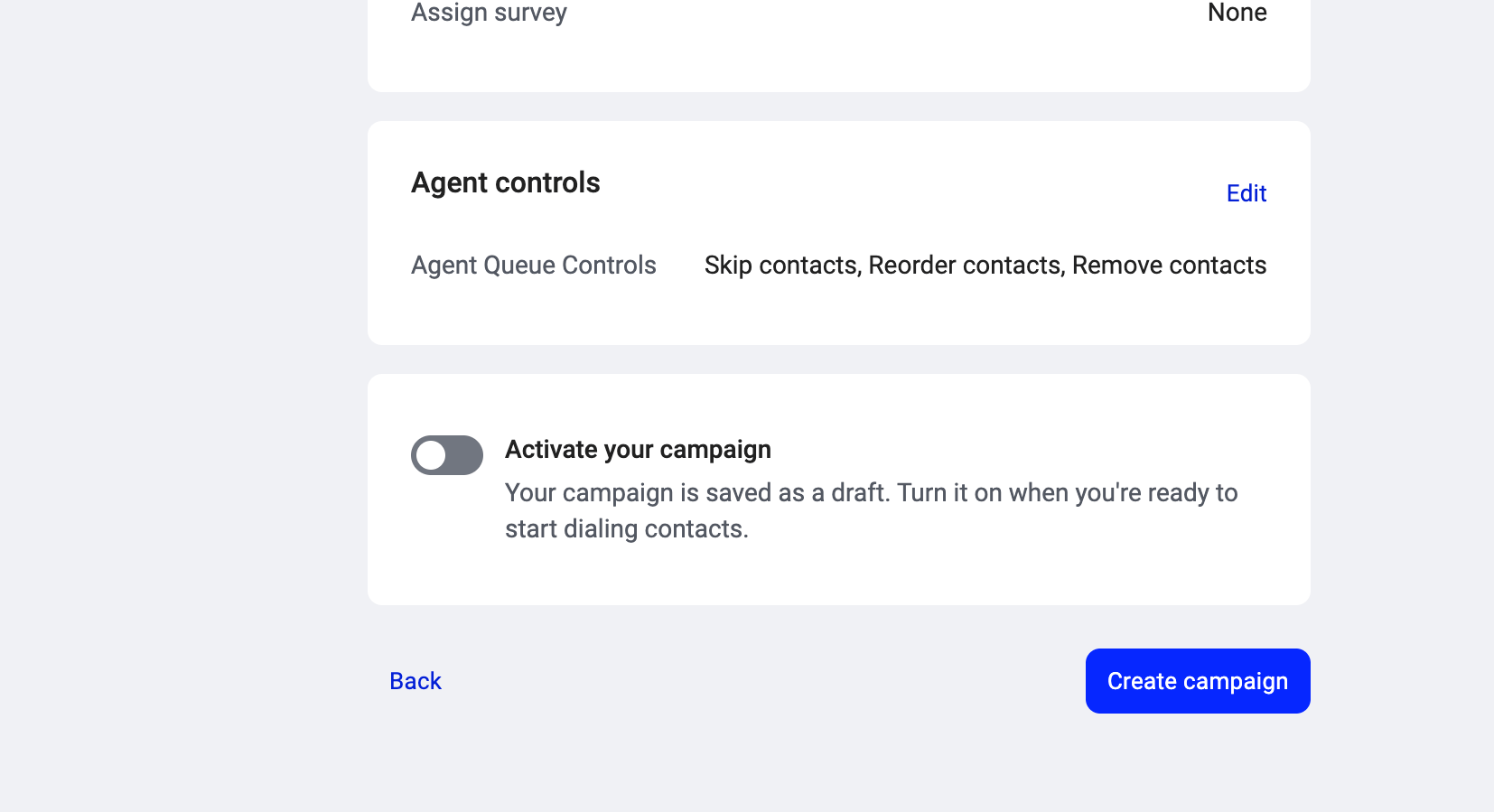
Campaign states
Editing a campaign
You can edit any setting on an existing campaign by opening it and clicking Edit on the relevant section. Changes apply to future calls. Contacts already dispositioned keep their existing outcomes; new rules (like updated retry settings) apply only going forward.Need help or have a question? Just reach out through our Support portal — we’re here for you.