

Learn which add-on unlocks the AI Sales Dialer and parallel dialing, how accounts get enabled, and what to check if the Dialer is missing.
What you need
- Power add-on (sequential dialing): €/$15 per user per month. Gives you the AI Sales Dialer in sequential mode, one contact at a time. The agent reviews the contact’s details, places the call, talks, sets a disposition, and moves to the next. Best for considered, higher-value conversations where preparation matters (warm lists, follow-ups, ABM). Included in the Expert plan at no extra cost; add-on for Starter, Essential, and Lite. Comes with a 14-day free trial. See Sequential mode (1 line).
- Parallel add-on: €/$39 per user per month. Includes everything in the Power add-on, plus parallel dialing (up to 5 simultaneous lines), voicemail detection (machines are filtered before the agent is connected), and automatic voicemail drop. Best for high-volume lists where maximizing talk time matters. Fair Use Policy: 10,000 min/user in US and Canada, 5,000 min/user outside. Comes with a 14-day free trial. Available as an add-on for any plan. See Parallel mode (2+ lines).
How your account gets enabled
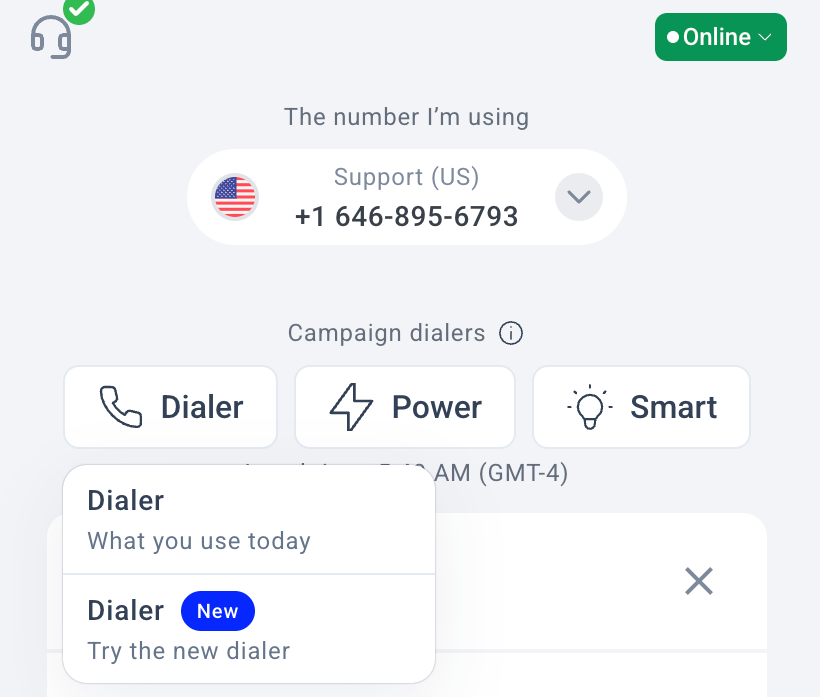
The new AI Sales Dialer is being rolled out account by account. Even if your plan includes the add-on, you won’t see the new dialer until CloudTalk enables it for your specific account.💡 If you don’t see the Dialer in your Dashboard yet, it hasn’t been enabled for your account. Contact your account manager to check your rollout status and timeline.
What happens to your existing campaigns
Enabling the new AI Sales Dialer does not touch your existing campaigns. Old campaigns continue running on the legacy system exactly as before. Nothing is deleted, migrated, or changed automatically. When you’re ready, you recreate your active campaigns in the new dialer. This gives you a clean start with the new setup options (source prioritization, outcome-typed dispositions, campaign scheduling, etc.). Your contacts and tags are already in CloudTalk, so rebuilding a campaign is fast. For the full migration walkthrough, see Migrating from Power Dialer / AI Sales Dialer Legacy.If the Dialer is missing or greyed out
If you can’t find the AI Sales Dialer or it appears greyed out, work through these checks:- Is the AI Sales Dialer enabled for your account? The rollout is per-account. Even with the right plan and add-on, you need CloudTalk to enable it. Contact your account manager if you’re unsure.
- Does your plan include the add-on? The Power add-on is included in Expert at no extra cost. All other plans (Lite, Starter, Essential) need to purchase it separately. Check your plan details in Account > Settings or ask your account manager.
- For parallel campaigns: do you have the Parallel add-on? The Power add-on only gives you sequential mode. Parallel dialing requires the separate Parallel add-on, plus a Parallel Calling seat per agent. Contact your CSM or support team to assign seats. See Parallel Calling seats.
- Are you assigned to a campaign? Agents only see campaigns they’ve been assigned to by an admin. If you’re an agent and don’t see any campaigns, ask your admin to add you.
Need help or have a question? Just reach out through our Support portal — we’re here for you.