

In this article you will learn how to set up a SIP device with CloudTalk, including how to find your SIP credentials and connect your device.
SIP (Session Initiation Protocol) is a subset of VoIP (Voice over Internet Protocol). You can use a variety of SIP “hard phones” (hardware-based) or soft phones (software-based) with CloudTalk. Basically, any device or application capable of working with SIP can be integrated with CloudTalk. CloudTalk’s SIP device feature is for SIP phones and softphones registered directly within CloudTalk, such as MicroSIP, Linphone, CSipSimple, Zoiper, or Cisco IP phones. CloudTalk is not a SIP trunking provider. This means:
- CloudTalk phone numbers cannot be used as SIP endpoints for external AI voice platforms (such as Retell AI or similar services hosted outside CloudTalk).
- There is no number-level or trunk-level SIP integration for third-party voice or AI platforms.
Where to Find SIP Login Details
- In the CloudTalk Dashboard, navigate to Users.
-
Since credentials are agent-specific, select the user whose credentials you want to configure for the SIP device, and click Edit Profile.

-
Go to the SIP Login Details tab, where you can find the agent’s SIP credentials needed to set up your SIP connection.
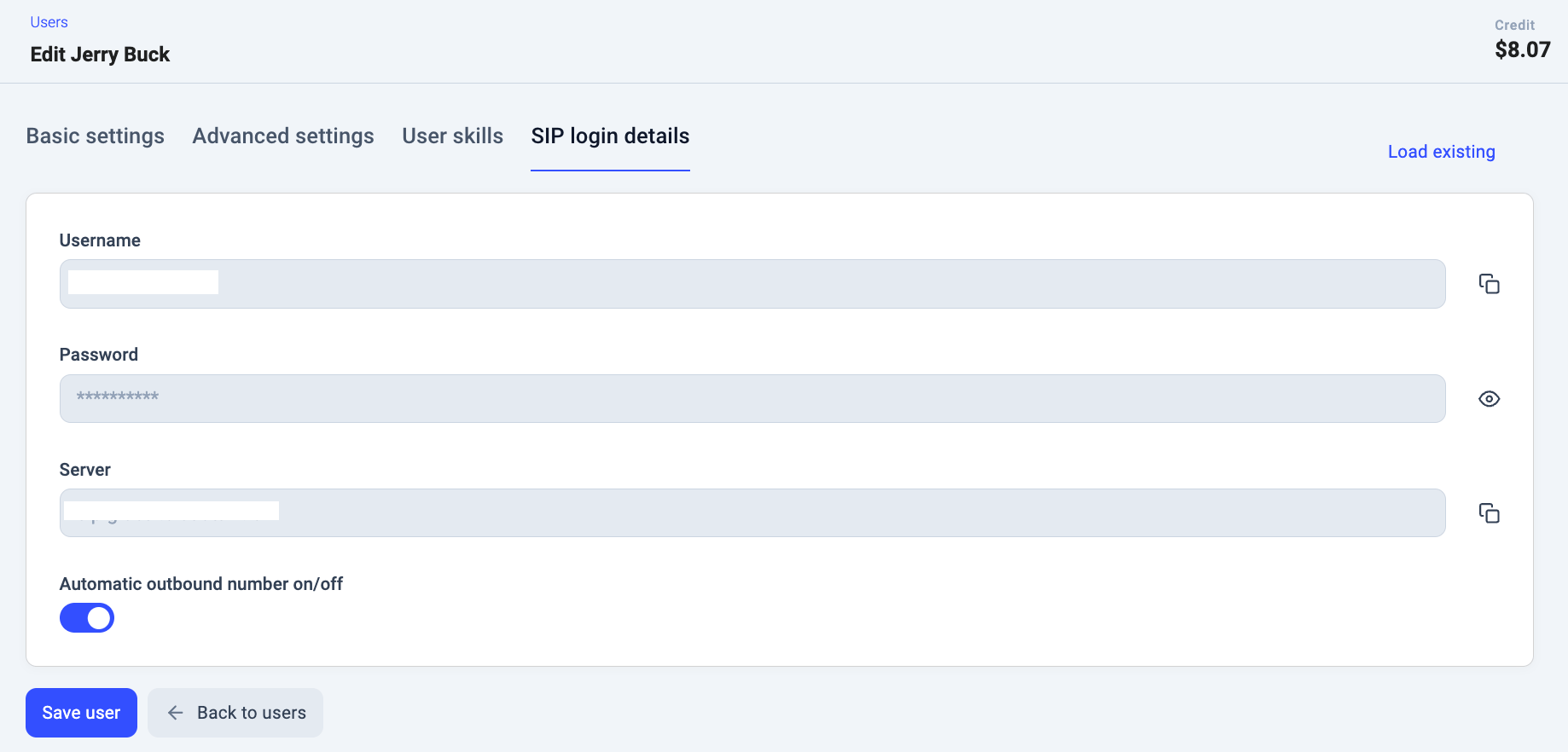
<Username>@<Server> and the phone will then set up the configuration automatically. As no authentication proxy is used with CloudTalk, you won’t need further info beyond what is provided.
Troubleshooting
Outbound calls fail with a “Not acceptable here” or “Not allowed” error
This error (SIP 606) typically indicates a media negotiation mismatch between your SIP phone and CloudTalk’s server. The most common cause is SRTP (RTP Encryption) being enabled or set to “Optional” on the device — CloudTalk does not use SRTP, so any attempt to negotiate an encrypted media path will cause outbound calls to fail, even if inbound calls continue to work fine. To fix this, disable SRTP on your phone:- Open your phone’s web interface or on-device settings menu.
- Navigate to Account > Advanced > RTP Encryption (SRTP) (the exact path varies by manufacturer and model).
- Set the value to Disabled and save the change.
- Reboot the phone if prompted, then test an outbound call.
Need help or have a question? Just reach out through our Support portal — we’re here for you.