

Here is an overview of setting up a data integration with Plecto: Business, and which data can be synchronized.
Plecto: Business + CloudTalk
What is Plecto?
Plecto is a business performance platform which tracks various performance metrics in the form of visually illustrative dashboards. By integrating your CloudTalk call data into Plecto, you can make the most out of your data with Plecto’s visualization tools.Data Integration Setup
- To start your integration flow, follow this link: https://app.plecto.com/admin/data-sources/add/cloudtalk/new/
-
In a separate browser tab, log in to your CloudTalk dashboard and navigate to Settings > API Keys and click
+Add API Key.-
Under Key for the key-pair you just generated, select show. You will need to copy the API
IDandKeyvalues in the next step.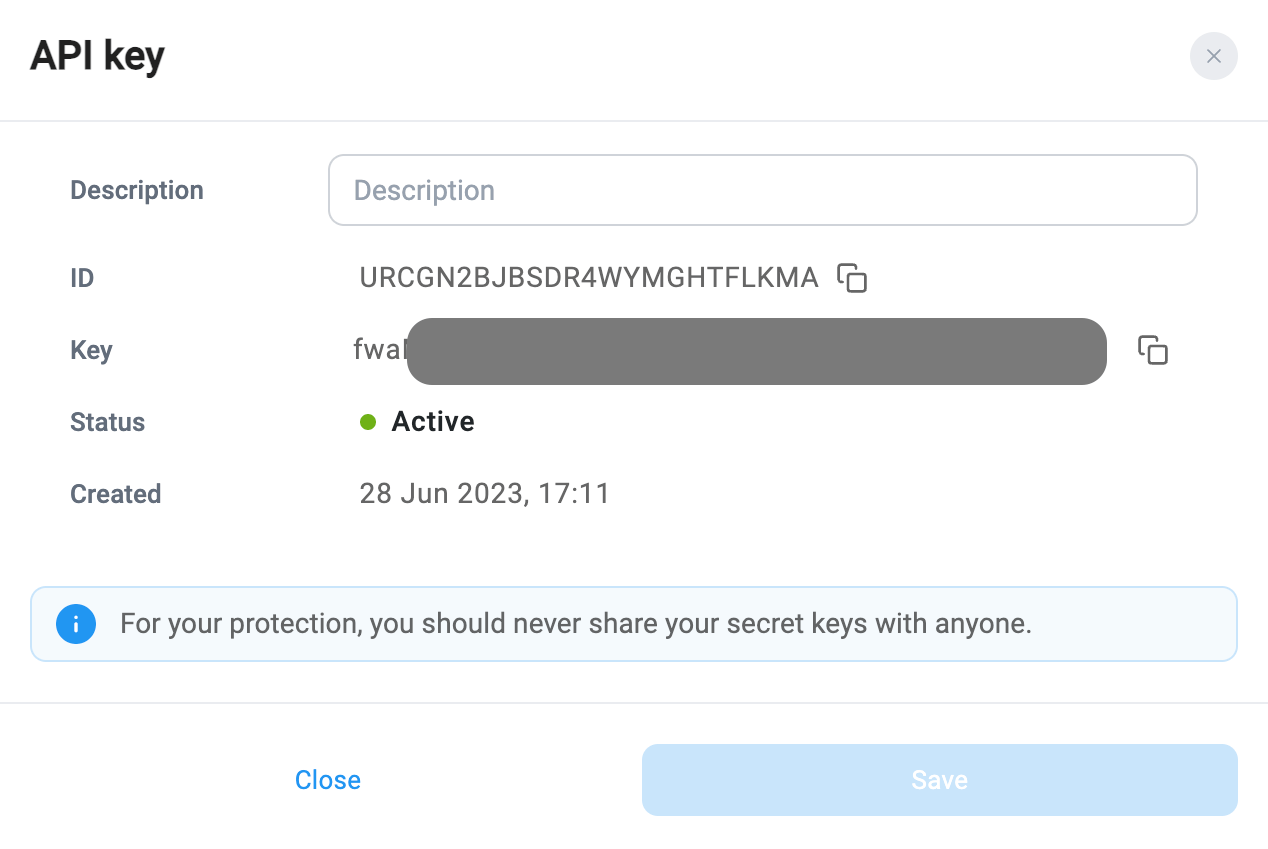
-
Under Key for the key-pair you just generated, select show. You will need to copy the API
-
In the Configure data flow within your Plecto browser tab, you will copy/paste the CloudTalk API
IDinto the Username field with the APIKeyas the Password.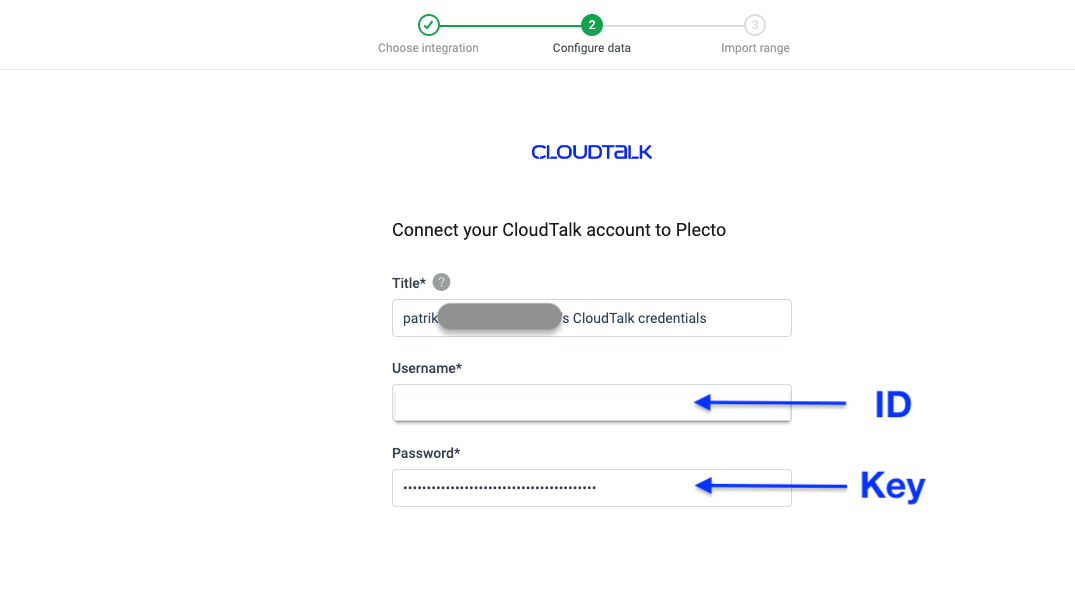
-
Select to import Inbound, Outbound, or Inbound Outbound and Internal call history.
- CloudTalk calls will be sorted into these three categories in Plecto.
-
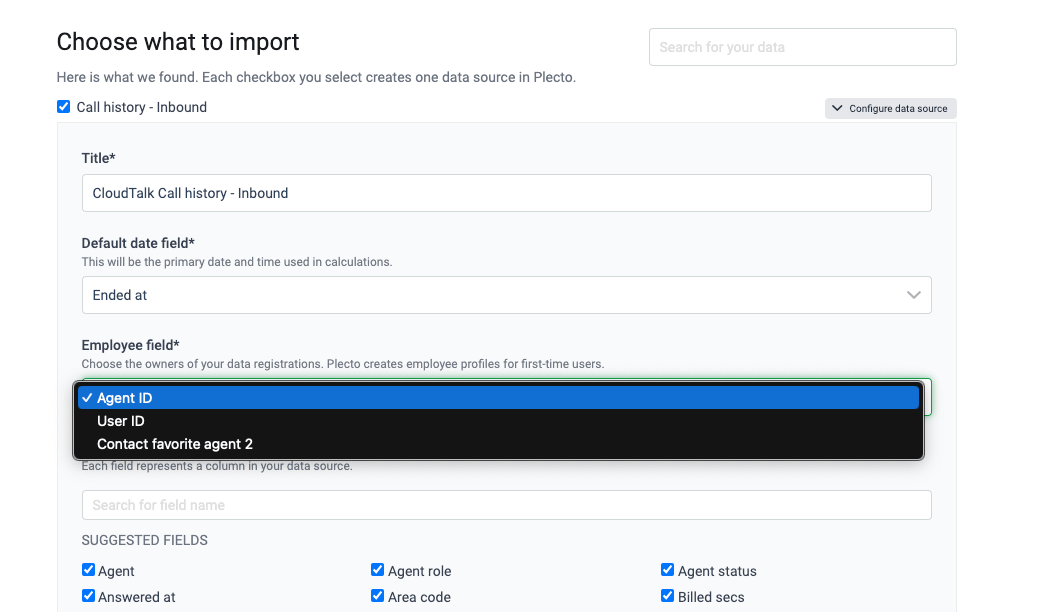
Keep checked the data types you want imported. Choose how you want data from CloudTalk to be mapped to Plecto fields such as Default date and Employee.
-
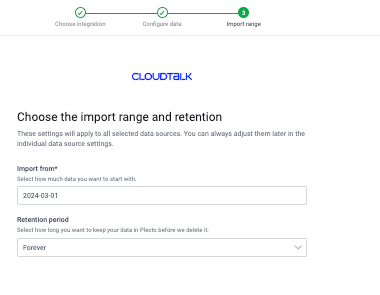
Set your Import from date and select a Retention period to finish the flow.
-
The Import from date should be in the format
YYYY-MM-DD. -
The Retention period is how long you want Plecto to store your CloudTalk data.
-
The Import from date should be in the format
Call Categories
Calls can be found within Data management > Data sources > CloudTalk. Depending on what call history categories you chose during configuration, calls will be separated in up to three categories:-
Inbound
- Voicemails are denoted as an inbound call when Is voicemail is set to
True.
- Voicemails are denoted as an inbound call when Is voicemail is set to
- Outbound
- Inbound, Outbound and Internal (all calls)
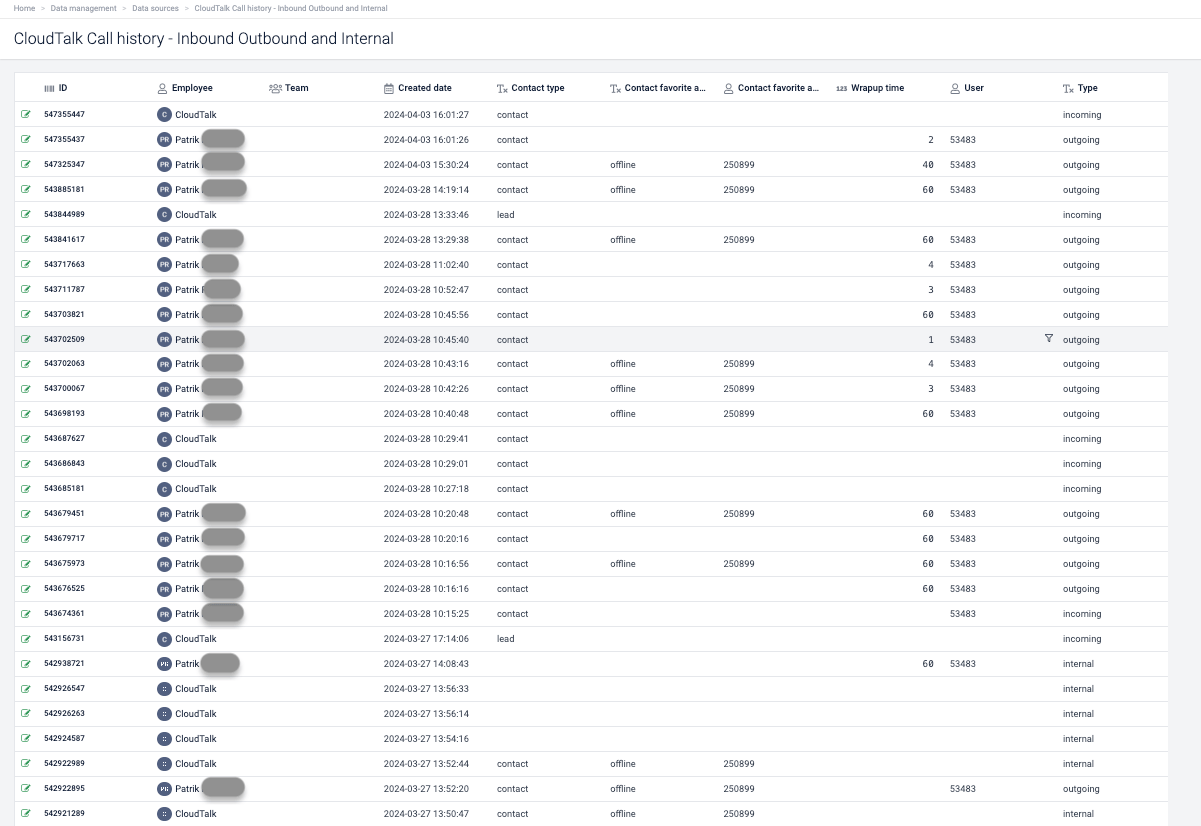
Collected Data
Plecto gathers information about CloudTalk calls using CloudTalk’s API. You can edit the update frequency of your data synchronization within Data management > Data Sources > CloudTalk {call category} > Settings.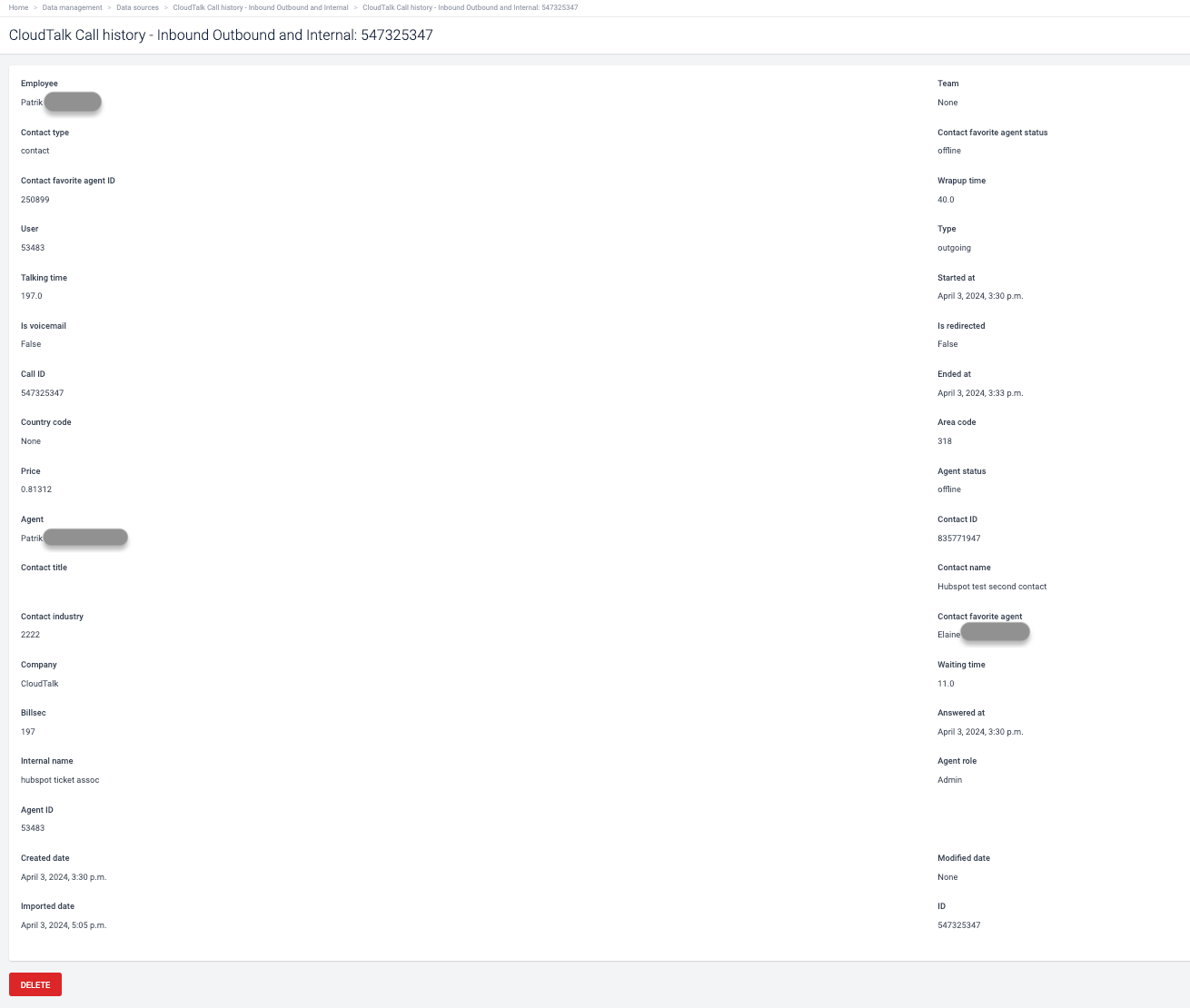
Call Data
The following call data attributes are collected:- Wrap-up time
- Waiting time
- Talking time
- User ID
- Direction (e.g., “Inbound”)
- Started at
- Is voicemail
- Is redirected
- Call ID
- Ended at
- Answered at
- Internal name (of the phone number)
- Country code (of the internal phone number)
- Area code (of the internal phone number)
- Price
-
Agent status (of agent on the call)
- If unknown, “none” in Plecto
-
Agent role (of agent on the call)
- If unknown, “none” in Plecto
-
Agent ID (of agent on the call)
- If unknown, “none” in Plecto
-
Agent name (of agent on the call)
- If unknown, “none” in Plecto
Contact Data
The following contact data attributes are collected:- Type
- Title
- Name
- Industry
- ID
- Favorite agent ID
- Favorite agent name
- Favorite agent status during the call
- Company
Need help or have a question? Just reach out through our Support portal — we’re here for you.