

Learn how to set up call routing automation that ensures clients are always connected to the last agent they spoke with. This guide walks you through configuring the logic step-by-step, improving customer experience by maintaining continuity and personalizing support with every call.
Routing calls to the last agent a client spoke with is a powerful strategy to enhance customer experience. This approach is especially beneficial for businesses with recurring interactions, ongoing support cases, or high-value clients. It builds trust, reduces repetition, and ensures smoother, more personalized conversations -ultimately boosting satisfaction and efficiency.
How to Set Up Routing to the Last Agent
To implement this use case effectively, the setup involves two key components working together.- An automation scenario in CloudTalk Workflow Automation ensures the agent who last spoke with the client is automatically assigned as their favorite agent.
- A routing logic is configured in the Call Flow Designer to prioritise connecting incoming calls to this favorite agent.
Automating Favorite Agent Assignment
-
Navigate to Cloudtalk Dashboard > Settings > Workflow Automations and click
+ Add Workflow -
Select Call ended as the trigger event.

-
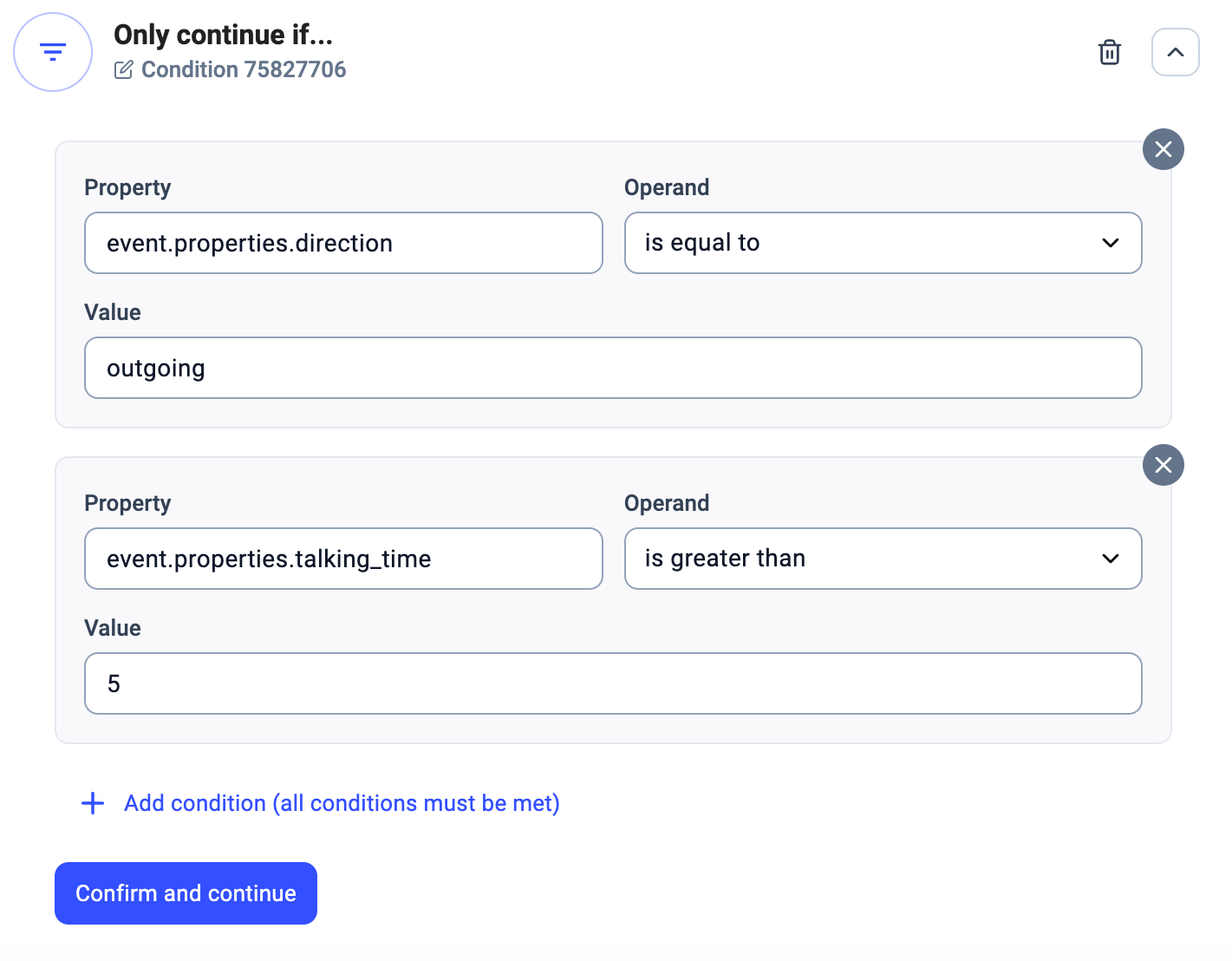
Define conditions to determine when a favorite agent should be assigned. For example, only after an outgoing call where conversation with contact lasted longer than 5 seconds.
-
To assign a favorite agent to the contact profile, set up an API Request to CloudTalk’s Edit Contact endpoint. Configure the API Request action using the structure below:
-
Endpoint:
https://api.cloudtalk.io/api/contacts/edit/#{{ event.properties.contacts[0].id }}.json -
Method:
POST -
Headers:
Authorization: Basic your_encoded_credentials

-
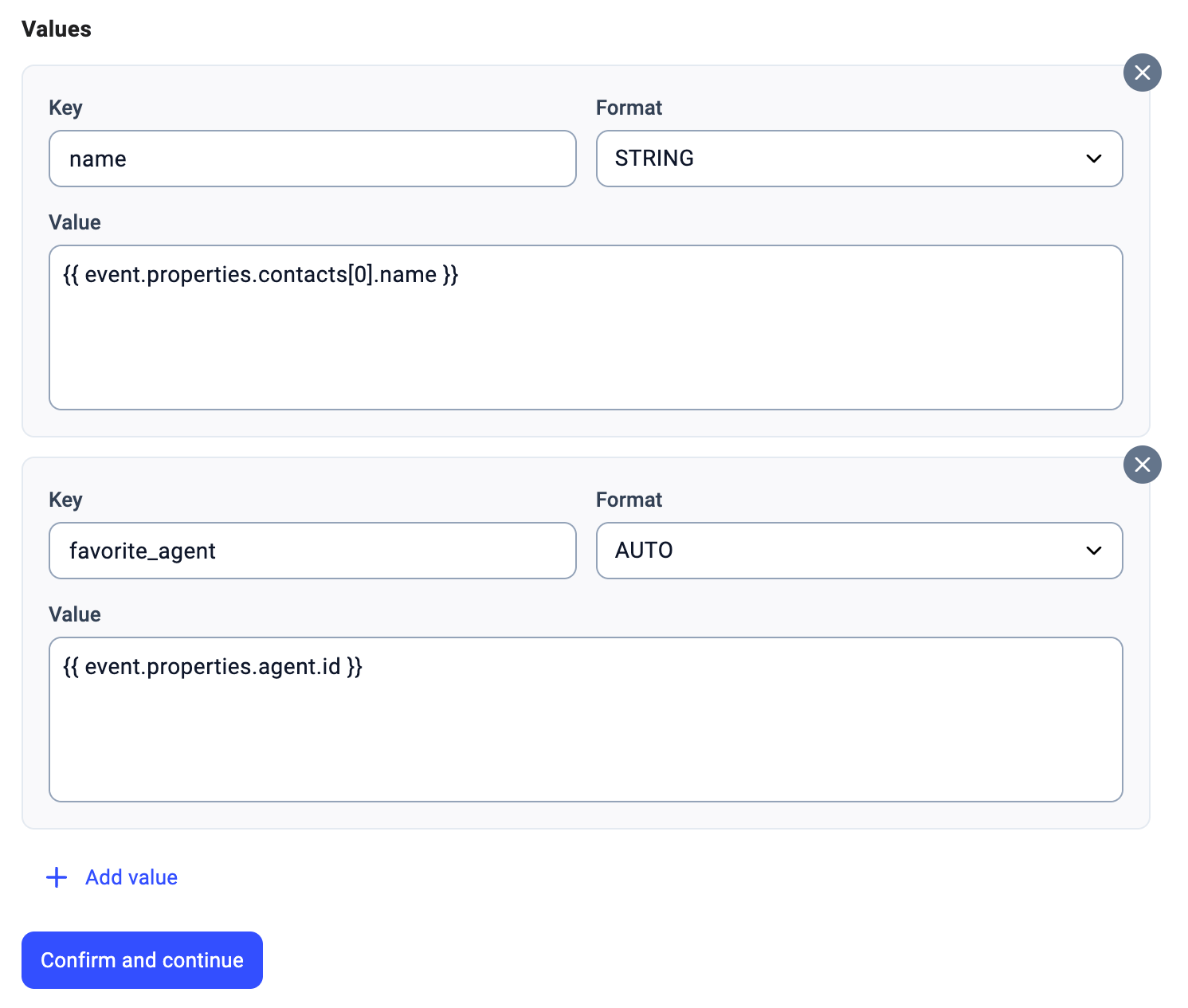
Values:
-
name → #{{ event.properties.contacts[0].name }} -
favorite_agent → #{{ event.properties.agent.id }}
-
-
Endpoint:
- Once all steps are configured, save the setup and activate the workflow to start assigning favorite agents automatically based on your defined conditions.
💡This setup enables assigning a favorite agent to existing contacts in your contact list. If you also need to assign agents to unknown numbers, please reach out to CloudTalk Support for guidance on the required implementation.
Prioritising Favorite Agent in Call Routing
- Go to your CloudTalk Dashboard → Numbers, and click + Configure (or the flow name) in the Call Flow column next to the number you want to apply the routing logic to.
-
Once the Call Flow Designer opens, click the
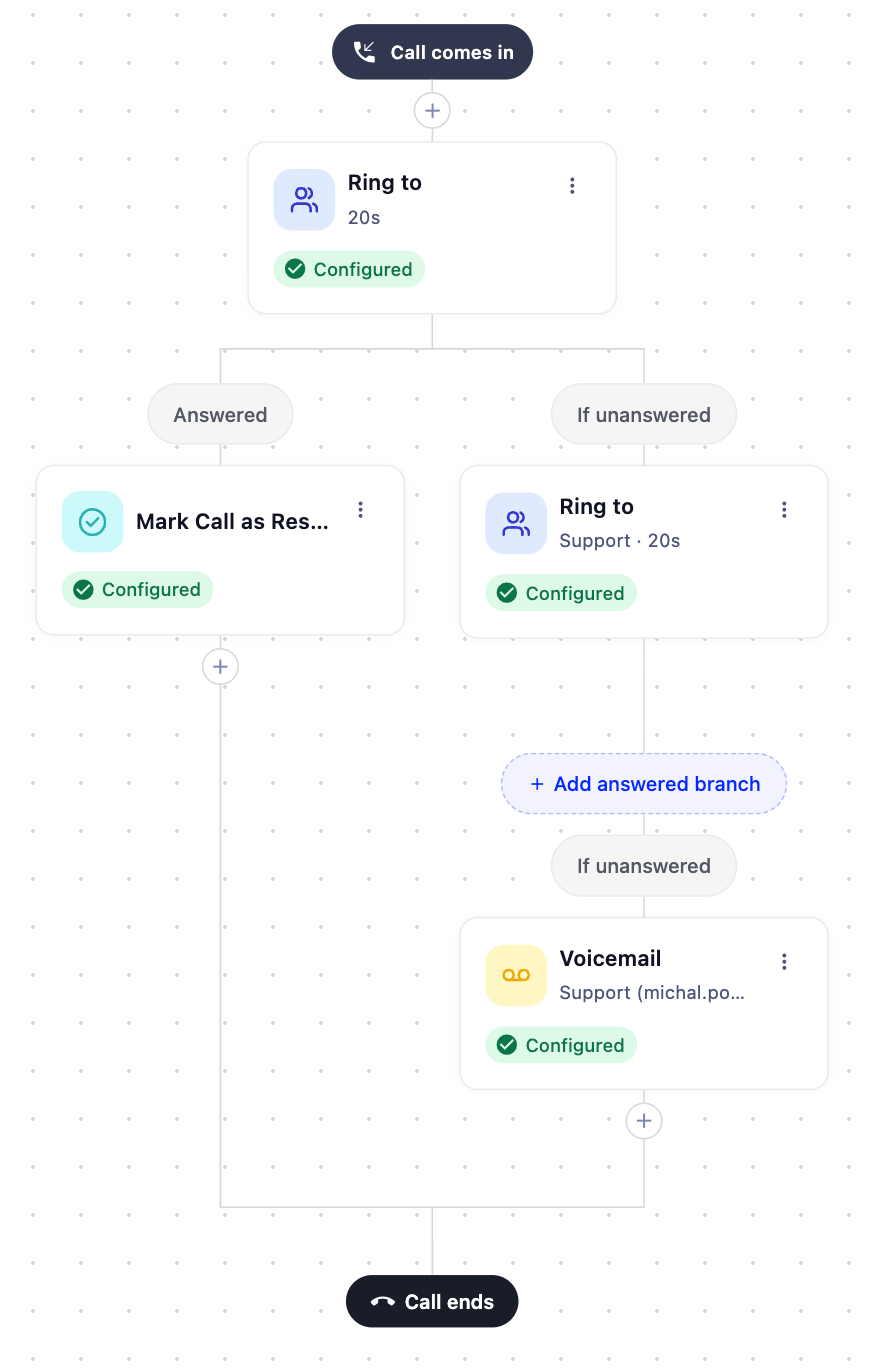
+button at the appropriate point in your routing sequence and add a Ring to step. In the config panel, set Ring target to Favorite agent. Set the Ring for duration and click Save. - Set up follow-up actions for both Answered and If unanswered branches, if needed (e.g., forward to team or voicemail).
-
Click Save in the top-right corner to make your flow live.
- Save you Call flow.
Need help or have a question? Just reach out through our Support portal — we’re here for you.