

In this article, you will learn how to export and review your credit usage in CloudTalk.
What is the credit movements export?
The Export credit movements feature allows you to download a detailed record of how your credit is used in CloudTalk. The export includes all activity that affects your balance, such as:- calls
- SMS and messaging
- AI Voice Agents and speech-to-text usage
- credit top-ups
How to export credit movements
To download your credit usage report:- In your Dashboard, navigate to Settings > Billing
- Click Export credit movements

What happens after you export
After you click Export credit movements, your report starts processing in the background. You’ll see a message confirming this: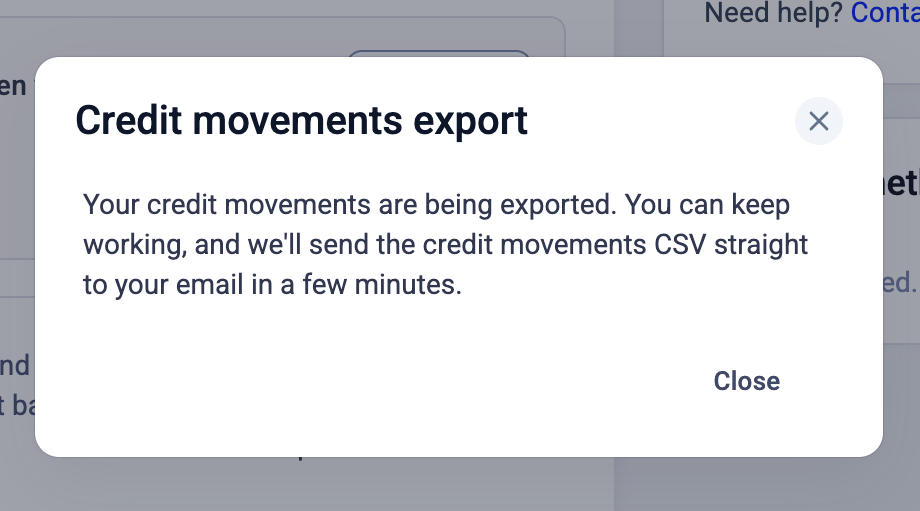
Delivery
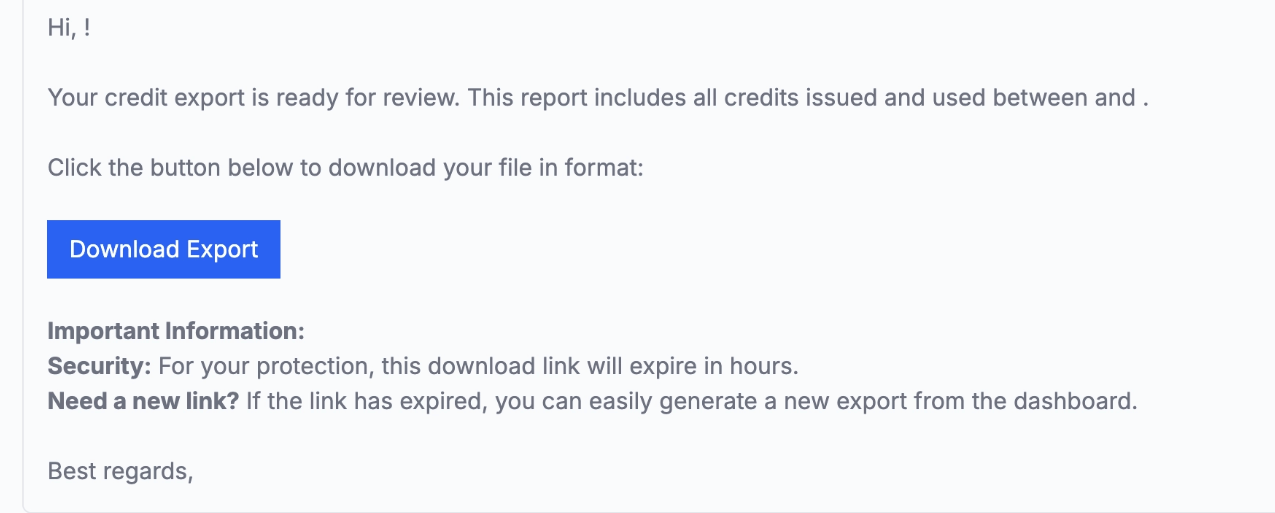
Once your report is ready:-
You’ll receive an email with a download link for your export (
CSVfile) - The email includes the time period covered by the report
If the export fails
If the system is unable to generate your export:- You’ll receive an email notifying you that the export was unsuccessful
- You can wait a few minutes and try again from the Dashboard
What data is included in the export
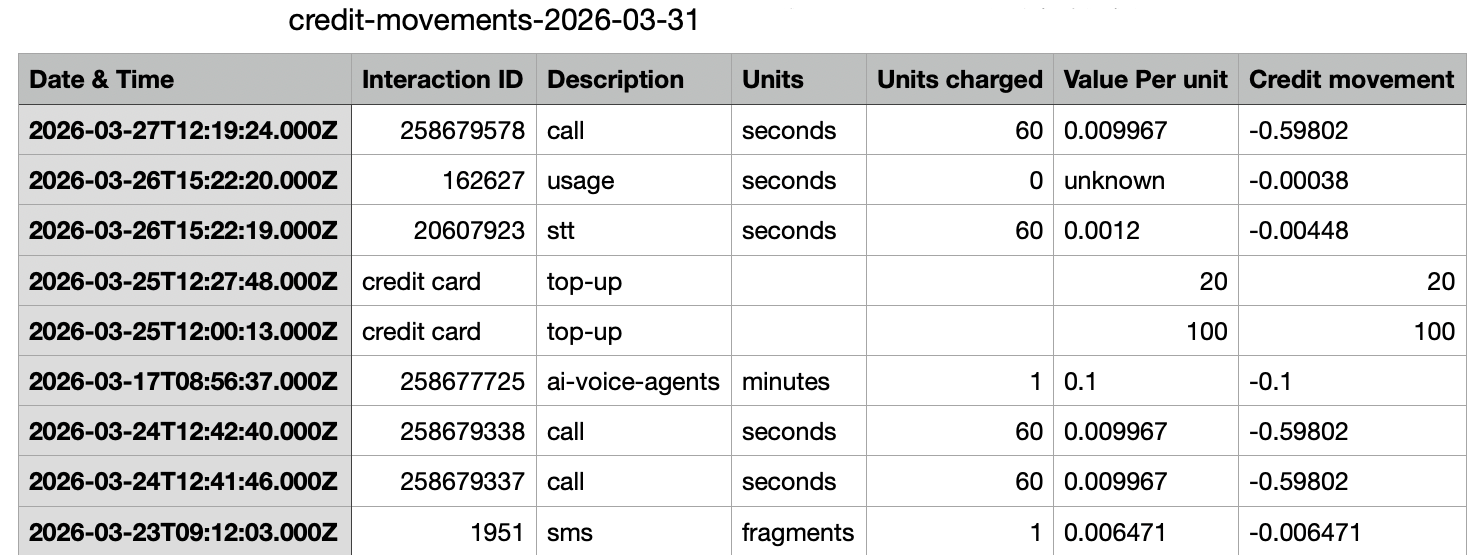
The export contains detailed information about each credit movement:- Date & Time: the exact time the charge occurred
-
Interaction ID: identifier of the interaction:
- Call ID (for calls)
- SMS ID (for messages)
-
Description: type of usage, such as:
- call
- sms, whatsapp, mms
- ai-voice-agents (AI Voice Agent usage)
- stt (speech-to-text)
- top-up (credit added to your account; not a charge)
-
Units: type of billing unit:
- seconds for calls
- message fragments for SMS
-
Units charged: total number of billed units
- Calls may be billed in increments (for example, 60-second blocks)
- AI usage is billed in full-minute increments
- Value per unit: cost per unit
-
Credit movement: the total impact on your balance:
- negative values = charges
- positive values = top-ups
How to see which phone numbers a charge relates to
The credit movement export doesn’t include the From or To phone numbers. To see which numbers were involved in a call charge:- Copy the Interaction ID (Call ID) from the export
- In your Dashboard, go to Analytics > Call Log
- Search for the Call ID and open the call to see the numbers involved
Need help or have a question? Just reach out through our Support portal — we’re here for you.