

In this article, you’ll learn how to configure Business Hours in CloudTalk to define company rules for receiving calls, route calls that come in outside working hours, and set exceptions for holidays and special occasions.
Configuring Business Hours
Company-level settings (global)
Company-level Business Hours apply to all phone numbers by default.If Business Hours are configured for a specific number in the Numbers section, the company-level rules will no longer apply to that number.
Setup
From the CloudTalk Dashboard:- Navigate to Settings > Business Hours.
-
Toggle Business Hours on to start defining rules and exceptions.
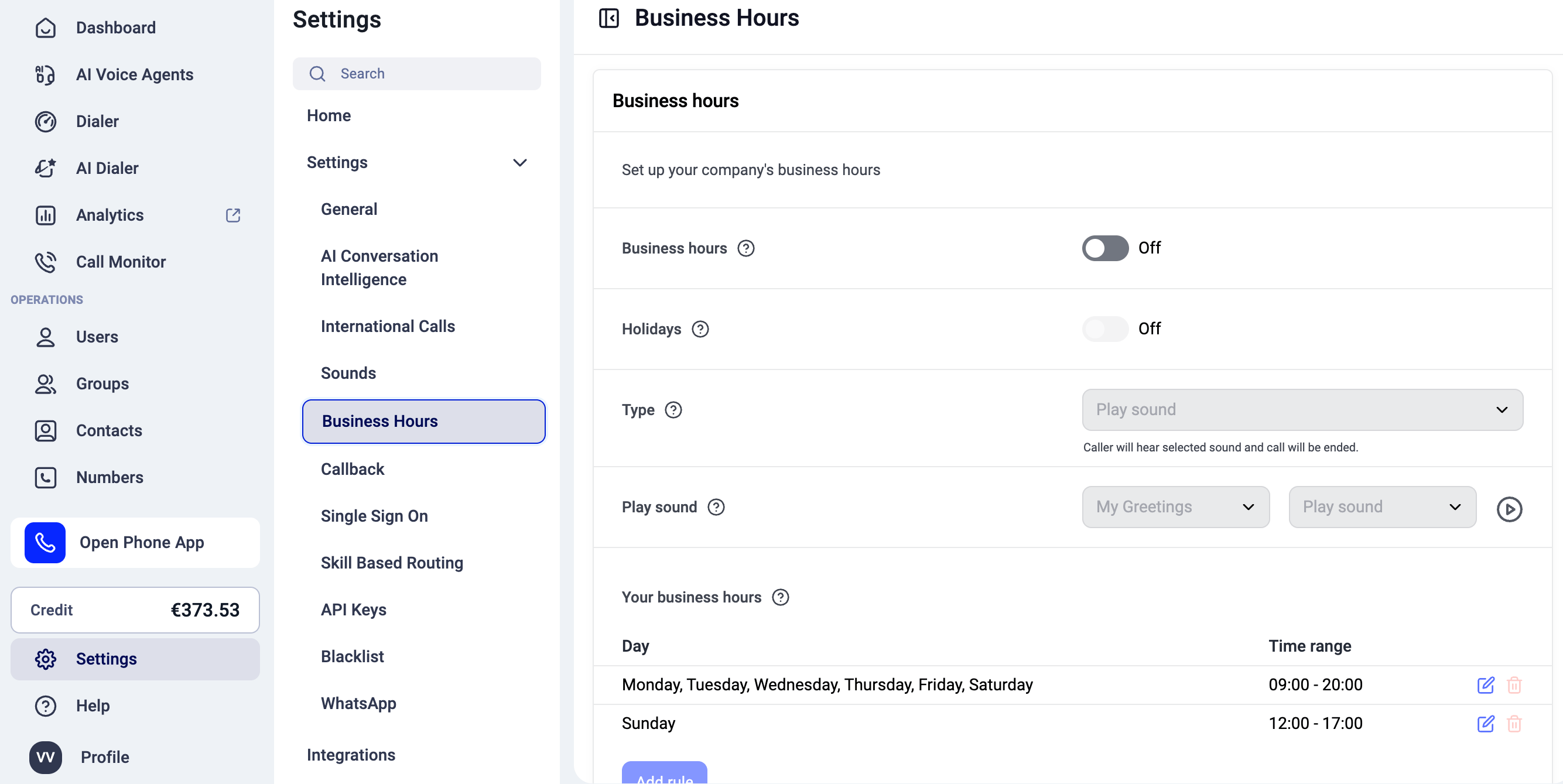
- Save changes when finished.
Number-level settings
You can define separate Business Hours for individual phone numbers. This is useful when a number belongs to a branch in a different country or timezone, or when it requires unique working hours or holidays.When Business Hours are configured for a specific number, company-level Business Hours no longer apply to that number. The number-level settings always take priority.
Setup
To configure business hours for a specific phone number:- Navigate to the Numbers tab in the Dashboard.
- Select the edit (pencil) icon next to the number
- Open the Business Hours tab.
-
Toggle Business Hours on. Add rules and exceptions as needed.
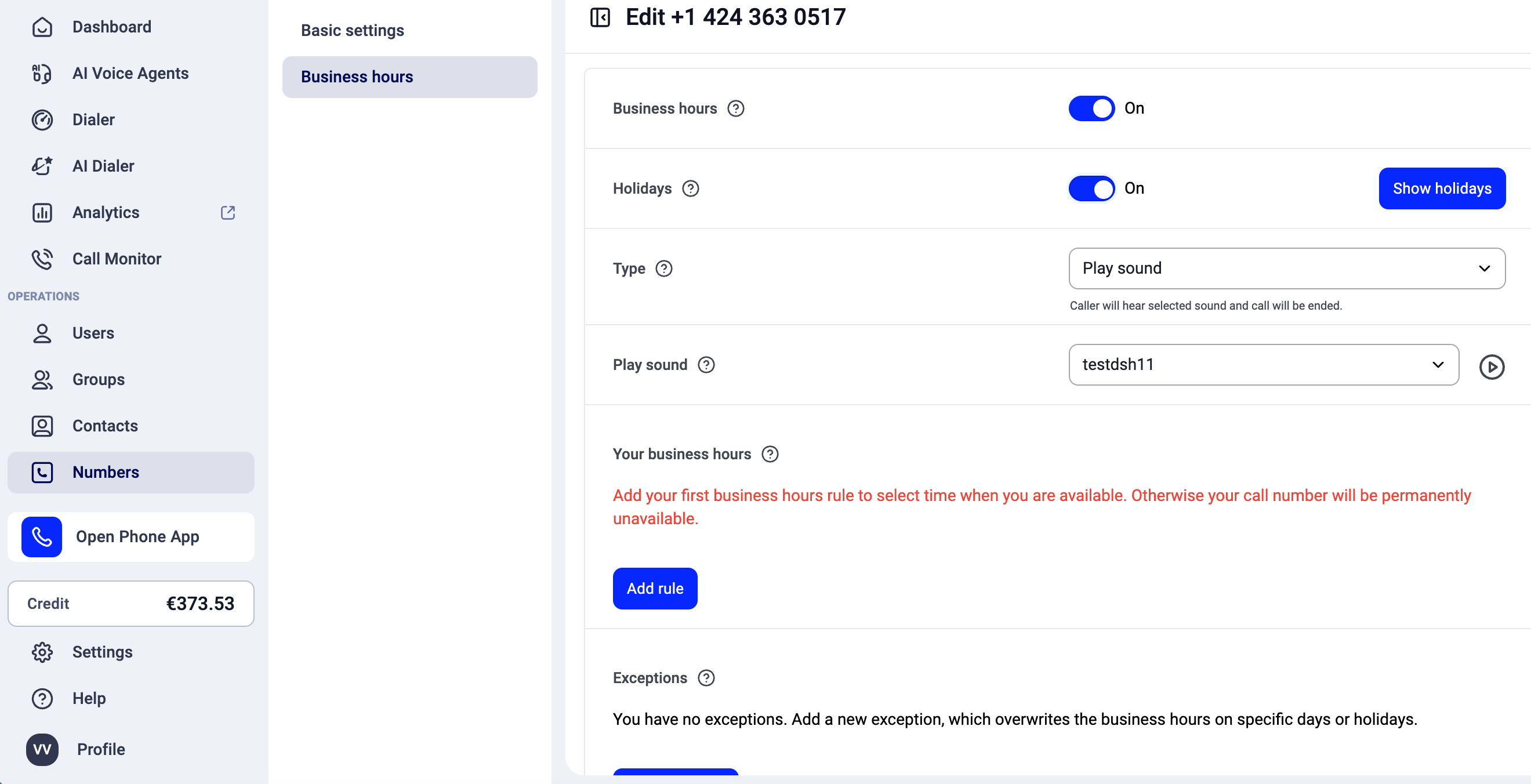
- Save changes.
Video Demo
Business Hour Settings
Holidays
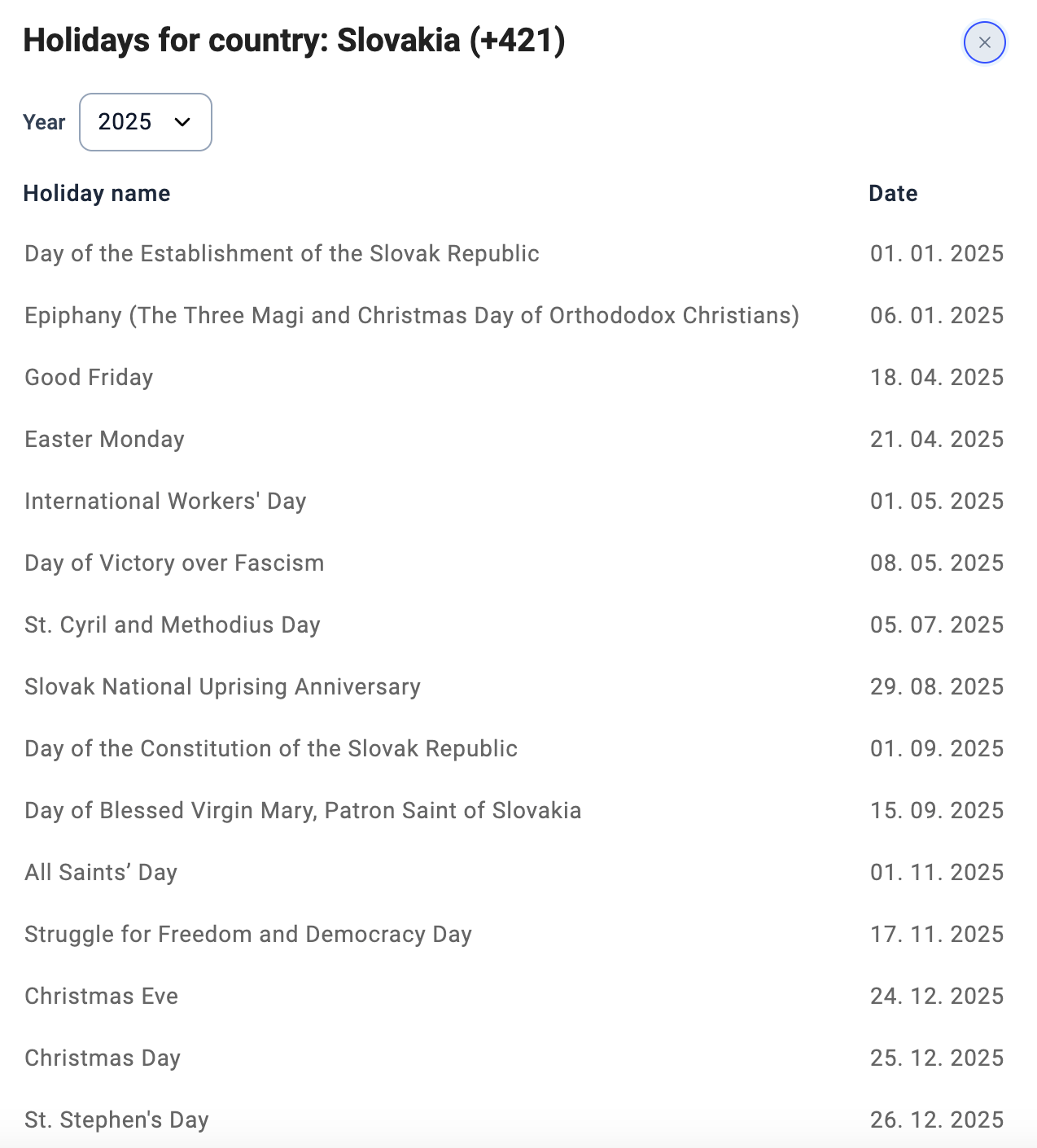
Holidays are organized by country.- For company-level Business Hours, the holiday calendar is based on the Default country code selected in Settings > General > Basic settings.
- For number-level Business Hours, the holiday calendar is based on the country where the selected number is registered.
If you have Slovak (SK), Czech (CZ), and U.S. numbers, enabling holidays at the company level will result in each number being treated as out of office during its respective country’s holidays:
- SK numbers during Slovak holidays
- CZ numbers during Czech holidays
- U.S. numbers during U.S. federal holidays
Type
The Type setting determines what happens to calls that come in outside of the defined Business Hours.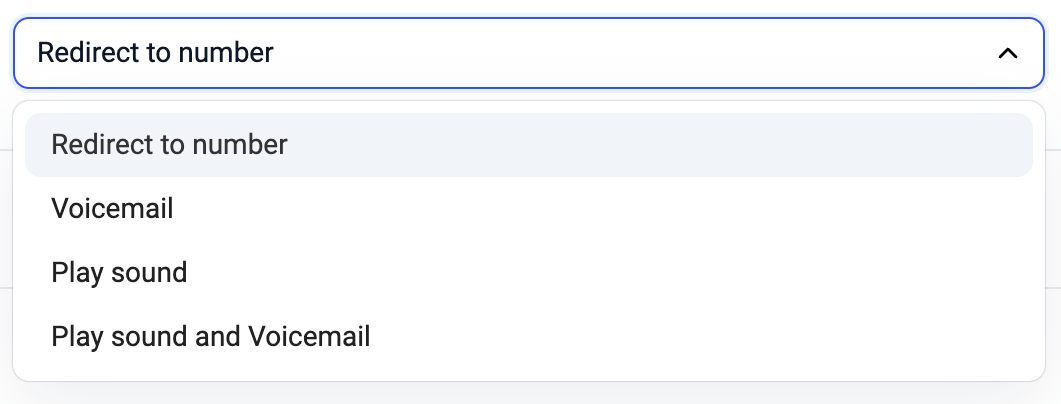
-
Redirect to number
Callers are redirected to an external phone number. -
Voicemail
Callers are sent to voicemail to leave a message. -
Play sound
Callers hear a recorded “please call back later” style message. Once the recording finishes, the call is automatically terminated. -
Play sound and voicemail
Callers hear a recorded message and are then sent to voicemail.
- an external phone number
- an agent voicemail
- a recorded sound file
Your Business Hours
In this section, you define your regular hours of operation.- You can add multiple rules to cover different days or time ranges.
- At least one Business Hours rule is required when Business Hours are enabled.

Exceptions
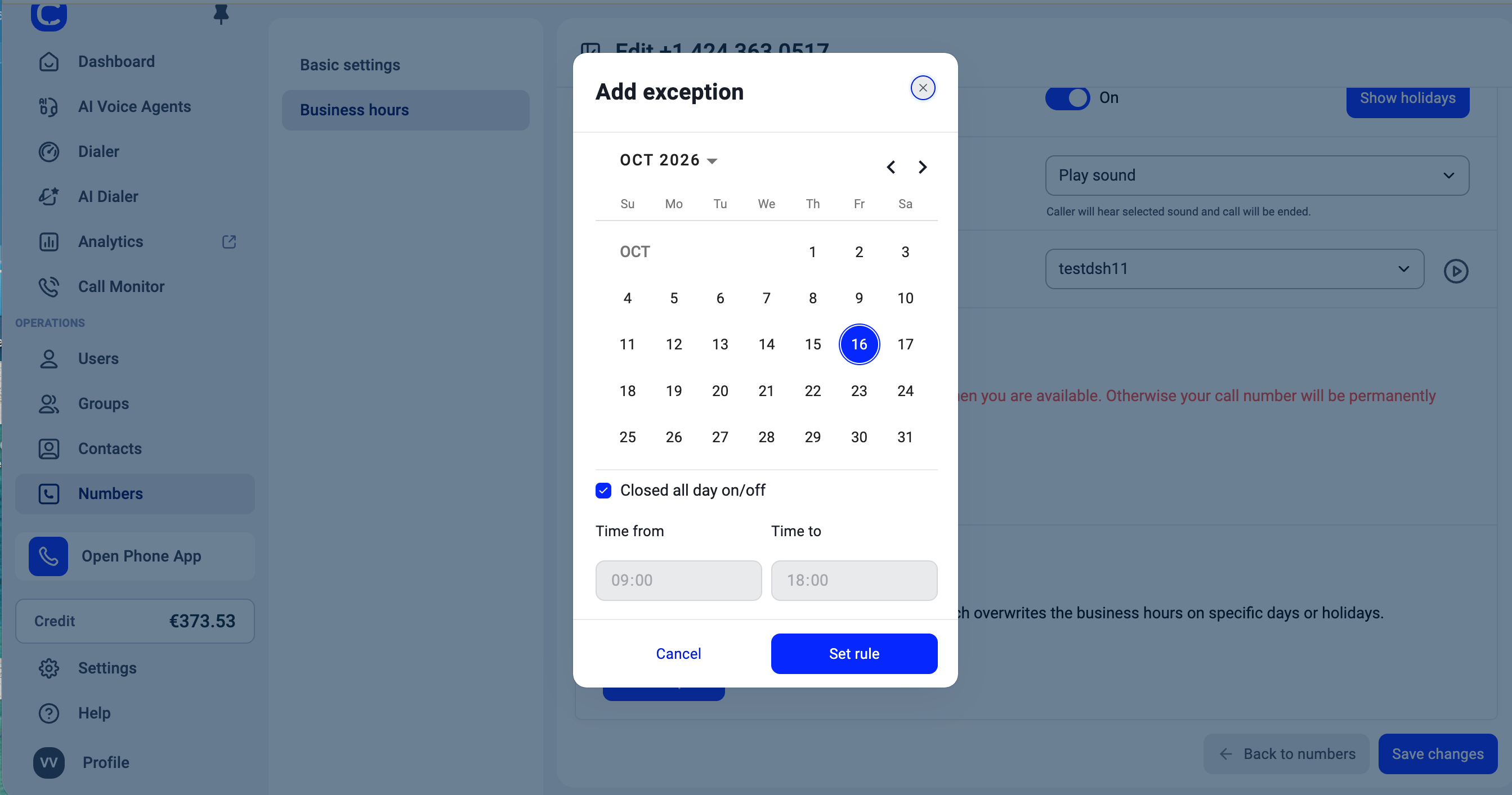
Exceptions allow you to create one-time rules that override your regular Business Hours on specific dates, such as:- special events
- shortened working days
- one-off closures
- irregular support windows
- Shortened working days
- One-time closures
- Irregular support windows
Good to know about holiday calendars
- National holidays only. Calendars cover holidays observed nationwide. Regional holidays are not included, which matters most in Australia, Brazil, Argentina, Switzerland, Canada, New Zealand, Chile, Spain, Germany and the United Kingdom. For example, an Australian state’s Labour Day, a Swiss canton’s Corpus Christi, or a New Zealand regional Anniversary Day will not appear. Use Exceptions to add those days for your own numbers.
- United States, Canada: federal holidays only. Individual states and provinces observe additional days.
- Some dates are set each year by government. Bridge days and one-off special days (for example Thailand’s cabinet-approved bridge days, Argentina’s feriados puente, the Philippines’ presidential special non-working days, Taiwan’s make-up days and Indonesia’s cuti bersama) are only included once officially announced, so future years may not show them.
- Islamic holidays are not included for Indonesia, Singapore and the Philippines. Their dates depend on a moon-sighting announcement and cannot be published in advance. Turkey’s religious holidays are included through 2035, the range its Presidency of Religious Affairs publishes.
- Need a day we do not cover? Add it under Exceptions in your Business Hours settings.
Need help or have a question? Just reach out through our Support portal — we’re here for you.