

If you are trying to buy a new phone number or replace an existing one in CloudTalk, but the flow does not work as expected, this guide will help you find out why and what to do next.
Symptoms
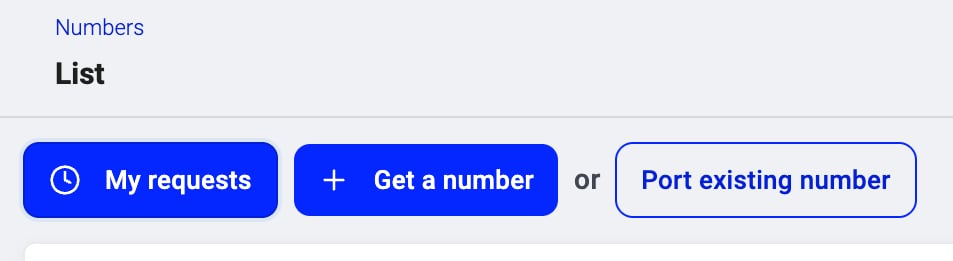
You may experience one or more of the following:- The Get a number button is missing or greyed out
- You open Numbers > Get a number, but the list of numbers is empty (expected outside USA/Canada)
- You only see an assisted request form and cannot complete an instant purchase
- The Purchase button is disabled
- A number request stays in Pending and never turns into an active number
- You cannot remove a number you want to replace
- You cannot change your trial testing number to a different one
- You cannot get a number in a specific country or in a required number type (local/fixed, national, toll-free, or mobile).
How number orders work in CloudTalk
CloudTalk supports two ways of getting numbers:- Instant Number Ordering For some countries (for example, US and Canada), you can pick a number directly in the Dashboard and pay for it immediately.
- Assisted Number Ordering For many other destinations, especially if documents are required, your request is reviewed and processed manually by our Numbering team.
Root Causes
⚠️ Role or permission issues
- Only Admin (and in some cases Account Manager) users can order and manage numbers.
- Standard agents do not see the full Numbers ordering flow.
- You do not see Get a number at all
- You cannot access Numbers > My Requests or cancel requests
⚠️ Trial or plan limitations
- Trial accounts receive a testing number automatically.
- Trial accounts can have up to 3 numbers in total. Once you reach this limit, requests for additional numbers are blocked.
- Some number types may require a paid subscription or approval from Sales.
- In some cases, exchanges or larger orders are only processed once billing is set up.
- You are on a trial and your request for an additional number is blocked
- You cannot replace the default testing number with another one
- Upgrade to a paid plan to add more numbers. See How do I upgrade to a paid plan.
- Free up a slot by contacting CloudTalk Support and telling them which existing number to remove, so the new number can be assigned.
⚠️ Your trial number is in the wrong country
When you sign up for a CloudTalk trial, the system automatically assigns you a testing number. In some cases, the number assigned may be in a different country than the one you intended to use, for example, you signed up expecting a US number but received a Mexico or UK number instead. Why this happens: Trial number assignment is automated and may not always match your preferred country or region. What to do: Trial accounts cannot swap their testing number directly from the Dashboard. Contact CloudTalk Support and let them know:- Which country you need a number for (for example, US: Las Vegas, NV)
- Your account ID or company name
⚠️ Country coverage and number type availability
CloudTalk has wide international coverage, but not every country and number type is instantly available. Some require:- a local address
- a business registration document
- ID of a legal representative
- special handling by the Numbering team
- You select a country and number type, but no numbers appear
- Filters such as Type of Number are set, but still nothing shows
- You are redirected straight to an assisted request form instead of seeing a list of numbers
⚠️ Inventory or custom number requirements
Even if CloudTalk covers a country, a very specific request may not be available instantly:- Rare prefixes or small localities
- Numbers with specific patterns or “vanity” digits
- Beta or special-order ranges that must be requested from vendors
- You cannot find any number matching a desired pattern or locality
- You see a message that no numbers are available and are asked to submit a request
⚠️ Billing or payment problems
Even if numbers are available, your account may not be able to complete the purchase if:- There is no valid payment method
- There are unpaid invoices or billing restrictions
- The card is declined during checkout
- You reach the Purchase step, but the payment fails
- You see a generic error after clicking Purchase
⚠️ Regulatory or high-risk country restrictions
Some destinations are restricted or require extra checks before numbers can be purchased or before outbound calls can be enabled. This can happen due to:- high calling costs
- local regulations or limited VoIP infrastructure
- higher fraud or spam risk
- which countries you can call
- whether CloudTalk can provide numbers in a specific category
- whether the Numbering team needs to review your request manually
⚠️ Ported numbers or special services
In some situations, a number cannot be removed or “swapped” instantly because it is:- a ported-in number
- tied to a porting request that is still in progress
- used in WhatsApp, SMS campaigns, or other services that need coordination
- You want to replace a number, but removal is blocked
- Support informs you that a ported number needs special handling or coordination with carriers
Step-by-Step Troubleshooting
- Ask your account admin which role you have in CloudTalk.
- Number ordering and removal should be done by an Admin (or Account Manager).
- In the Dashboard, go to Numbers > Get a number.
- Choose the country you need.
- If you see a list of numbers, you are in the Instant Number Ordering flow.
- If you see a request form instead, the country uses Assisted Number Ordering.
- Try selecting a different number type (for example, Local, Toll-Free, Mobile, or National), as availability varies by country.
- If you are looking for a specific area code, try choosing a broader region or no region at all. Some prefixes are limited or require regulatory documents.
-
Open the Phone Number Coverage, Requirements, and Functionality guide and check:
- whether CloudTalk provides numbers in your selected country
- which documents, address requirements, or wait times apply to the number type you selected
- Confirm that your payment method is valid and up to date.
- Check if your account has any billing-related hold or unpaid invoices.
- If you are on a trial, speak with your Account Manager or Sales contact about upgrading your account so that additional numbers can be billed correctly.
If you select it, the old number will be scheduled for removal automatically once the new number becomes active. If this option does not appear or you prefer to handle it manually:
- Obtain the new number (through instant or assisted ordering).
- Update your call flows, integrations, and any public-facing contact details to use the new number.
-
Remove the old number manually, or contact Support to schedule its removal, especially if:
- the number was ported into CloudTalk
- it is used for WhatsApp, SMS, or other services that require coordination
- whether the number is part of an active contract
- whether it is bound to a porting or regulatory process that requires manual handling
- Go to Settings > International Calls.
- If the country is listed as restricted or requires Support to enable it, contact Support and explain your use case.
When to Contact Support
Contact CloudTalk Support or your Account Manager if:- You are an Admin and still cannot see Get a number
- The number list is empty for a country even after you remove filters and confirm coverage
- You have sent all regulatory documents to our numbers team, but your request has stayed in Pending for longer than the typical wait time mentioned in coverage tables
- You need to replace a ported-in number
- You need a number for WhatsApp, SMS, or a high-risk country and do not see it in the Dashboard
- The Purchase step fails repeatedly even after checking billing details
- Your trial number was assigned in the wrong country and you need it swapped
- Your account ID or company name
- The country and number type you are trying to order
- Any error messages or screenshots from the Get a number or Purchase step
- Whether you are trying to buy a new number or replace an existing one
Need help or have a question? Just reach out through our Support portal — we’re here for you.