

Instant AI Notes help agents save time by automatically generating a clear, professional summary of a call.
What are Instant AI Notes
Instant AI Notes generate a written summary of a call directly in the Notes section of the call details. This summary is created using the call transcript and is designed to help you quickly log key information, outcomes, and next steps without writing everything manually. If you have already added manual notes, CloudTalk keeps them intact and adds the AI-generated summary below them.How to generate AI notes
- Complete a call and proceed to the call wrap-up screen.
-
In the Notes section, click the Generate with AI button next to the Notes field.
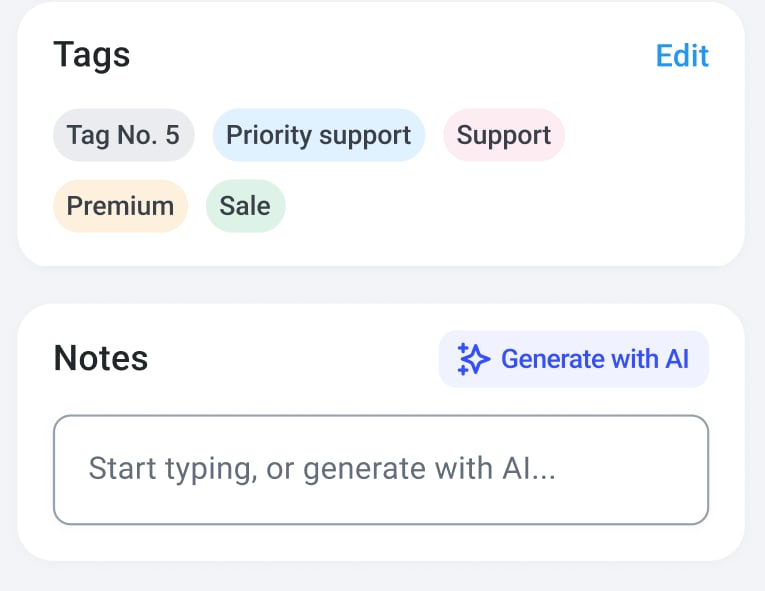
-
The AI generates a summary and inserts it into the Notes.
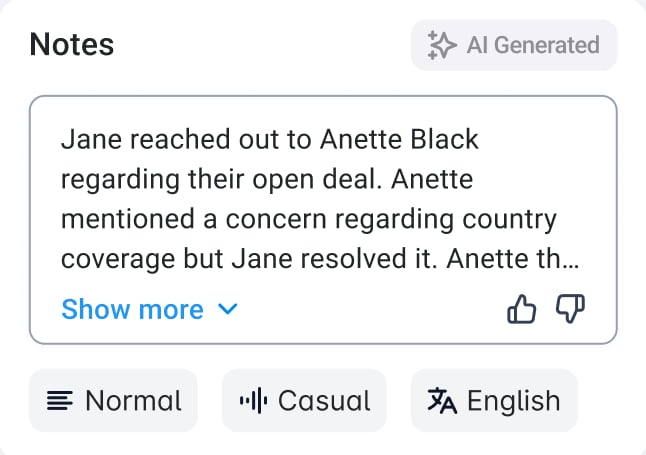
Adjust summary settings before generation
After the AI summary is generated, you can customize how the notes are displayed:- Length: Short, Normal (Default), or Long
- Tone: Professional, Friendly, or Direct (Default)
- Language: Original call language (Default) or English
Summary length options
Tone options
Editing AI-generated notes
After the AI Notes are generated:- The Notes field remains fully editable.
- You can update, rewrite, or append information at any time.
- Changes are saved automatically after a short delay.
Availability and limitations
Instant AI Notes are available only when the following conditions are met:- The call duration is longer than 30 seconds.
- The call is not a voicemail.
- Conversation Intelligence is enabled for your workspace.
- Redirect Admins to the Dashboard where Conversation Intelligence can be enabled
- Show Agents an informational message indicating that an upgrade to Conversation Intelligence is required for the feature to work
What happens when a call is reopened
When you reopen a call later, or when another agent opens the same call:- Existing manual notes and the AI-generated summary are displayed together.
- The AI summary is not regenerated automatically.
- It is no longer possible to regenerate the summary or change its tone or length.
- The Notes section works like a standard editable note.
Need help or have a question? Just reach out through our Support portal — we’re here for you.