

Here’s an overview of our Conversation Intelligence features and how they can be configured to improve your workflows.
What is Conversation Intelligence?
Conversation Intelligence refers to our AI-assisted features. By having Conversation Intelligence enabled for your account, you can have access to intelligent assistance features, such as automatic call summary, as well as next-level analytics reports and tools like call sentiment analysis.Feature List
New features are consistently being developed for use in our Conversation Intelligence suite. Here are our current offerings:- Notes & Tagging
- Call Transcript
- Sentiment Analysis
- Talk/Listen Ratio
- Topic Extraction
- Trending Topics
- Call Scoring
- Custom Summary Templates
- Custom Topics
- Scoring template auto-assignment by group
- AI Email Follow-Ups
Setup
Prerequisites
- Conversation Intelligence is part of your current CloudTalk plan.
- Call recording is enabled for desired numbers
Enable Conversation Intelligence Features
- From the dashboard, navigate to Settings > Conversation Intelligence.
- At the top of the page, under Users with CI enabled, search and select all users whose calls should be processed. Users must be added here before their calls can be analyzed by AI.

Subprocessors and Data ProcessingBy using Conversation Intelligence features, which leverage GPT functionalities, you consent to the handling of call data by third-party processors (subprocessors). As an admin, you have options for controlling the way your data is handled.Call data of any user not selected within the Users with CI Enabled setting of Conversation Intelligence will not be processed by AI tools. Conversation Intelligence can be disabled at any time to stop the processing of all data by third parties. Recordings can also be disabled for specific numbers.
Output Language
By default, Conversation Intelligence delivers its output in English. You can change this so summaries, smart notes, and data synced to your CRM are delivered in the language of your choice, or in the language each call was held in.- From the dashboard, navigate to Settings > Conversation Intelligence.
-
Find the Language setting and choose one of the following:
- Auto detect (match call language): output is generated in the language each call was held in. This is the default for new Conversation Intelligence customers.
-
A specific language (English, German, Danish, Polish, Portuguese, Swedish, or Spanish): all output is delivered in that language. If a call is held in a different language, the output is translated into your chosen language. English is the default for existing customers, preserving previous behavior.

- Save your settings.
Tell the AI about your business
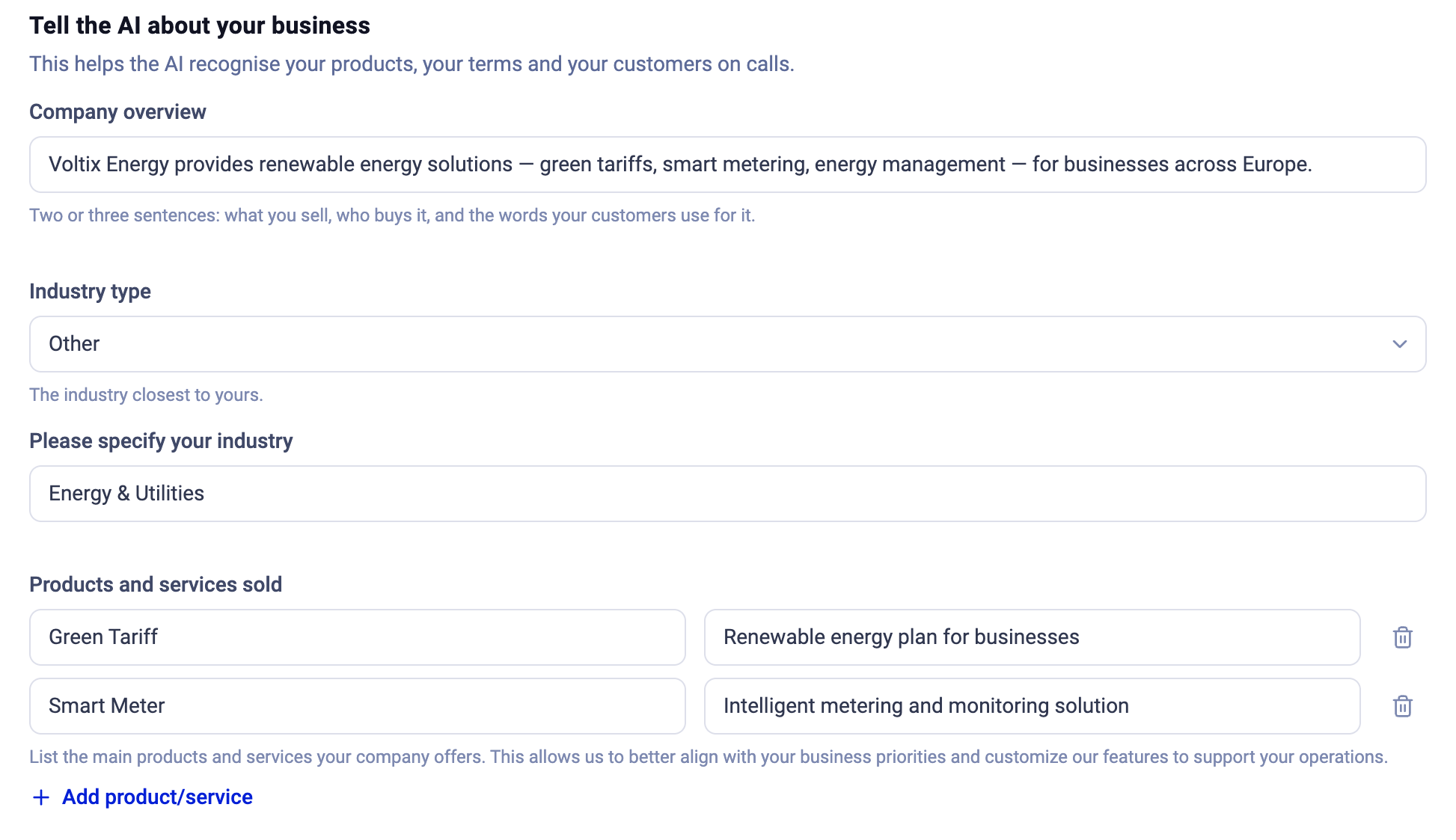
On the same page you can give the AI context about your company, which it uses to tailor its output to your calls:- Company overview: a brief description of your company, including its mission and key focus areas.
- Industry type: select the industry that best describes your business.
- Products and services sold: the main products and services your company offers, each with a short description.
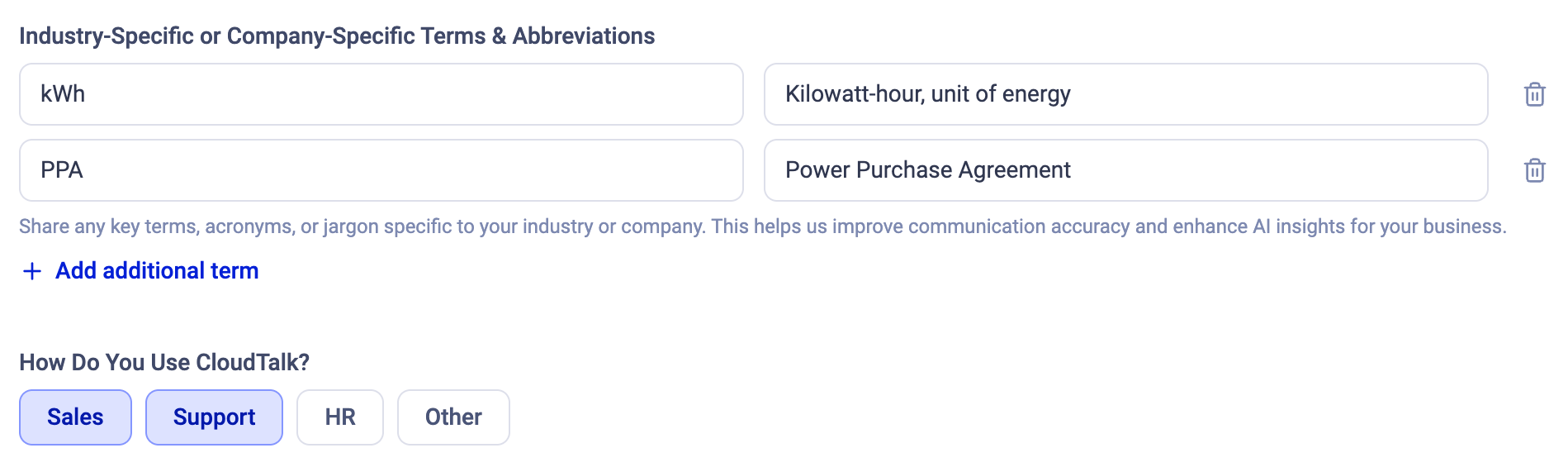
- Industry-specific or company-specific terms and abbreviations: key terms, acronyms, or jargon, each with its meaning.
- How do you use CloudTalk?: Sales, Support, HR, Other.
Upgrade to CI Plus or switch back
Under Your Conversation Intelligence plan at the top of the settings page:-
If you pay for CI Basic, the card shows CI Plus · €19 / user / month, instead of €9 with the button Upgrade to CI Plus. Upgrading enrols you in the paid CI Plus subscription straight away; there is no free month.
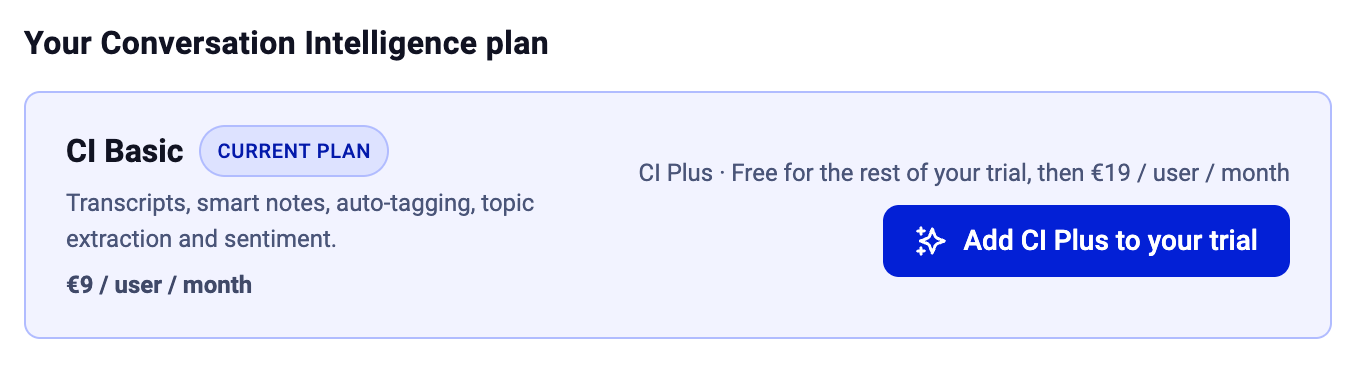
- If you are on a CI Basic trial, the card shows CI Plus · Free for the rest of your trial, then €19 / user / month with the button Add CI Plus to your trial. You get CI Plus free for the remaining trial days and can switch it off again at any time during the trial.
-
On CI Plus, the card shows CI Plus at €19 / user / month and the button to switch back to CI Basic.

How to remove Conversation Intelligence from your account
If you no longer want Conversation Intelligence on your account, you can disable it from your dashboard settings:- Go to Settings > Conversation Intelligence.
- Click Cancel AI Conversation Intelligence.

Exporting Conversation Intelligence
AI Data Export
With the export of conversation intelligence data to our major integrations, you can easily attach relevant call information to tickets or deal pipelines without having to leave your working platform of choice.Supported Integrations
Data Types
In addition to other exported data, call exports from conversation intelligence users will include:- the AI Conversation Intelligence Call Summary
- the AI Call Sentiment
- the AI Extracted Topics
- a link to the AI call details in CloudTalk
Formatting
Salesforce
Exported data in Salesforce has custom fields for better organization. Calls log as activities in Salesforce, and exported tasks and/or cases are associated with these calls. All conversation intelligence fields in Salesforce are marked with AI in the name.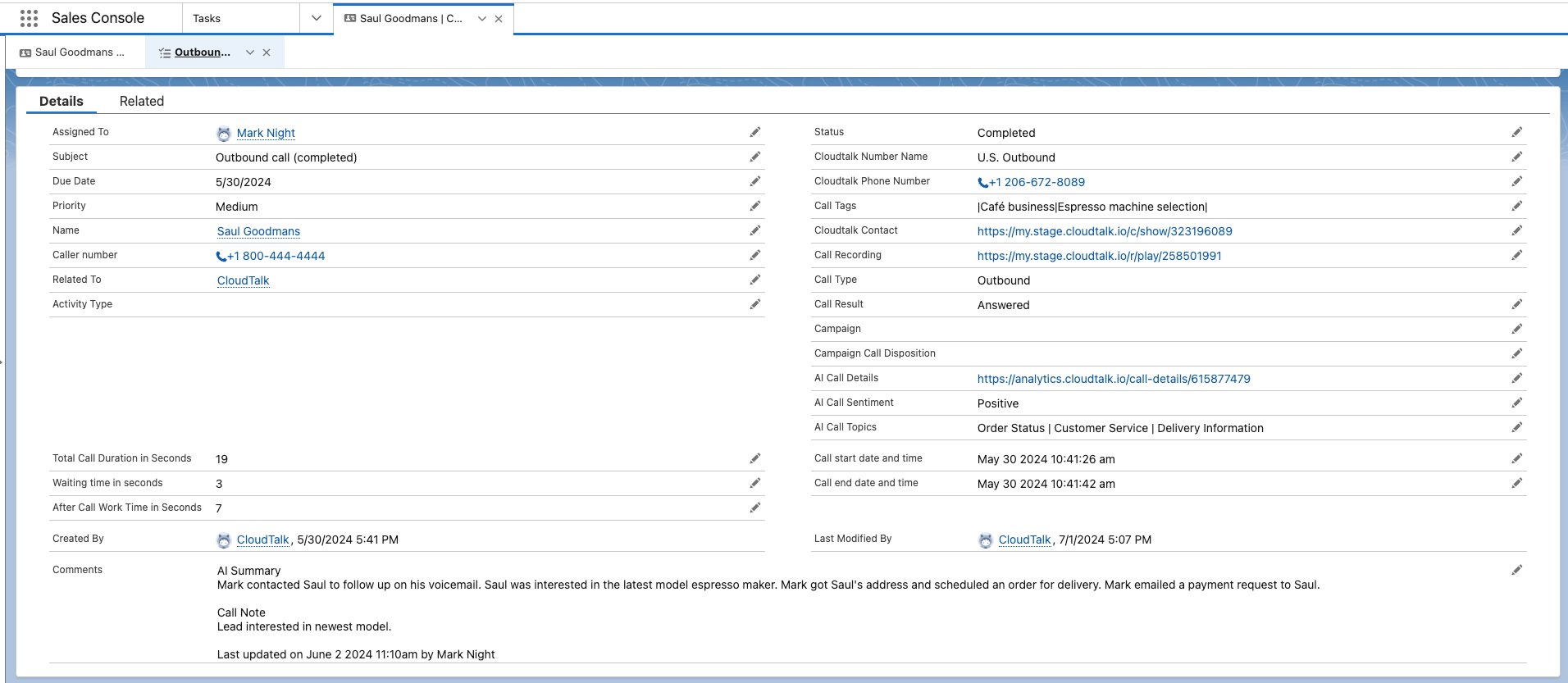
Other Integrations
For other integrations, exported call data is grouped together for agents and managers to use for gathering additional context about a call that took place. Conversation intelligence data will be separated under the AI Conversation Intelligence Details heading, so agents can easily distinguish it from user-added notes and other data.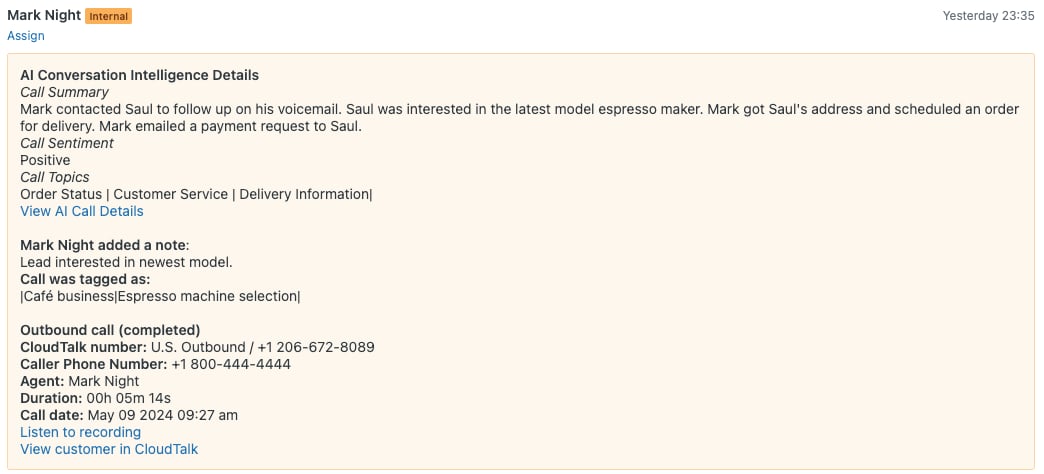
FAQs
-
How do I request a refund for unexpected Conversation Intelligence charges?
If you were charged for Conversation Intelligence and believe the charge was not authorized, you can request a refund by contacting CloudTalk Support through our Support portal.
When submitting your request, please include:
- Your company name and the email address associated with your CloudTalk account
- The invoice number(s) for the disputed charge(s) — find these under Dashboard > Settings > Invoices
- A brief explanation of why you believe the charge was not authorized (for example: you did not activate a trial, or you were not aware the trial would auto-renew)
- Confirmation that you have not actively used Conversation Intelligence features
Need help or have a question? Just reach out through our Support portal — we’re here for you.