> ## Documentation Index
> Fetch the complete documentation index at: https://help.cloudtalk.io/llms.txt
> Use this file to discover all available pages before exploring further.
# Salesloft configureren
> Configureer de gegevensuitwisseling zodat uw gegevens actueel blijven en uw team rechtstreeks vanuit Salesloft kan bellen
In deze handleiding leert u hoe u CloudTalk met Salesloft verbindt, inclusief de vereisten, de authenticatiestappen en de aanpassingsmogelijkheden.
**Gebruikersniveau**: Admin
***
**Op zoek naar informatie over hoe oproepen worden afgehandeld en gegevens worden gesynchroniseerd?**
Zie [CloudTalk gebruiken met Salesloft](/nl/articles/5890189-using-cloudtalk-with-salesloft).
Vereisten
Zorg er voordat u begint voor dat:
* uw CloudTalk-account gebruikmaakt van een [Essential-, Expert- of Custom-abonnement](https://www.cloudtalk.io/pricing)
* u een actief [Salesloft-account](https://accounts.salesloft.com/sign_in) hebt
* u beheerdersrechten hebt in zowel CloudTalk als Salesloft
* het e-mailadres dat u in CloudTalk gebruikt exact overeenkomt met het e-mailadres in uw Salesloft-account
Salesloft configureren
1. Log in op uw **[CloudTalk Dashboard](https://dashboard.cloudtalk.io/menu/dashboard).**
2. Ga naar **Account -> Integraties.**
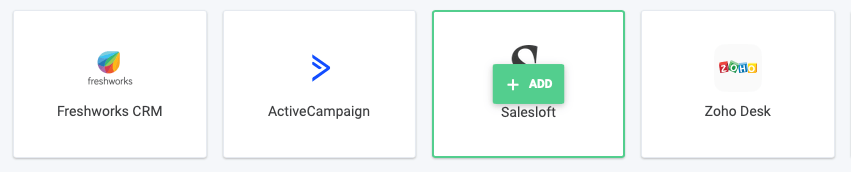
3. Zoek in het gedeelte *Integratie toevoegen* naar **Salesloft.** Beweeg met de muis over het bedrijfsicoon en klik op **`+ Toevoegen`.**
 1. *Optioneel* - *Geef uw integratie een unieke naam (handig voor bedrijven met aparte Salesloft-integraties voor verschillende teams)*
4. Klik onder de kop *Workflow-instellingen* op **`New Authentication`.**
1. *Optioneel* - *Geef uw integratie een unieke naam (handig voor bedrijven met aparte Salesloft-integraties voor verschillende teams)*
4. Klik onder de kop *Workflow-instellingen* op **`New Authentication`.**
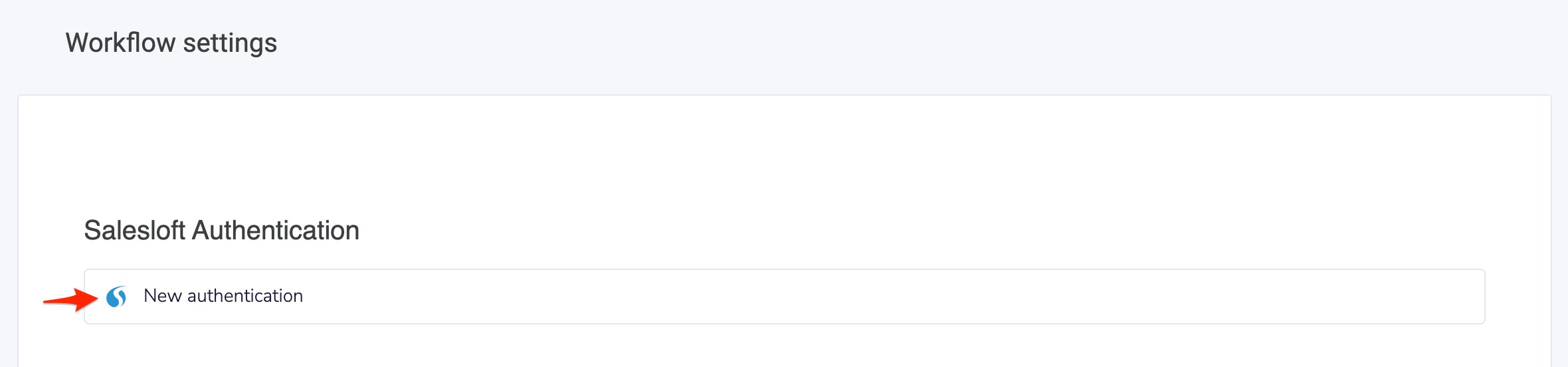 5. U wordt doorgestuurd naar Salesloft, waar u zich bij uw account moet aanmelden. Nadat u bij Salesloft bent ingelogd, sluit dit tabblad zich.
6. Klik op **`Voltooien`** om uw authenticatie op te slaan.
5. U wordt doorgestuurd naar Salesloft, waar u zich bij uw account moet aanmelden. Nadat u bij Salesloft bent ingelogd, sluit dit tabblad zich.
6. Klik op **`Voltooien`** om uw authenticatie op te slaan.
Uw integratie aanpassen
* Om alleen oproepen te loggen voor specifieke CloudTalk-nummers, voegt u de gewenste nummers toe aan het gedeelte **Gekoppelde nummers** op de pagina van de Salesloft-integratie.
* Om alleen SMS-berichten te loggen voor specifieke CloudTalk-nummers, voegt u de gewenste nummers toe aan het gedeelte **Gekoppelde nummers voor SMS** op de pagina van de Salesloft-integratie.
* Controleer boven aan de pagina of uw **Integratie** is ingesteld op *Actief*\*\*.\*\*
* Klik na het wijzigen van instellingen altijd op **`Opslaan`.**
***
*Hulp nodig of hebt u een vraag?* Neem gerust contact met ons op via ons [Supportportaal](https://support.cloudtalk.io/hc/en-us/requests/new?ticket_form_id=26305535257884) — we staan voor u klaar.
## Related topics
- [CloudTalk gebruiken met Salesloft](/nl/articles/5890189-using-cloudtalk-with-salesloft.md)
- [Salesforce configureren](/nl/articles/3368501-configure-salesforce.md)
- [Greenhouse configureren](/nl/articles/11937842-configure-greenhouse.md)
This documentation is built and hosted on [Mintlify](https://mintlify.com), a developer documentation platform.