> ## Documentation Index
> Fetch the complete documentation index at: https://help.cloudtalk.io/llms.txt
> Use this file to discover all available pages before exploring further.
# Zoho configureren
> Configureer de gegevensuitwisseling tussen CloudTalk en Zoho, zodat uw gegevens up-to-date blijven.
Dit artikel legt uit hoe u CloudTalk met Zoho integreert. U leert meer over de vereisten, de stapsgewijze installatie, aanpassingsopties, synchronisatieregels en hoe u rechtstreeks vanuit Zoho kunt bellen.
**Gebruikersniveau**: Admin
***
Op zoek naar instructies om te bellen en gesynchroniseerde gegevens te bekijken in Zoho?\
Zie **[CloudTalk gebruiken met Zoho](/nl/articles/5375783-using-cloudtalk-with-zoho)**.
Voordat u begint
Zorg dat u het volgende heeft voordat u begint:
* **CloudTalk-account** (met beheerdersrechten)
* **Zoho CRM-account** (met beheerdersrechten)
* **Compatibel CloudTalk-abonnement** (een abonnement op het Essential-, Expert- of Custom-plan van CloudTalk)
* Het e-mailadres dat u in CloudTalk gebruikt, moet exact overeenkomen met het e-mailadres in uw Zoho-account. Als de e-mailadressen niet overeenkomen, werkt de synchronisatie niet correct.
Zoho koppelen aan CloudTalk
1. **Log in op het CloudTalk Dashboard**:
Ga naar uw account via [CloudTalk Dashboard](https://dashboard.cloudtalk.io/).
2. **Ga naar Integraties**:
Klik op **Account > Integraties** in het linkermenu.
3. **Zoho-integratie toevoegen**:
Zoek **Zoho** in de lijst met integraties en klik op de knop **`+ Toevoegen`**.
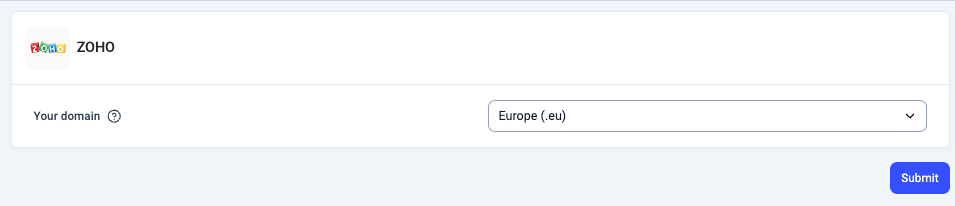
 4. **Selecteer het Zoho-datacenterdomein**:
Kies uw Zoho-datacenterdomein (bijvoorbeeld `.com`, `.eu`, `.in`).
4. **Selecteer het Zoho-datacenterdomein**:
Kies uw Zoho-datacenterdomein (bijvoorbeeld `.com`, `.eu`, `.in`).
 5. **Integratie authenticeren**:
U wordt doorgestuurd naar de inlogpagina van Zoho. Voer uw inloggegevens in en autoriseer de integratie.
5. **Integratie authenticeren**:
U wordt doorgestuurd naar de inlogpagina van Zoho. Voer uw inloggegevens in en autoriseer de integratie.
 6. **Installatie afronden**:
Na een succesvolle authenticatie komt u terug op het CloudTalk-dashboard.
Zodra de integratie is ingesteld, worden al uw Zoho-contacten gesynchroniseerd met CloudTalk.
6. **Installatie afronden**:
Na een succesvolle authenticatie komt u terug op het CloudTalk-dashboard.
Zodra de integratie is ingesteld, worden al uw Zoho-contacten gesynchroniseerd met CloudTalk.
Integratie aanpassen
* Bepaal **welke oproepen** *(inkomend, uitgaand, gemiste oproepen en voicemails)* in Zoho worden gelogd. De oproep wordt gelogd als een **afgesloten activiteit**.
* Kies **welke CloudTalk-nummers aan uw Zoho-integratie moeten worden gekoppeld**. Dit helpt u om uw gegevens beter te organiseren. Als er geen nummer wordt geselecteerd, worden alle nummers gesynchroniseerd met Zoho.
* Kies of u **Alle gesprekken**, **alleen gesprekken tijdens openingstijden** of **wanneer uw lijnen gesloten zijn** wilt loggen.
* Bepaal hoe u **uw contacten tagt** in CloudTalk.
* Bepaal of u uitgaande en inkomende **SMS-berichten** als activiteiten in Zoho wilt loggen.
* Kies of u **Gemiste oproepen** wilt toewijzen aan specifieke agenten.
* Schakel **VoiceAgent-gesprekslogboek** in om VoiceAgent-gesprekken en verzamelde gegevens te exporteren naar Zoho. Deze gesprekken worden gelabeld als *Voice Agent Call*.
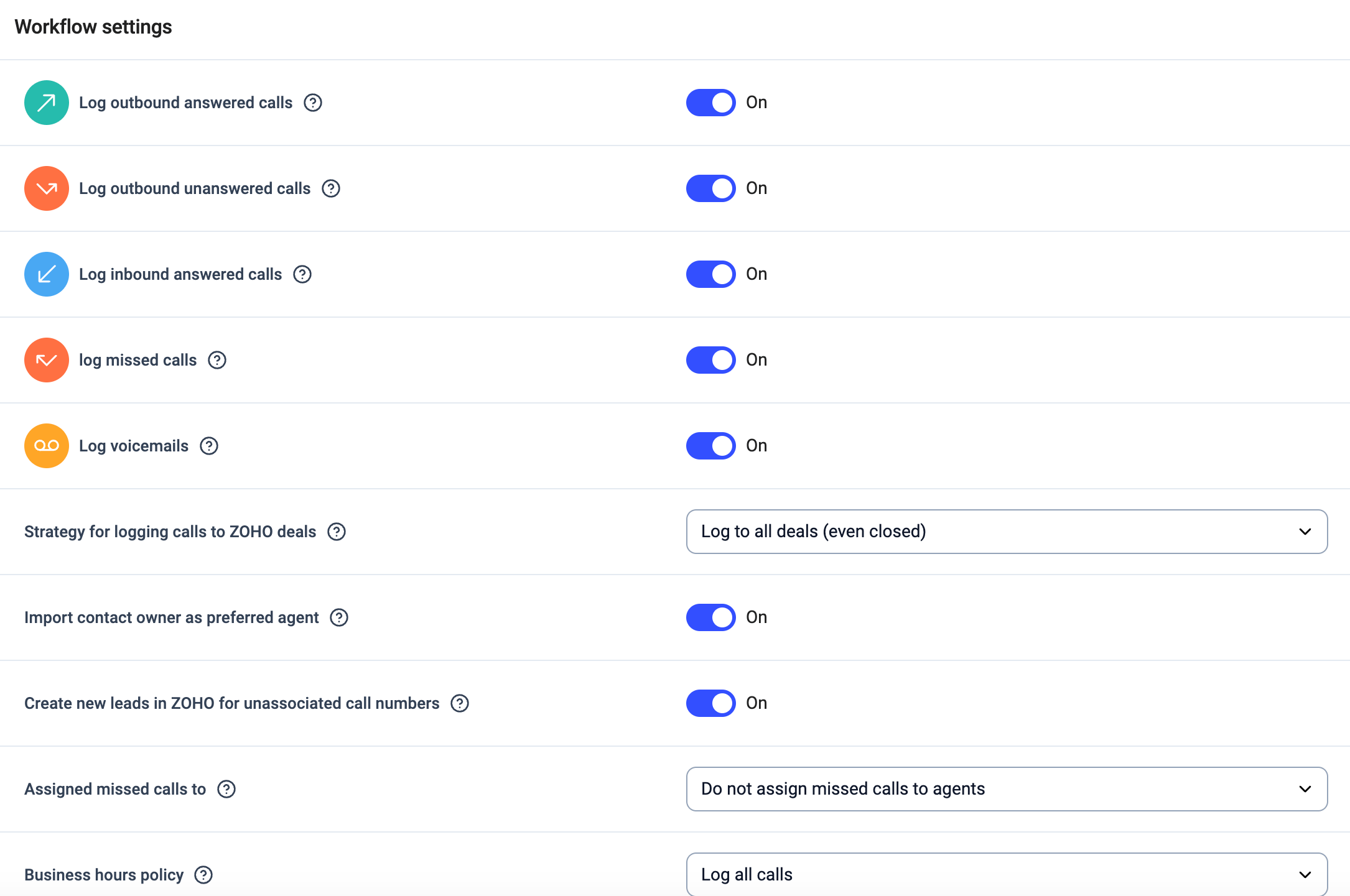 Nadat u uw instellingen heeft aangepast, klikt u op **Instellingen opslaan** om de wijzigingen toe te passen.
**Notitie:** Als de export van **Bericht** is ingeschakeld, worden zowel **SMS**- als **WhatsApp**-berichten geëxporteerd met dezelfde instelling.
Geëxporteerde berichten worden in de CRM niet onderscheiden per kanaal, en het eerste uitgaande WhatsApp-sjabloonbericht wordt niet geëxporteerd.
Nadat u uw instellingen heeft aangepast, klikt u op **Instellingen opslaan** om de wijzigingen toe te passen.
**Notitie:** Als de export van **Bericht** is ingeschakeld, worden zowel **SMS**- als **WhatsApp**-berichten geëxporteerd met dezelfde instelling.
Geëxporteerde berichten worden in de CRM niet onderscheiden per kanaal, en het eerste uitgaande WhatsApp-sjabloonbericht wordt niet geëxporteerd.
Integratie loskoppelen of verwijderen
Als u de integratie niet langer wilt gebruiken, heeft u twee mogelijkheden:
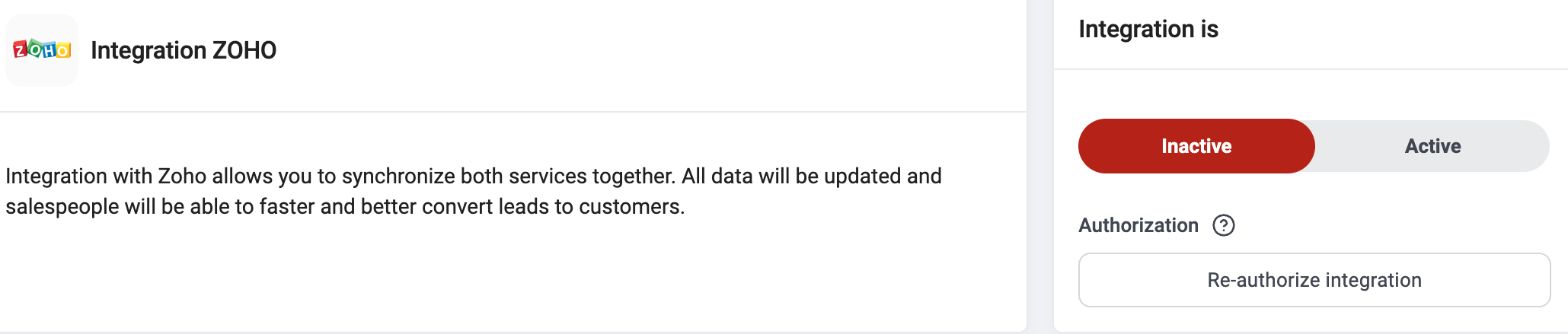
* **Deactiveren:** Ga in uw CloudTalk Dashboard naar **Account > Integraties > Zoho** en zet de status op inactief. Hierdoor wordt de synchronisatie gepauzeerd, maar blijven uw instellingen behouden.
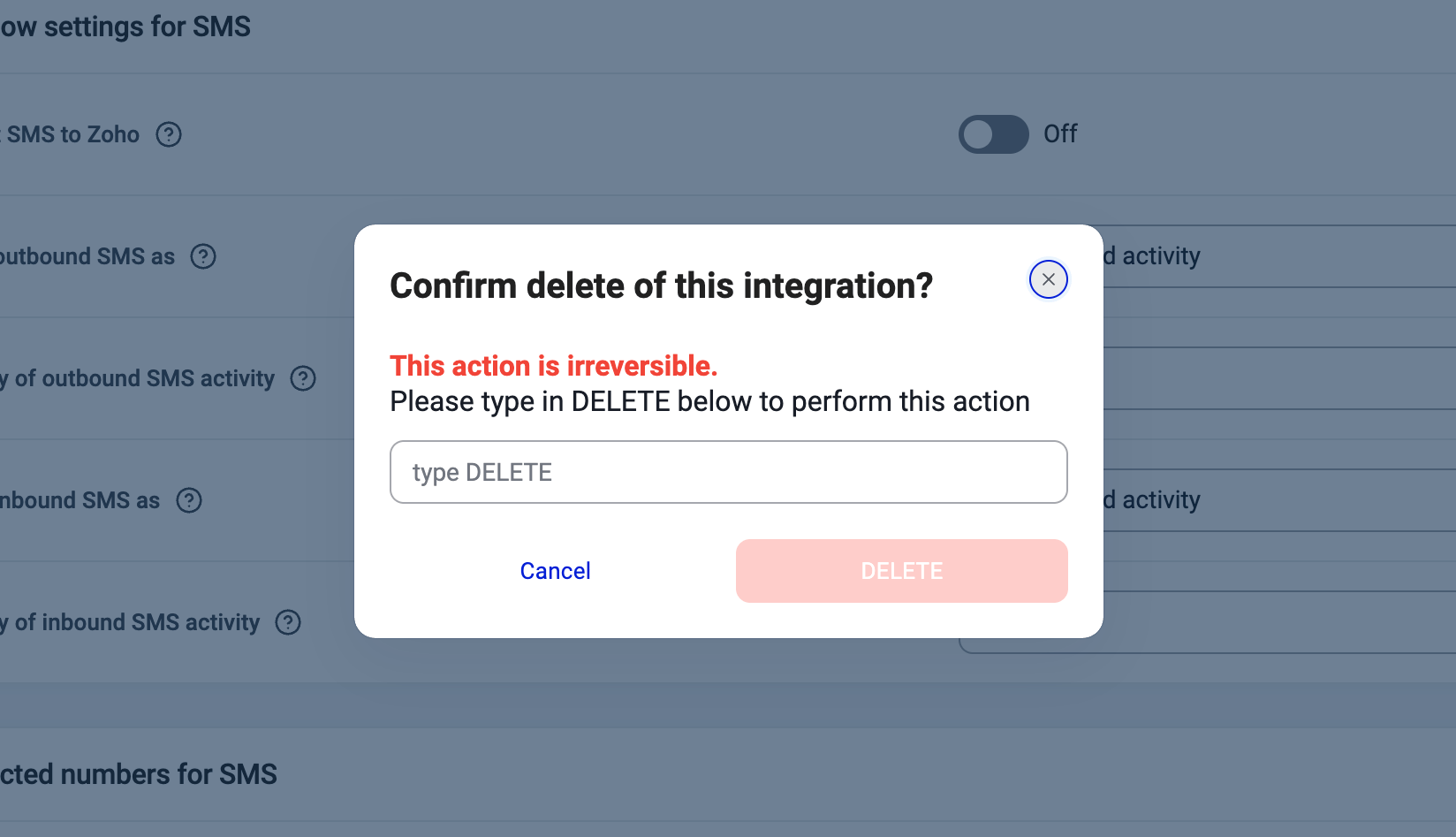
 * **Verwijderen:** Om de integratie volledig te verwijderen, gaat u naar **Configureren > Integratie verwijderen**, typt u **DELETE** en bevestigt u dit.
 ***
*Heeft u hulp nodig of heeft u een vraag?* Neem gerust contact met ons op via ons [Support portal](https://support.cloudtalk.io/hc/en-us/requests/new?ticket_form_id=26305535257884) — we staan voor u klaar.
## Related topics
- [CloudTalk gebruiken met Zoho](/nl/articles/5375783-using-cloudtalk-with-zoho.md)
- [Zoho Desk configureren](/nl/articles/6114608-configure-zoho-desk.md)
- [Intercom configureren](/nl/articles/2583571-configure-intercom.md)
This documentation is built and hosted on [Mintlify](https://mintlify.com), a developer documentation platform.
***
*Heeft u hulp nodig of heeft u een vraag?* Neem gerust contact met ons op via ons [Support portal](https://support.cloudtalk.io/hc/en-us/requests/new?ticket_form_id=26305535257884) — we staan voor u klaar.
## Related topics
- [CloudTalk gebruiken met Zoho](/nl/articles/5375783-using-cloudtalk-with-zoho.md)
- [Zoho Desk configureren](/nl/articles/6114608-configure-zoho-desk.md)
- [Intercom configureren](/nl/articles/2583571-configure-intercom.md)
This documentation is built and hosted on [Mintlify](https://mintlify.com), a developer documentation platform.