> ## Documentation Index
> Fetch the complete documentation index at: https://help.cloudtalk.io/llms.txt
> Use this file to discover all available pages before exploring further.
# Freshsales (Freshworks CRM) configureren
> Configureer de gegevensuitwisseling tussen CloudTalk en Freshsales, zodat uw gegevens up-to-date blijven.
In deze handleiding leest u hoe u Freshsales (Freshworks CRM) met CloudTalk verbindt en het loggen van gesprekken en SMS instelt.
**Gebruikersniveau:** Beheerder
***
In het CloudTalk Dashboard verwijst **Freshworks CRM** naar dezelfde integratie als **Freshsales**.
Vereisten
Controleer voordat u begint of u het volgende heeft:
* Een **CloudTalk Essential-, Expert- of Custom-abonnement**
* Een actief **Freshsales-account** met **Beheerder**toegang
* Het e-mailadres dat u in CloudTalk gebruikt, moet exact overeenkomen met het e-mailadres in uw Freshsales-account. Komen de e-mailadressen niet overeen, dan werkt de synchronisatie niet goed.
Freshsales configureren
Uw Freshsales API-sleutel ophalen
1. Kopieer in Freshsales uw **API-sleutel**
2. Volg zo nodig deze handleiding: [Hoe u uw API-sleutel vindt](https://crmsupport.freshworks.com/support/solutions/articles/50000002503-how-to-find-my-api-key-) in Freshworks CRM (Freshsales).
U gebruikt deze API-sleutel tijdens het instellen van de integratie.
Freshsales-integratie toevoegen in CloudTalk
1\. Ga in uw CloudTalk Dashboard naar **Account > Integraties**
2\. Zoek in de sectie **Integratie toevoegen** naar **Freshworks CRM**
3\. Klik op **`+ Toevoegen`**
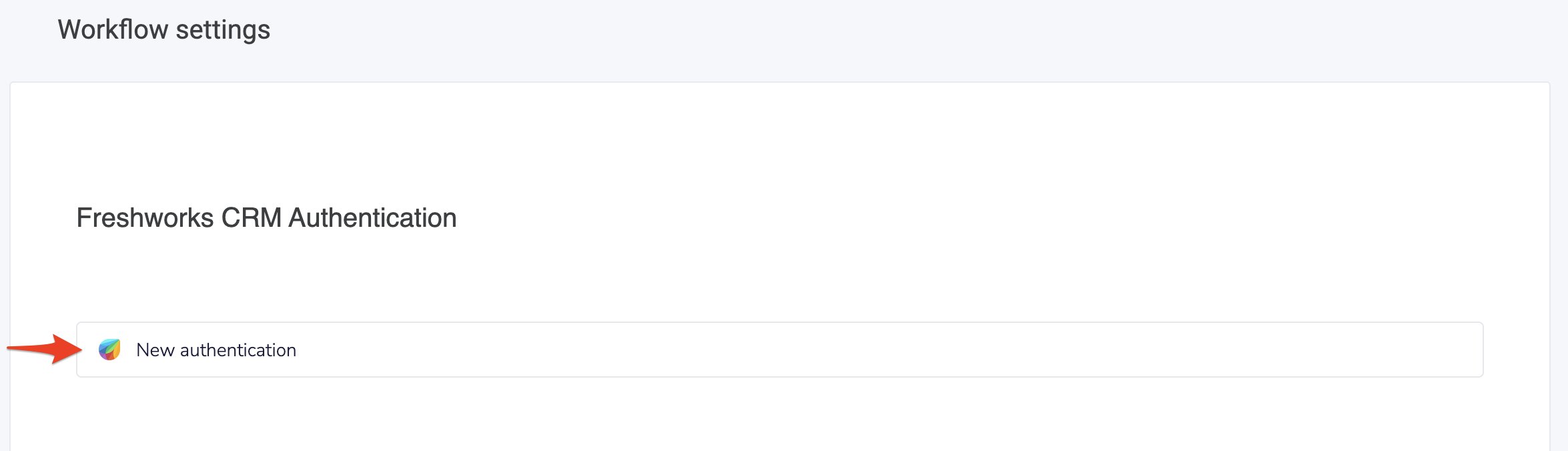
 4\. Klik in de sectie **Workflow-instellingen** op **New Authentication.**
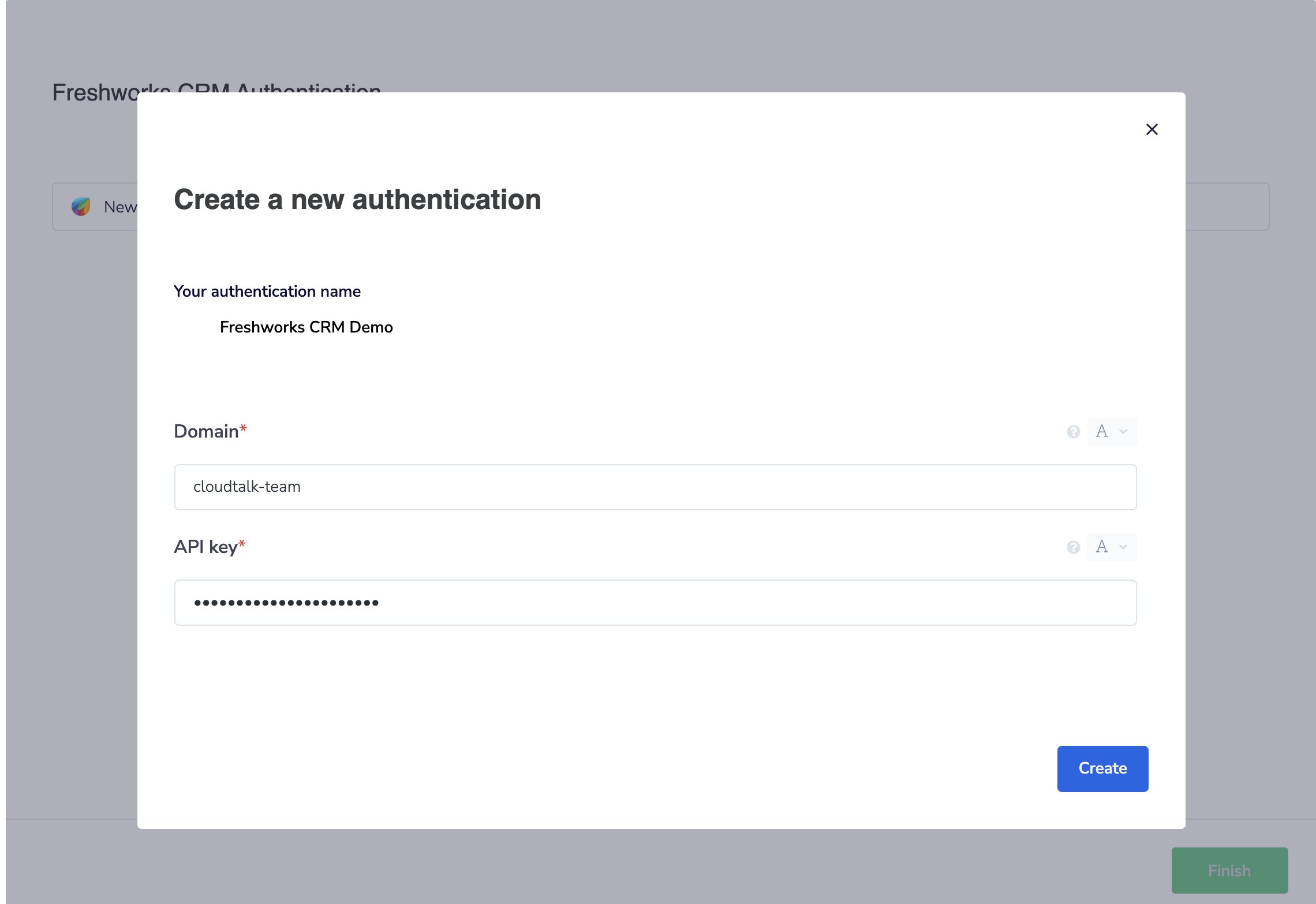
 5\. Voer uw Freshsales-**domein** en **API-sleutel** in en klik op **Aanmaken**.
 ***
***
Contactinstellingen
6\. Selecteer in de sectie **Contactinstellingen** een **Freshsales Contact View.**
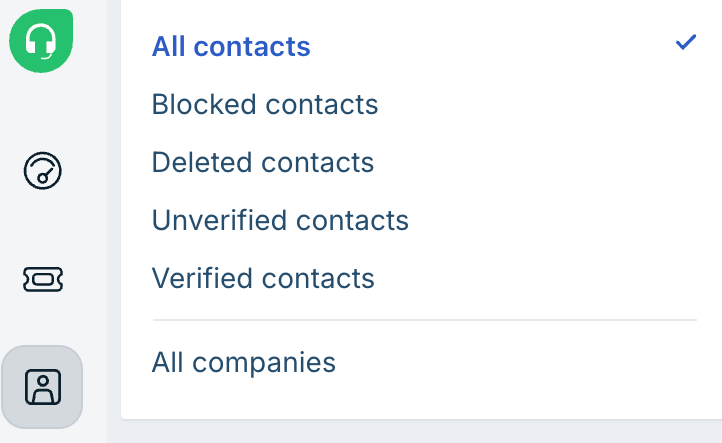
 Een Contact View is een opgeslagen contactenlijst in Freshsales. Deze bepaalt welke contacten naar CloudTalk worden geïmporteerd.
Zo vindt u die in Freshsales:
1. Ga naar **Contacts**
2. Selecteer boven aan de pagina een view, bijvoorbeeld:
* *My Contacts*
* *All Contacts*
* *Recently Modified*
* *New Contacts*
Een Contact View is een opgeslagen contactenlijst in Freshsales. Deze bepaalt welke contacten naar CloudTalk worden geïmporteerd.
Zo vindt u die in Freshsales:
1. Ga naar **Contacts**
2. Selecteer boven aan de pagina een view, bijvoorbeeld:
* *My Contacts*
* *All Contacts*
* *Recently Modified*
* *New Contacts*

Gespreksinstellingen
7\. Stel in de sectie **Gespreksinstellingen** in hoe gespreksactiviteiten worden toegewezen.
 ***
***
Configuratie afronden
8\. Klik op **Voltooien** om uw **Workflow** **instellingen** op te slaan.
9\. Wilt u alleen gesprekken loggen voor specifieke CloudTalk-nummers, voeg deze nummers dan toe in de sectie **Gekoppelde nummers**.
10\. Wilt u alleen SMS-berichten loggen voor specifieke CloudTalk-nummers, voeg deze nummers dan toe in de sectie **Gekoppelde nummers voor SMS**.
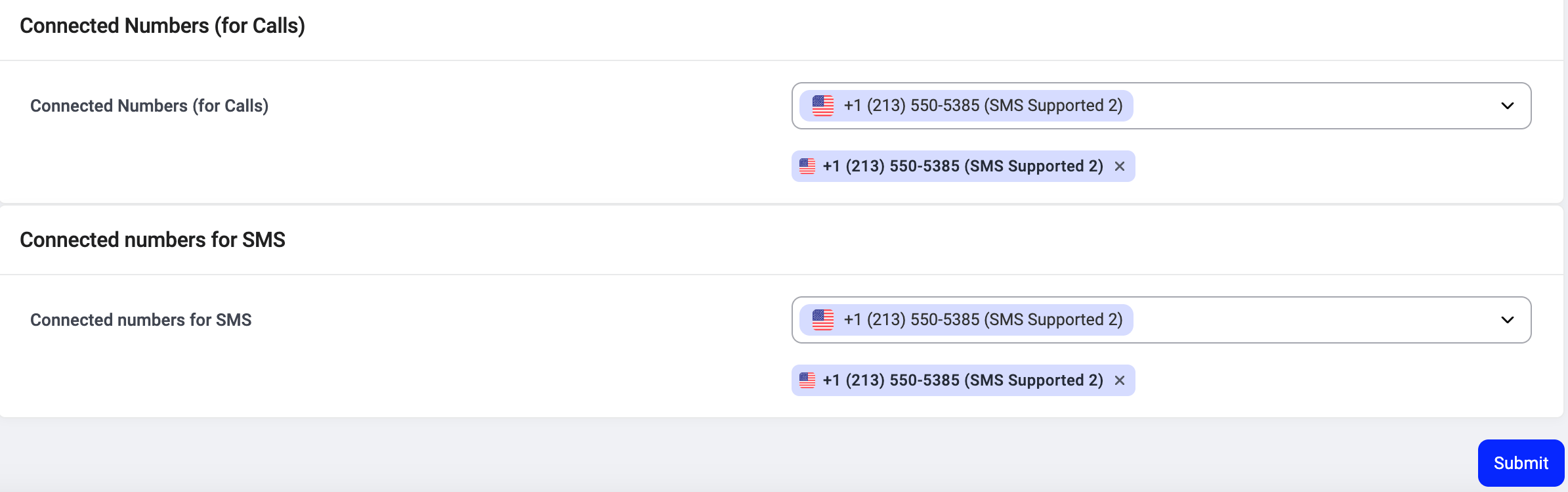 11\. Klik op **Indienen.**
De integratie loskoppelen of verwijderen
Wilt u niet langer dat CloudTalk gegevens synchroniseert met Freshsales, dan kunt u de integratie uitschakelen of definitief verwijderen.
Om **de integratie uit te schakelen** gaat u naar **Account > Integraties**, zoekt u de integratie **Freshworks CRM** op en zet u de status van **Actief** op **Inactief**.
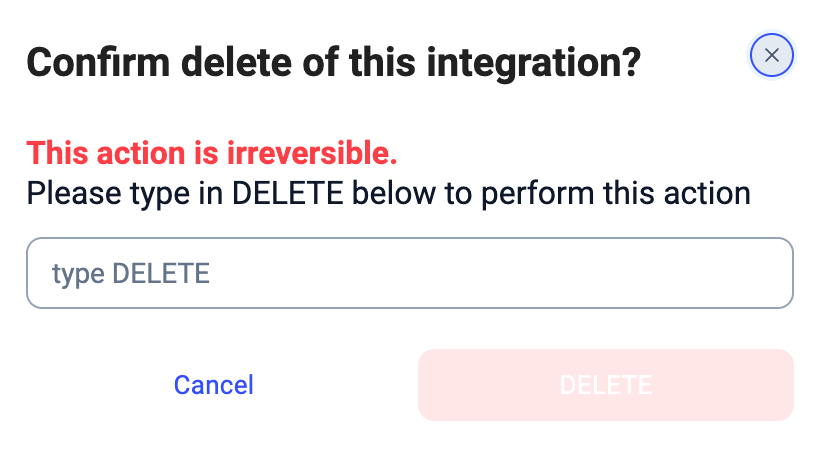
 Om **de integratie definitief te verwijderen** opent u de instellingen van de Freshworks CRM-integratie, scrolt u omlaag, klikt u op **Integratie verwijderen** en typt u **DELETE** ter bevestiging.
Wat gebeurt er na het verwijderen
* De gegevenssynchronisatie stopt (contacten, gesprekken en SMS)
* Reeds gesynchroniseerde gegevens blijven in Freshsales staan
* Er worden geen historische gegevens verwijderd
***
*Hulp nodig of een vraag?* Neem gerust contact met ons op via ons [supportportaal](https://support.cloudtalk.io/hc/en-us/requests/new?ticket_form_id=26305535257884) — we staan voor u klaar.
## Related topics
- [CloudTalk gebruiken met Freshsales (Freshworks CRM)](/nl/articles/14596746-using-cloudtalk-with-freshsales-freshworks-crm.md)
- [Een VoiceAgent-oproep activeren vanuit Freshworks CRM](/nl/articles/15477534-triggering-a-voiceagent-call-from-freshworks-crm.md)
- [Integratiegids](/nl/articles/10570091-integrations-guide.md)
This documentation is built and hosted on [Mintlify](https://mintlify.com), a developer documentation platform.