> ## Documentation Index
> Fetch the complete documentation index at: https://help.cloudtalk.io/llms.txt
> Use this file to discover all available pages before exploring further.
# CloudTalk-SMS versturen vanuit Pipedrive via automatisering
> Verstuur automatisch SMS-berichten vanuit CloudTalk op basis van dealupdates in Pipedrive
In deze handleiding leert u hoe u automatisch SMS-berichten vanuit CloudTalk verstuurt wanneer een deal in Pipedrive wordt bijgewerkt, met behulp van automatiseringen en webhooks.
**Gebruikersniveau**: Admin
***
Vereisten
Zorg dat u het volgende hebt voordat u begint:
* Toegang tot **Pipedrive Automations**
* Een **CloudTalk-account**
* Een **API-sleutel** die in CloudTalk is aangemaakt:
* Ga naar **Dashboard > Account > Instellingen > API-sleutels**
* Kopieer beide:
* API-sleutel **ID** (wordt gebruikt als gebruikersnaam)
* API-sleutel **Sleutel** (wordt gebruikt als wachtwoord)
* Minstens één **nummer met SMS-functionaliteit** in CloudTalk
Stap 1: Een webhook aanmaken in Pipedrive
1. Ga in Pipedrive naar **More > Automations > Webhooks**
2. Klik op **Add an Automated webhook**
3. Vul de volgende gegevens in:
* **Name**: kies een willekeurige naam (bijv. *SMS verzenden*)
* **URL**:
```
https://my.cloudtalk.io/api/sms/send.json?
```
* **HTTP Auth Username**: uw CloudTalk-**API-sleutel-ID**
* **HTTP Auth Password**: uw CloudTalk-**API-sleutel**
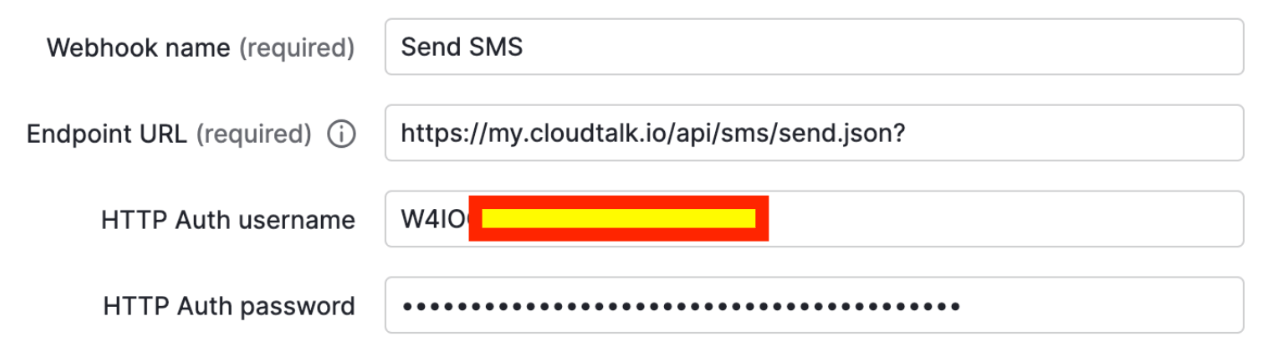 Deze webhook wordt gebruikt om SMS-verzoeken naar CloudTalk te sturen.
Stap 2: Een automatisering aanmaken
1. Ga naar:\
**Automations > Automations > + Automation**
2. Kies welke gebruikers de automatisering kunnen activeren
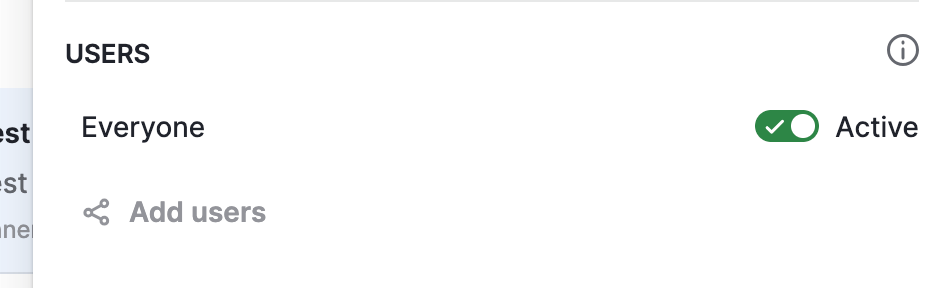 3. Stel de trigger in:
* **Trigger**: *Deal Updated*
* **Field**: *Deal Status*
3. Stel de trigger in:
* **Trigger**: *Deal Updated*
* **Field**: *Deal Status*
Stap 3: De voorwaarde definiëren
Voeg een **Instant condition** toe om te bepalen wanneer de SMS wordt verzonden.
*Voorbeeld*:
* **Deal status is "won"**
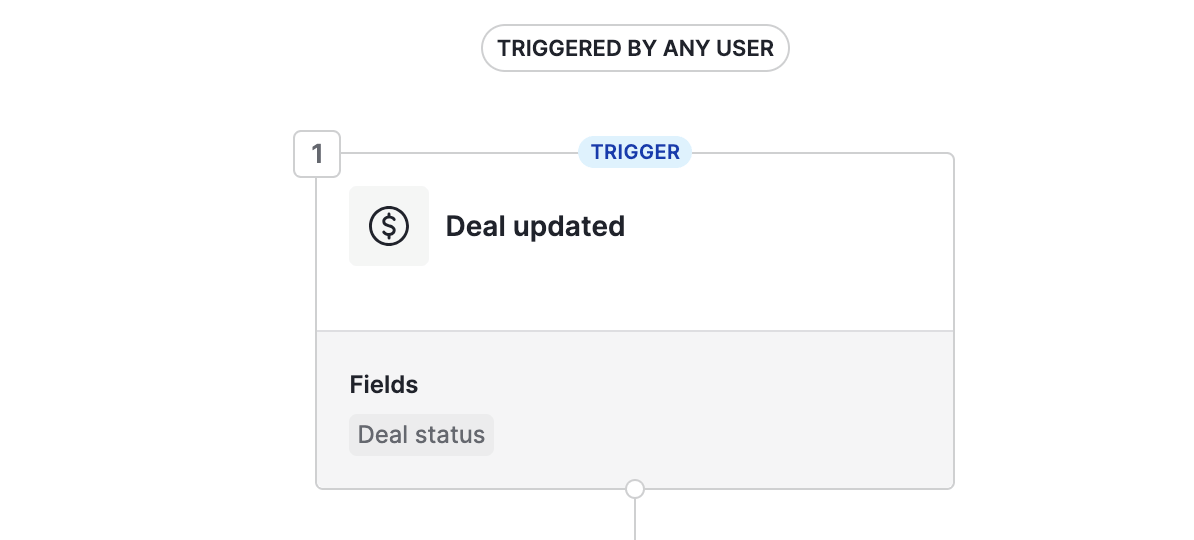
 Zo wordt de SMS alleen geactiveerd wanneer de deal een bepaalde fase bereikt.
Stap 4: De webhook-actie configureren
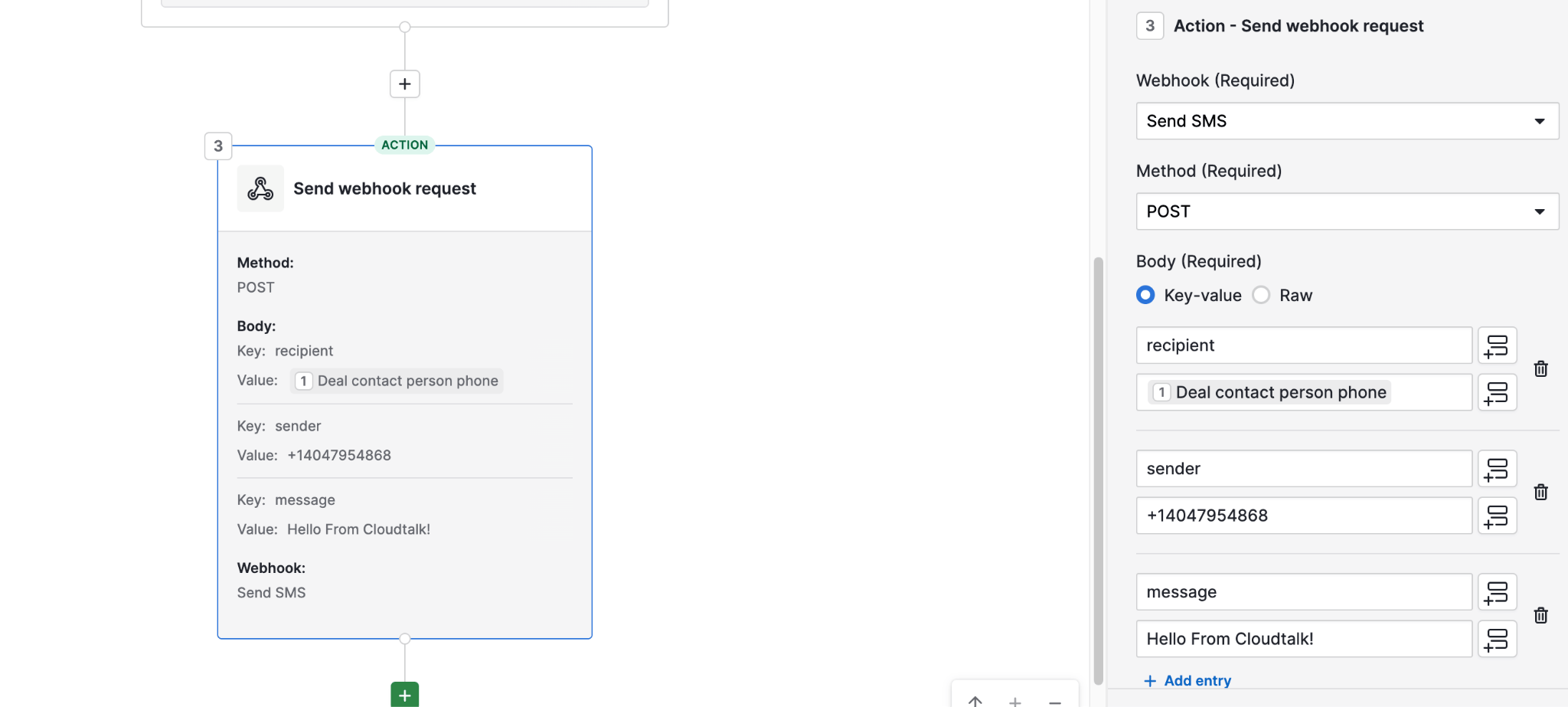
1. Voeg een **Action > Send webhook request** toe
2. Configureer het verzoek:
* **Method**: `POST`
* **Webhook**: selecteer de webhook die u eerder hebt aangemaakt
Body-parameters:
* **recipient**\
Gebruik de dynamische waarde: *Deal contact person phone*
* **sender**\
Voer uw CloudTalk-**nummer met SMS-functionaliteit** in
* **message**\
Voer uw SMS-tekst in. U kunt dynamische waarden opnemen (bijv. contactnaam, dealinformatie)
Resultaat
Zodra dit is geconfigureerd:
* Wanneer een deal wordt bijgewerkt en aan uw voorwaarde voldoet (bijv. gemarkeerd als *won*)
* activeert Pipedrive de webhook
* en stuurt CloudTalk automatisch een SMS naar het contact
***
*Hulp nodig of hebt u een vraag?* Neem gerust contact met ons op via ons [Supportportaal](https://support.cloudtalk.io/hc/en-us/requests/new?ticket_form_id=26305535257884) — we staan voor u klaar.
## Related topics
- [Veelgestelde vragen over A2P-SMS in de VS](/nl/articles/8503648-usa-a2p-sms-faqs.md)
- [CloudTalk SMS-nummers en SMS-bereikbaarheid](/nl/articles/11959017-cloudtalk-sms-capable-numbers-and-sms-reachability.md)
- [Pipedrive-dealfase: Zapier-automatisering](/nl/articles/5724062-pipedrive-deal-stage-zapier-automation.md)
This documentation is built and hosted on [Mintlify](https://mintlify.com), a developer documentation platform.