> ## Documentation Index
> Fetch the complete documentation index at: https://help.cloudtalk.io/llms.txt
> Use this file to discover all available pages before exploring further.
# Bullhorn configureren
> Configureer de gegevensuitwisseling en installeer de CloudTalk CTI, zodat uw gegevens up-to-date blijven en uw team direct vanuit Bullhorn kan bellen
Deze handleiding legt uit hoe u Bullhorn koppelt aan CloudTalk, contactsynchronisatie inschakelt, bellen vanuit Bullhorn configureert en de integratie indien nodig loskoppelt.
**Gebruikersniveau**: Beheerder
***
Zoekt u instructies over hoe oproepen in Bullhorn worden weergegeven of hoe agenten de integratie gebruiken?\
Zie **[CloudTalk gebruiken met Bullhorn](/nl/articles/11501982-using-cloudtalk-with-bullhorn)**.
Voordat u begint
Zorg dat u het volgende hebt:
* Een actief CloudTalk-account
* Een actief Bullhorn-account
* Bullhorn-**Admin**-rechten om de integratie te autoriseren
* Toegang tot het CloudTalk Dashboard
* De mogelijkheid om applicaties in Bullhorn te autoriseren
* Het e-mailadres dat u in CloudTalk gebruikt, moet exact overeenkomen met het e-mailadres in uw Bullhorn-account. Als de e-mailadressen niet overeenkomen, werkt de synchronisatie niet correct.
**Bullhorn koppelen aan CloudTalk**
1. Log in op uw **CloudTalk Dashboard** en ga naar **Account > Integraties**.
2. Scroll door de lijst met integraties, ga met uw muis over **Bullhorn** en klik op **`➕ Add`**`.`
 3\. U wordt doorgestuurd naar het inlogscherm van Bullhorn. Voer uw Bullhorn-gegevens in.
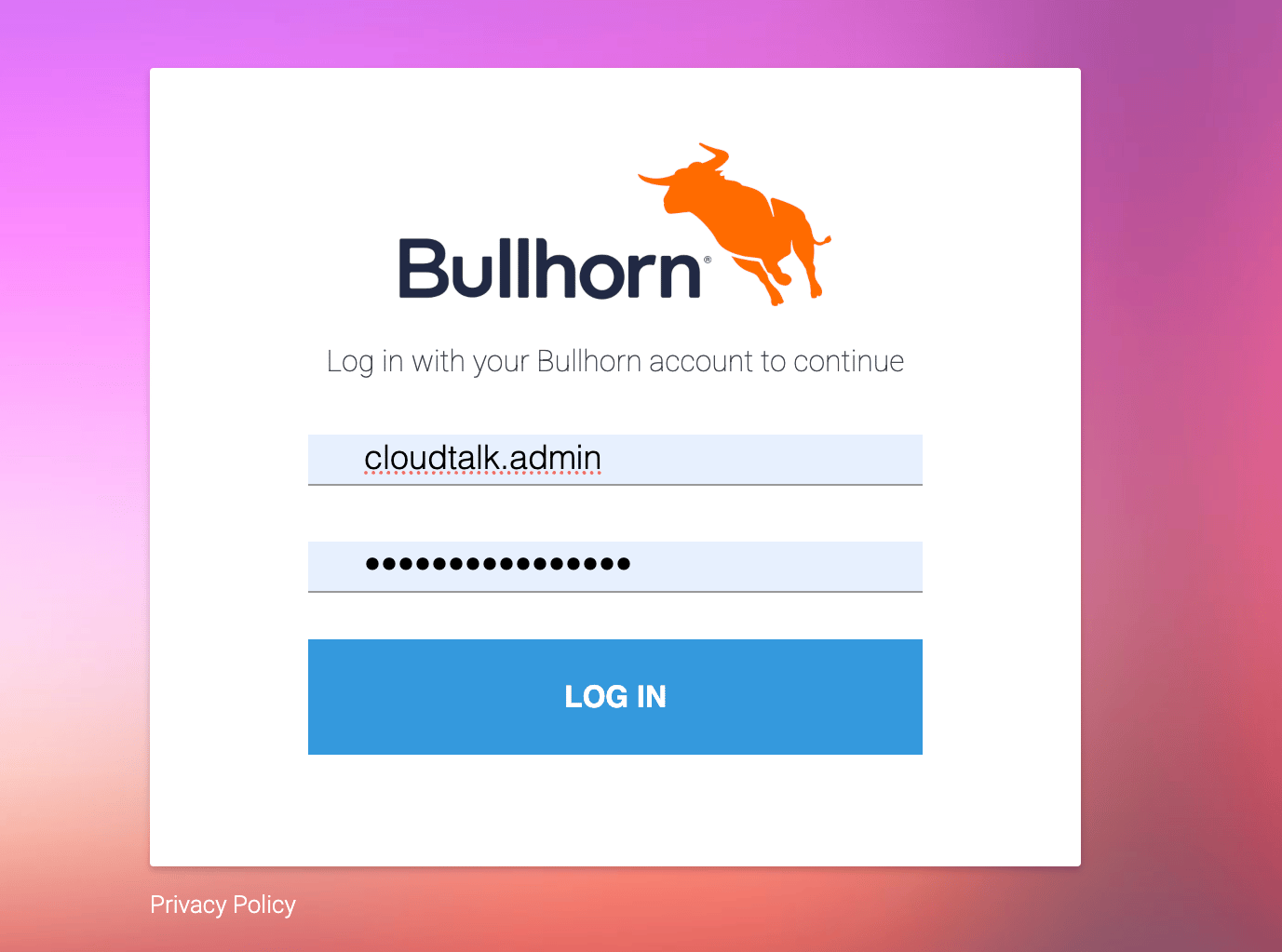 4\. Geef toegang tot uw Bullhorn-account om de authenticatie te voltooien.
5\. Na een succesvolle aanmelding komt u terug in het CloudTalk Dashboard.
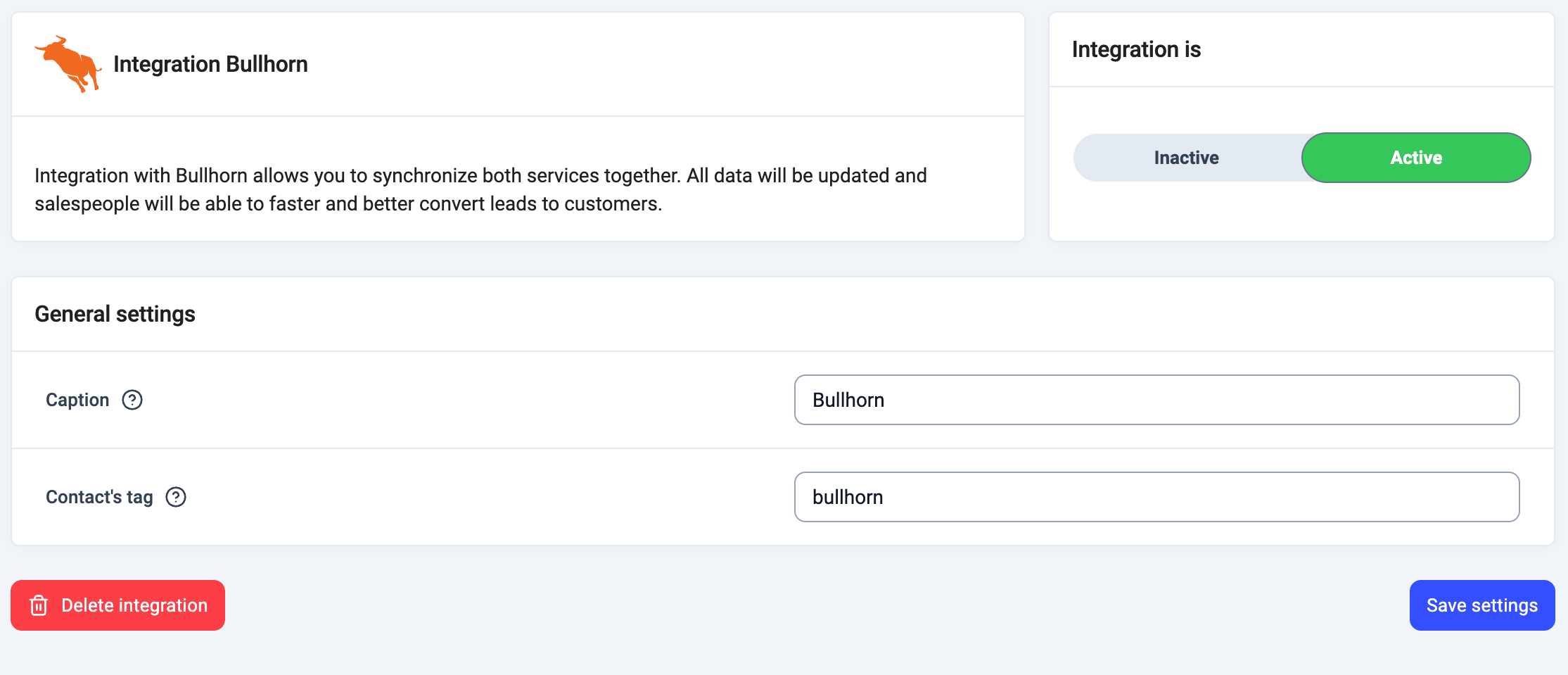
6\. Vul het **Label** in en eventueel de **Tag van het contact** om Bullhorn-contacten in CloudTalk te labelen.
7\. Activeer de integratie met de schakelaar **Actief / Inactief**.
8\. Klik op **Instellingen opslaan**.
4\. Geef toegang tot uw Bullhorn-account om de authenticatie te voltooien.
5\. Na een succesvolle aanmelding komt u terug in het CloudTalk Dashboard.
6\. Vul het **Label** in en eventueel de **Tag van het contact** om Bullhorn-contacten in CloudTalk te labelen.
7\. Activeer de integratie met de schakelaar **Actief / Inactief**.
8\. Klik op **Instellingen opslaan**.
Bullhorn verwijderen
Als u de integratie ooit wilt verwijderen:
1. Ga in CloudTalk naar **Account > Integraties**.
2. Klik op **Wijzigen** naast Bullhorn.
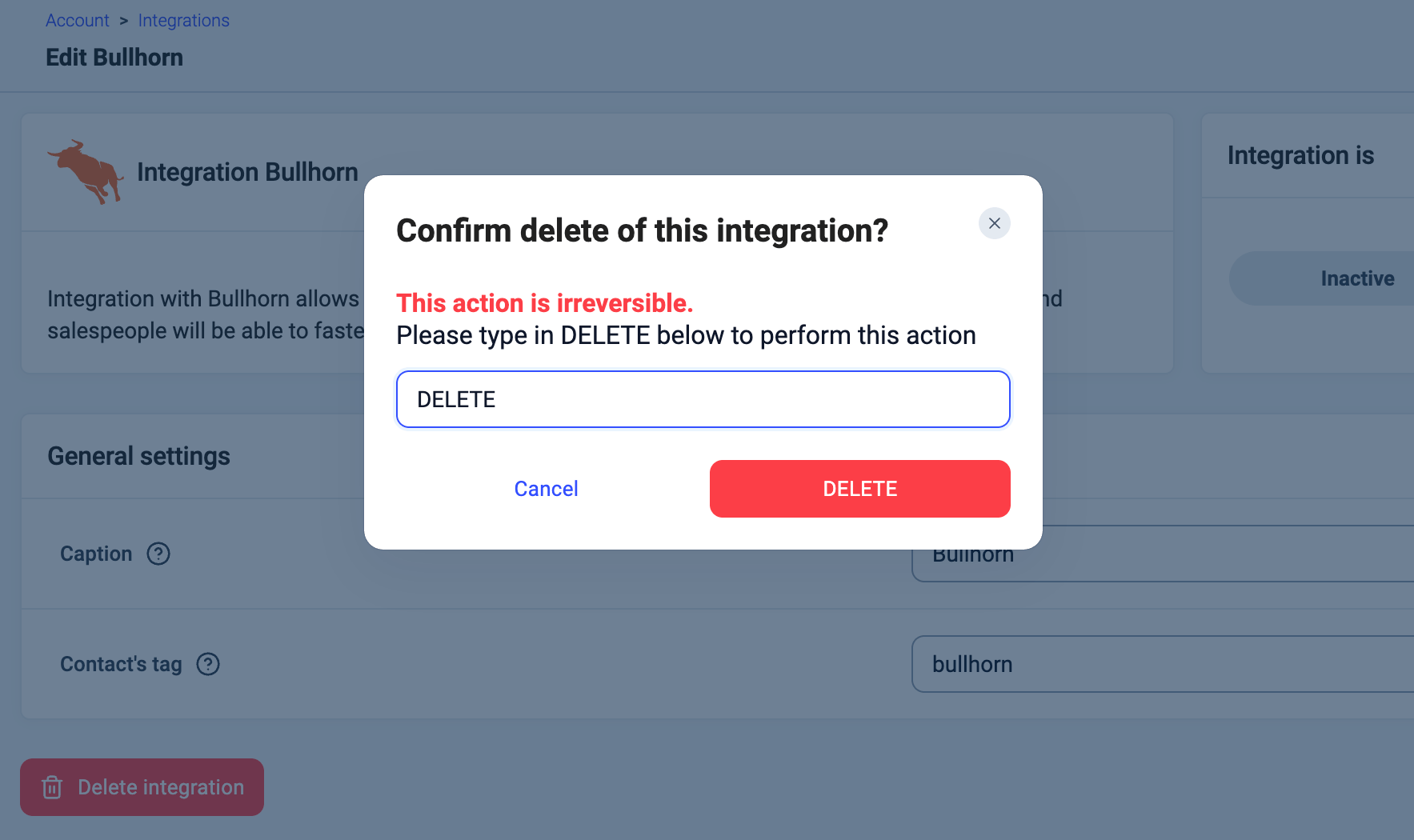
3. Scroll naar beneden en klik op **Integratie verwijderen**.
4. U wordt gevraagd om `DELETE` te typen om te bevestigen.
 Als u de koppeling verbreekt, stopt CloudTalk met synchroniseren met Bullhorn. Vanaf dat moment worden gespreksactiviteit, tags en notities niet meer geregistreerd.
***
*Hulp nodig of een vraag?* Neem gewoon contact met ons op via ons [supportportal](https://support.cloudtalk.io/hc/en-us/requests/new?ticket_form_id=26305535257884) — we staan voor u klaar.
## Related topics
- [CloudTalk gebruiken met Bullhorn](/nl/articles/11501982-using-cloudtalk-with-bullhorn.md)
- [Kustomer configureren](/nl/articles/6604201-configure-kustomer.md)
- [Salesforce configureren](/nl/articles/3368501-configure-salesforce.md)
This documentation is built and hosted on [Mintlify](https://mintlify.com), a developer documentation platform.
Als u de koppeling verbreekt, stopt CloudTalk met synchroniseren met Bullhorn. Vanaf dat moment worden gespreksactiviteit, tags en notities niet meer geregistreerd.
***
*Hulp nodig of een vraag?* Neem gewoon contact met ons op via ons [supportportal](https://support.cloudtalk.io/hc/en-us/requests/new?ticket_form_id=26305535257884) — we staan voor u klaar.
## Related topics
- [CloudTalk gebruiken met Bullhorn](/nl/articles/11501982-using-cloudtalk-with-bullhorn.md)
- [Kustomer configureren](/nl/articles/6604201-configure-kustomer.md)
- [Salesforce configureren](/nl/articles/3368501-configure-salesforce.md)
This documentation is built and hosted on [Mintlify](https://mintlify.com), a developer documentation platform.