> ## Documentation Index
> Fetch the complete documentation index at: https://help.cloudtalk.io/llms.txt
> Use this file to discover all available pages before exploring further.
# noCRM configureren
> Configureer de gegevensuitwisseling tussen CloudTalk en noCRM zodat uw gegevens altijd up-to-date blijven.
In dit artikel leert u hoe u noCRM met CloudTalk integreert, gespreksregistratie en meldingen inschakelt, en uw integratie beheert of verbreekt.
**Gebruikersniveau:** Admin
***
Zodra u verbonden bent, ontdekt u in [CloudTalk gebruiken met noCRM](/nl/articles/11494280-using-cloudtalk-with-nocrm) hoe oproepen worden afgehandeld en hoe gegevens tussen CloudTalk en noCRM worden gesynchroniseerd.
Vereisten
Om CloudTalk met noCRM te verbinden, hebt u het volgende nodig:
* **Admintoegang** in zowel CloudTalk als noCRM.
* Een **noCRM API-sleutel**. [Bekijk hoe u uw API-sleutel genereert.](#:~:text=%2C%20and%20confirm.-,API%20Key%20Retrieval,-If%20you%20don%E2%80%99t)
* Uw **bedrijfs-URL** in de volgende indeling: [`https://yourworkspace.nocrm.io`](https://yourworkspace.nocrm.io)
* Het e-mailadres dat u in CloudTalk gebruikt, moet exact overeenkomen met het e-mailadres in uw noCRM-account. Als de e-mailadressen niet overeenkomen, werkt de synchronisatie niet correct.
noCRM configureren
1. Ga in uw CloudTalk Dashboard naar **Account > Integraties** en zoek **noCRM**.
2. Klik op **`➕ Add`**.
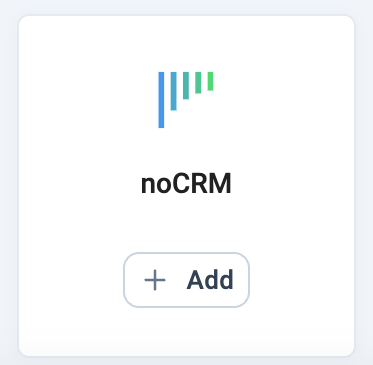 3. Plak uw **API-sleutel** en voer uw **noCRM-URL** in ([`https://yourworkspace.nocrm.io`](https://yourworkspace.nocrm.io)).
 Hebt u nog geen API-sleutel, maak er dan een aan in noCRM:
1. Log in op uw **noCRM.io**-account.
2. Ga naar **Admin Panel > Integrations > API > API Keys**.
3. Klik op **Create an API Key** en kopieer deze.
4. Gebruik deze sleutel bij het instellen van de integratie in CloudTalk.
Hebt u nog geen API-sleutel, maak er dan een aan in noCRM:
1. Log in op uw **noCRM.io**-account.
2. Ga naar **Admin Panel > Integrations > API > API Keys**.
3. Klik op **Create an API Key** en kopieer deze.
4. Gebruik deze sleutel bij het instellen van de integratie in CloudTalk.
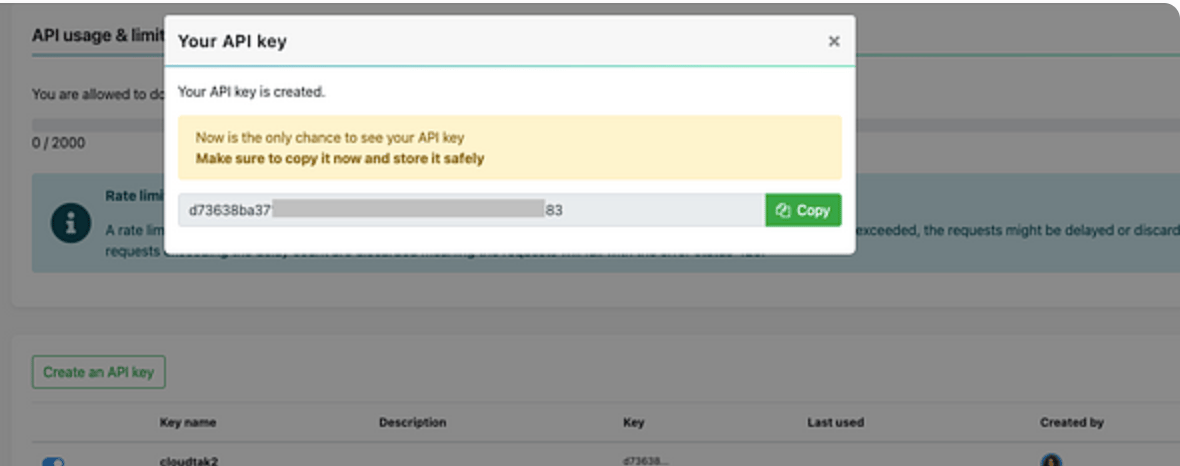 4. Klik op **Opslaan**, schakel **Activeren** in en klik op **Instellingen opslaan.**
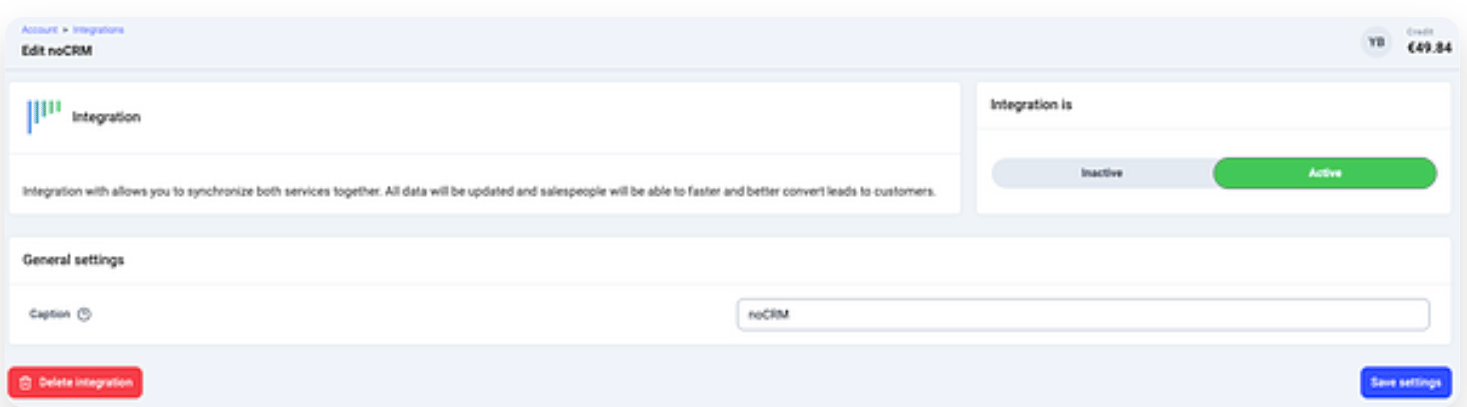
Gespreksregistratie en meldingen inschakelen
In noCRM kunt u configureren hoe oproepen worden geregistreerd en wanneer meldingen worden verzonden:
1. Ga in noCRM naar **Admin Panel > Phone App Settings**.
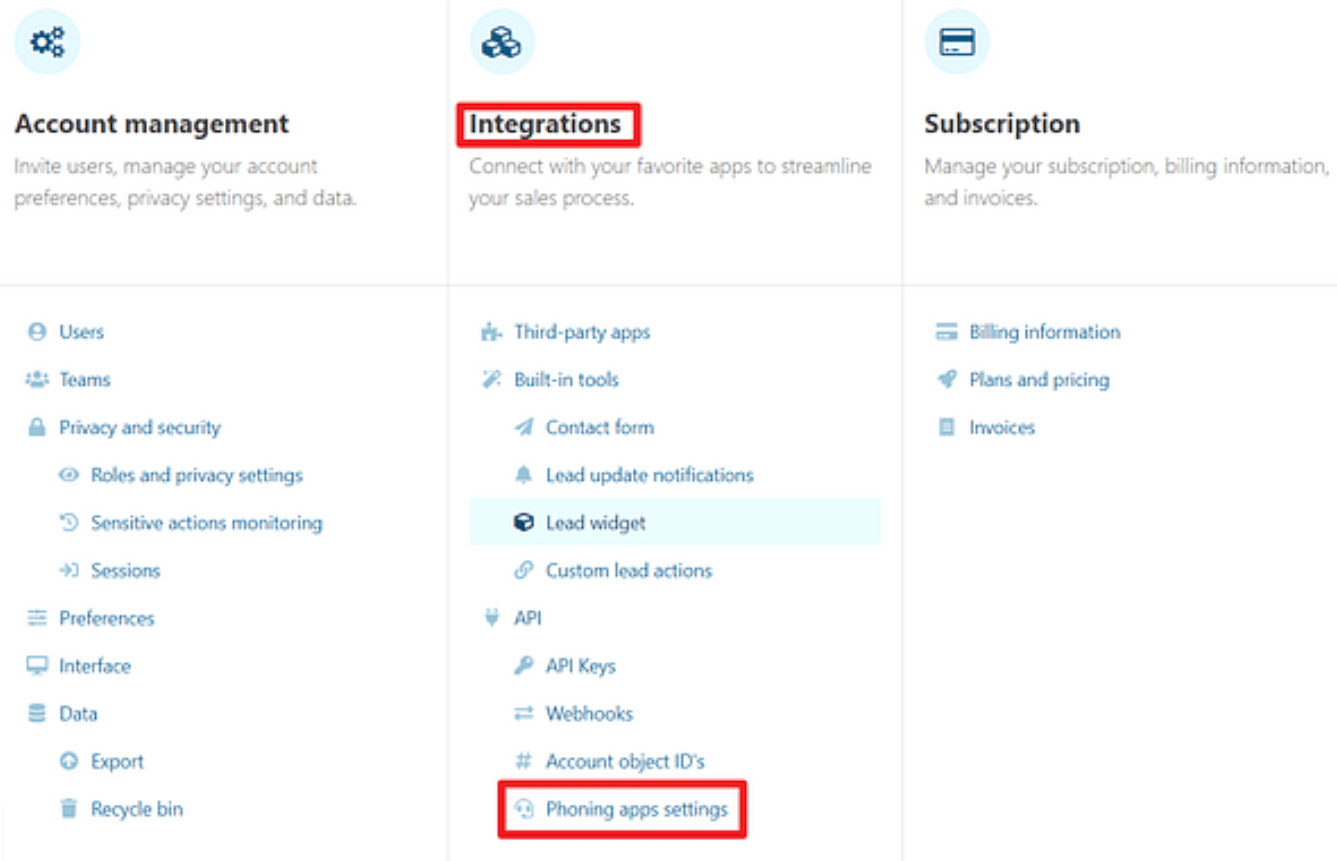 2. Schakel onder **CloudTalk** het volgende in:
* **Call activity logging**: registreert oproepgebeurtenissen in de activiteitengeschiedenis van de lead.
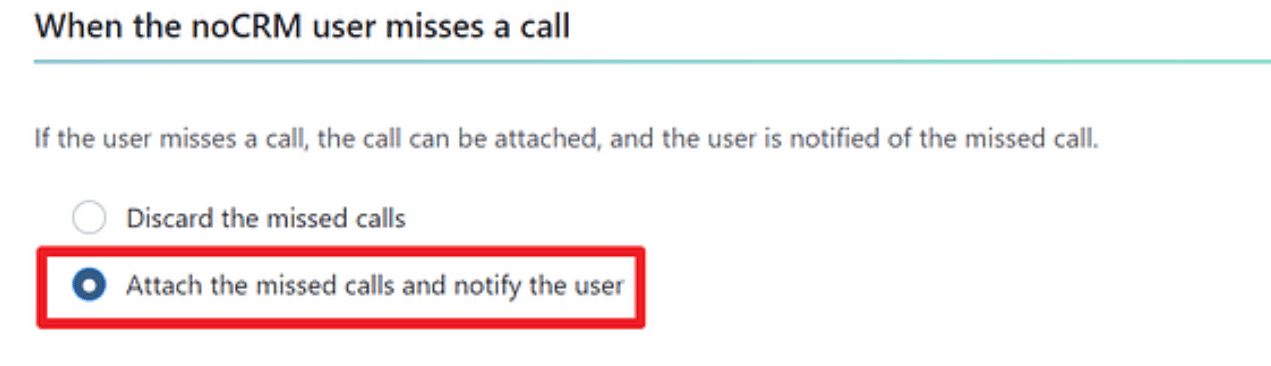
* **Missed call alerts**: schakel **Attach missed calls and notify the user** in om meldingen te ontvangen wanneer een oproep wordt gemist.
2. Schakel onder **CloudTalk** het volgende in:
* **Call activity logging**: registreert oproepgebeurtenissen in de activiteitengeschiedenis van de lead.
* **Missed call alerts**: schakel **Attach missed calls and notify the user** in om meldingen te ontvangen wanneer een oproep wordt gemist.
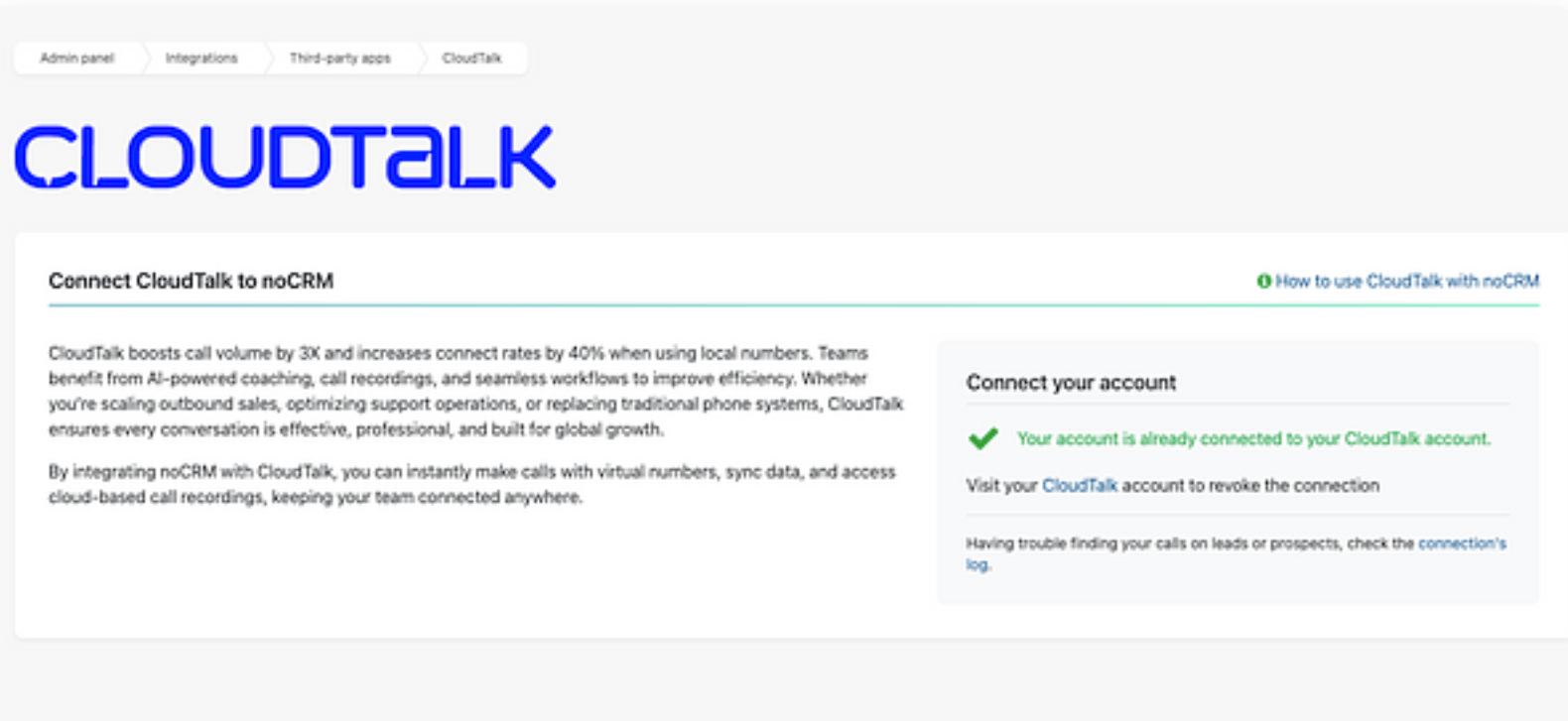
 Zodra dit is voltooid, ziet u de integratiestatus onder **Admin Panel > Integrations > CloudTalk**.
Integratie verbreken of verwijderen
Als u de integratie niet meer wilt gebruiken, hebt u twee opties:
* **Deactiveren:** ga in uw CloudTalk Dashboard naar **Account > Integraties > noCRM** en zet de status op inactief. Dit pauzeert de synchronisatie, maar behoudt uw instellingen.
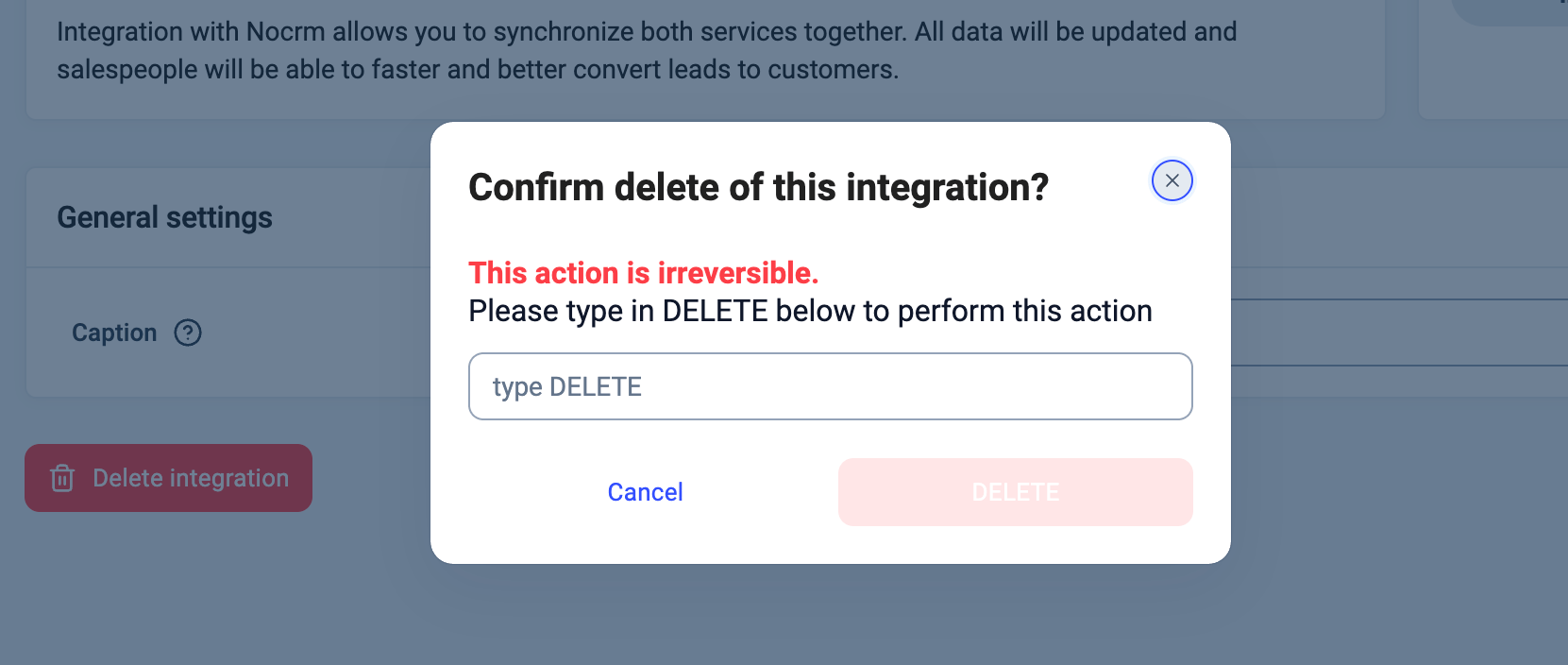
 * **Verwijderen:** ga om de integratie volledig te verwijderen naar **Configureren > Integratie verwijderen**, typ **DELETE** en bevestig.
 ***
*Hulp nodig of een vraag?* Neem gerust contact op via ons [supportportal](https://support.cloudtalk.io/hc/en-us/requests/new?ticket_form_id=26305535257884) — we staan voor u klaar.
## Related topics
- [CloudTalk gebruiken met noCRM](/nl/articles/11494280-using-cloudtalk-with-nocrm.md)
- [Integratiegids](/nl/articles/10570091-integrations-guide.md)
- [Salesforce configureren](/nl/articles/3368501-configure-salesforce.md)
This documentation is built and hosted on [Mintlify](https://mintlify.com), a developer documentation platform.
***
*Hulp nodig of een vraag?* Neem gerust contact op via ons [supportportal](https://support.cloudtalk.io/hc/en-us/requests/new?ticket_form_id=26305535257884) — we staan voor u klaar.
## Related topics
- [CloudTalk gebruiken met noCRM](/nl/articles/11494280-using-cloudtalk-with-nocrm.md)
- [Integratiegids](/nl/articles/10570091-integrations-guide.md)
- [Salesforce configureren](/nl/articles/3368501-configure-salesforce.md)
This documentation is built and hosted on [Mintlify](https://mintlify.com), a developer documentation platform.