> ## Documentation Index
> Fetch the complete documentation index at: https://help.cloudtalk.io/llms.txt
> Use this file to discover all available pages before exploring further.
# Installer CloudTalk Phone sur Mac
> Tutoriel simple, étape par étape, pour installer l'application CloudTalk Phone sur votre ordinateur Mac.
Le package d'installation pour les utilisateurs Mac est fourni sous forme de package dmg. Pour installer Phone sur votre ordinateur, suivez les instructions ci-dessous.
Étape 1
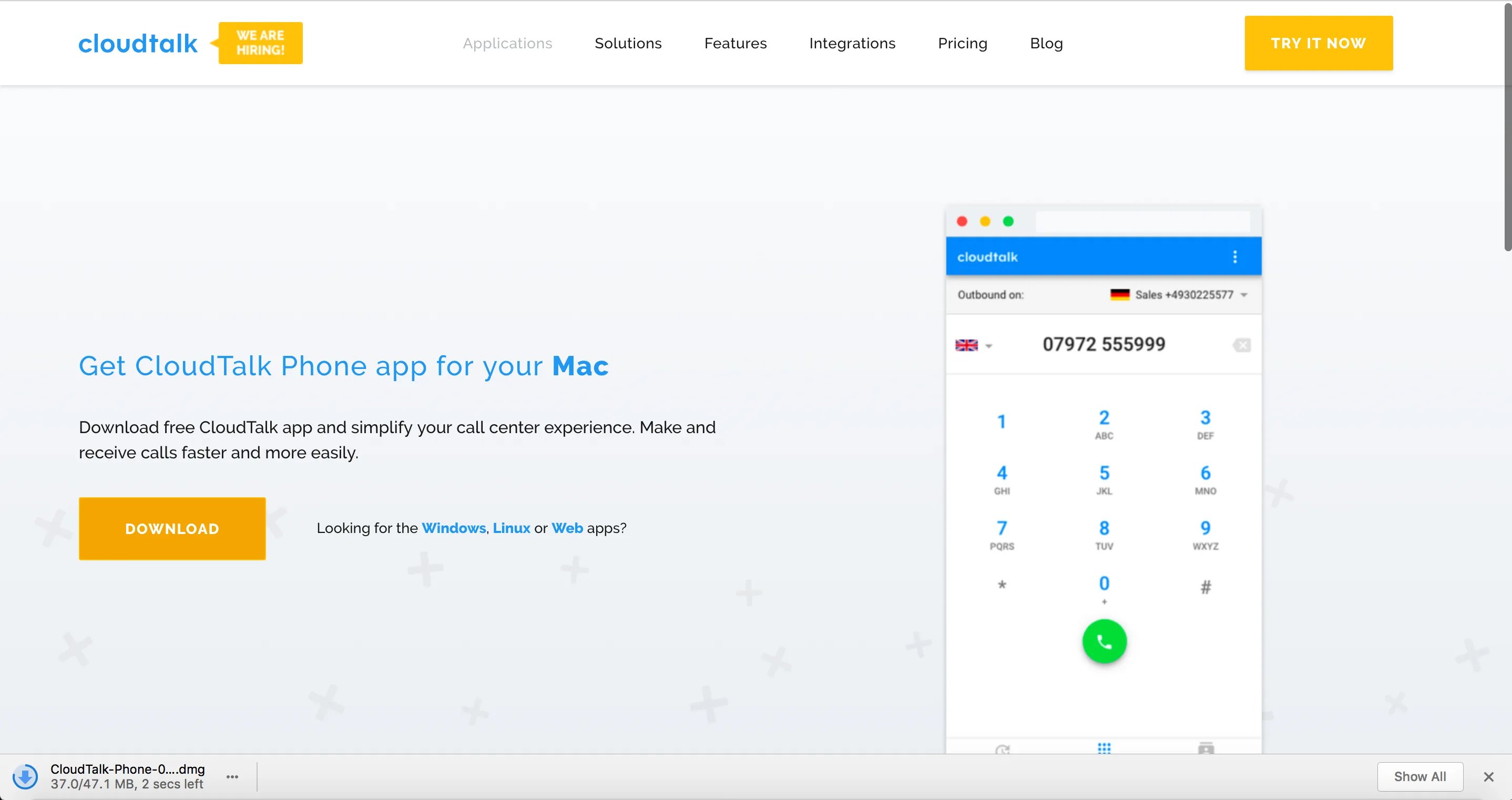
Téléchargez le [fichier d'installation](https://www.cloudtalk.io/download-app) pour Mac depuis notre site web.
Étape 2
Ouvrez le fichier. Une fois le téléchargement terminé, double-cliquez dessus pour l'ouvrir.
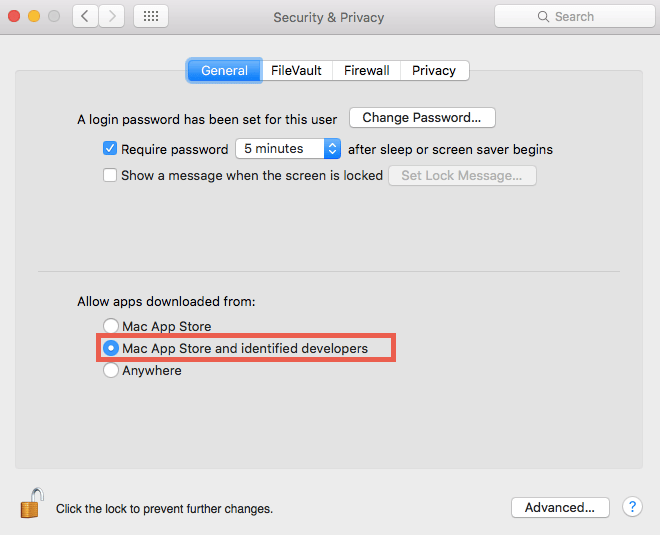
***Note :*** Si vous n'arrivez pas à ouvrir le fichier téléchargé, vous devez modifier vos paramètres de sécurité.
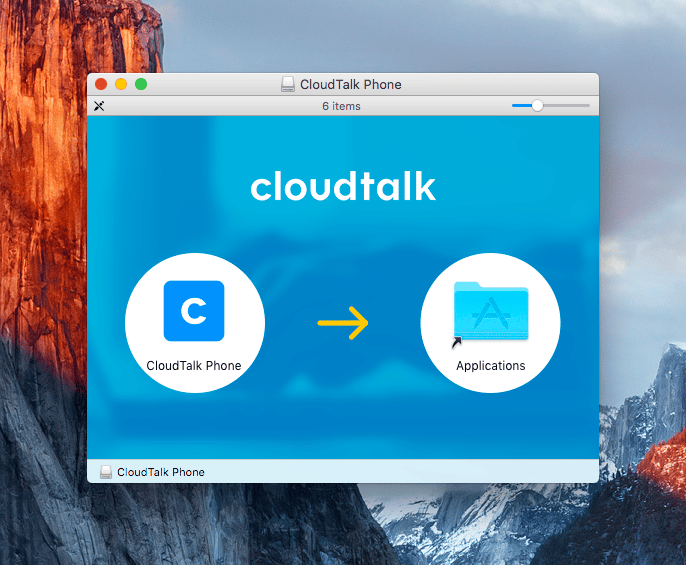
 Glissez-déposez l'application CloudTalk Phone dans le dossier Applications.
Étape 3
Ouvrez l'application directement dans votre dossier Applications ou via la [recherche Spotlight](https://support.apple.com/en-us/HT204014).
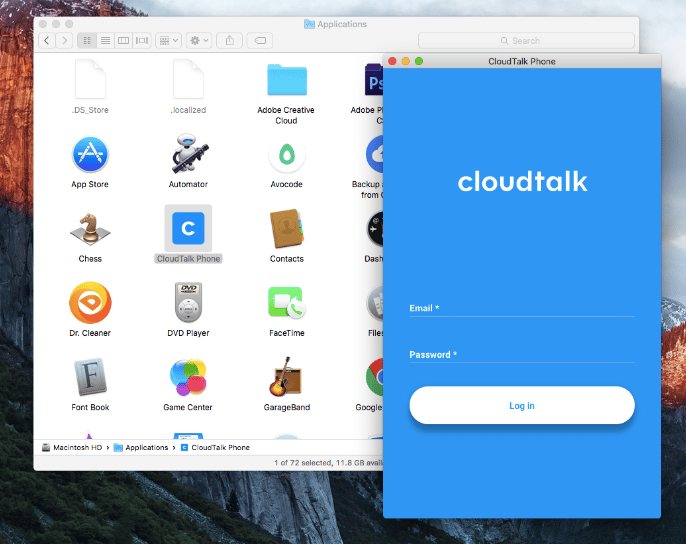 ***Astuce :*** Vous pouvez garder l'application épinglée dans le Dock. Appuyez simplement avec deux doigts sur l'application dans le Dock. Survolez « Options ». Appuyez sur « Keep In Dock ».
Vous êtes prêt !
Une fois l'installation terminée, vous pouvez commencer à utiliser l'application immédiatement. [Découvrez certaines fonctionnalités de l'application dans cet article.](/fr/articles/2144759-using-cloudtalk-phone)
***
*Besoin d'aide ou vous avez une question ?* Contactez-nous via notre [Portail Support](https://support.cloudtalk.io/hc/en-us/requests/new?ticket_form_id=26305535257884) — nous sommes là pour vous.
## Related topics
- [Introduction à CloudTalk et installation de CloudTalk Phone](/fr/articles/5349174-cloudtalk-introduction-installing-cloudtalk-phone.md)
- [Déployer CloudTalk Phone sur un parc de machines](/fr/articles/16801942-deploying-cloudtalk-phone-across-a-fleet.md)
- [Utiliser CloudTalk Phone](/fr/articles/2144759-using-cloudtalk-phone.md)
This documentation is built and hosted on [Mintlify](https://mintlify.com), a developer documentation platform.