> ## Documentation Index
> Fetch the complete documentation index at: https://help.cloudtalk.io/llms.txt
> Use this file to discover all available pages before exploring further.
# How to Reset Your Password
> A guide to resetting your CloudTalk password
Reset your password from the dashboard following this guide.
**User level:** All users
***
Change to a New Password
If you know your current password and want to change it, you can do so directly from the CloudTalk Dashboard.
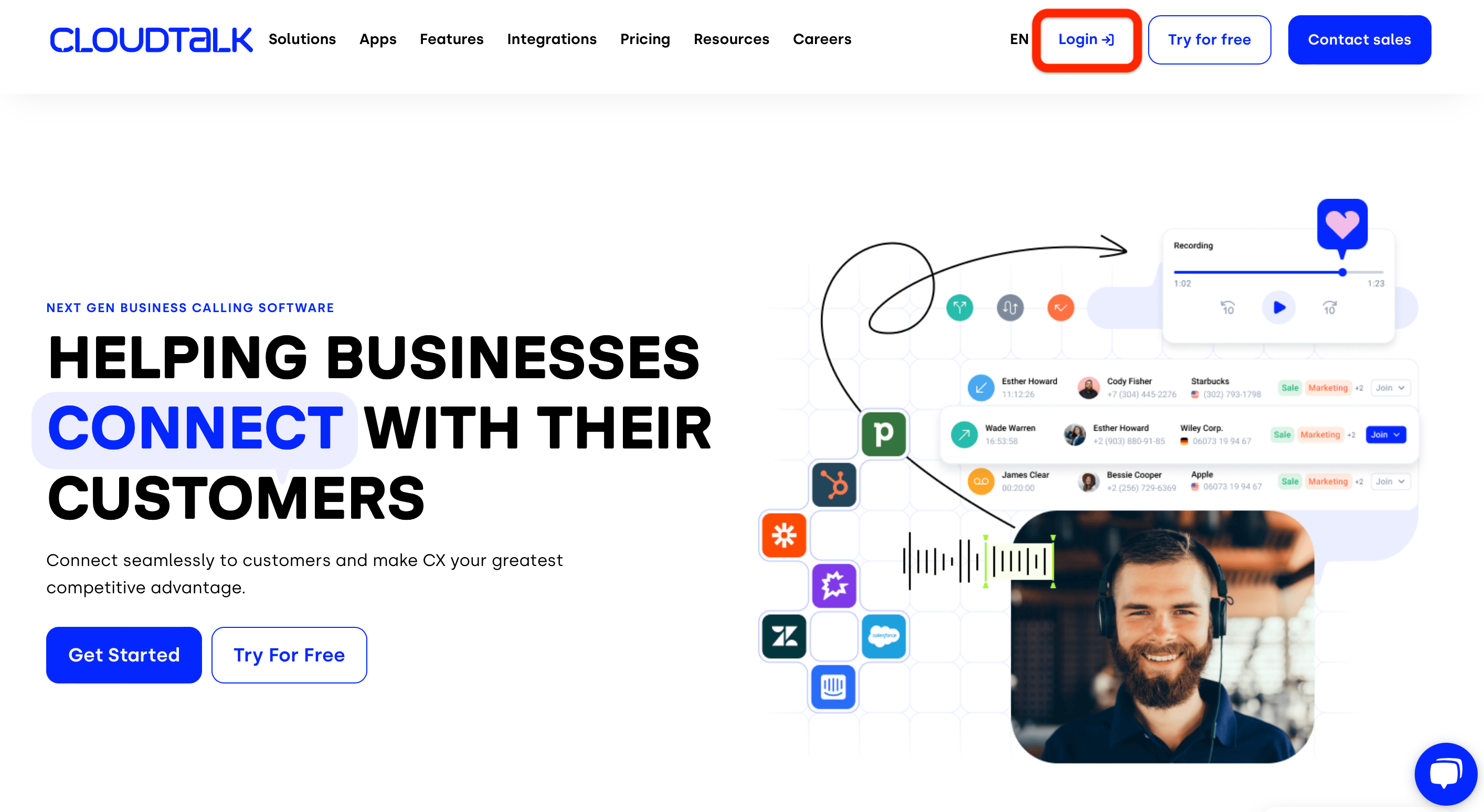
1. Open the CloudTalk website and select **Login** to access the Dashboard..
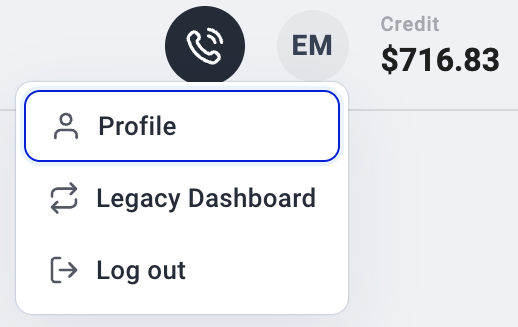
 2\. Once logged in, click your user profile in the top-right corner.
3\. Select **Profile** from the dropdown menu.
2\. Once logged in, click your user profile in the top-right corner.
3\. Select **Profile** from the dropdown menu.
 4\. Enter your current password, then choose a new password that follows the password requirements.
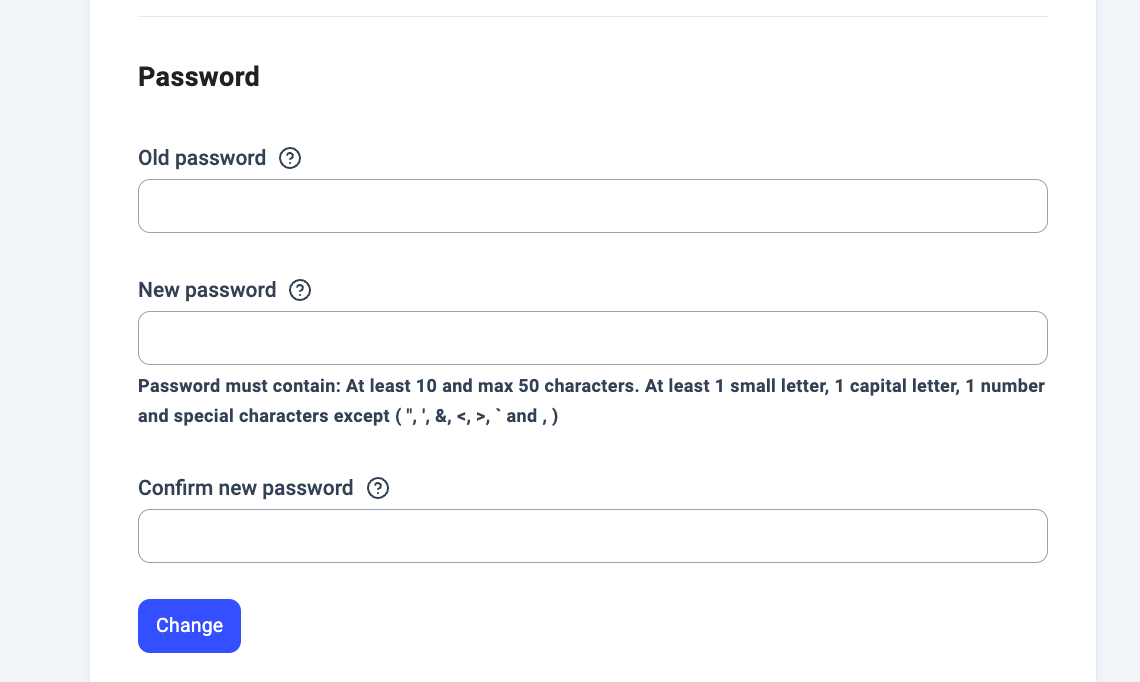 Your new password takes effect immediately.
Reset a Lost Password
If you cannot log in because you forgot your password, follow these steps to reset it.
1. Make sure you are logged out of the Dashboard or using an incognito window
* Windows: Ctrl + Shift + N
* Mac: ⌘ + Shift + N
2. Open the password [reset link](https://dashboard.cloudtalk.io/reset-password).
3. You will be redirected to the password reset page. Enter the email address associated with your CloudTalk account.
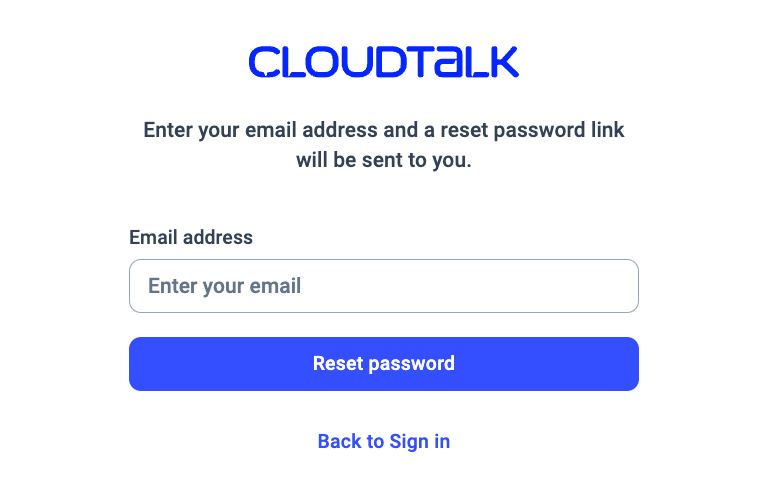 4. Select **Reset password**.
After submitting the request, a confirmation banner will appear indicating that a reset email has been sent. The email will come from **[noreply@cloudtalk.io]()** with the subject **Reset Your Password**.\
If you do not see the email, check your *Spam* or *Promotions* folders.
5\. Open the email and click the reset link.
6\. A new window titled **Password change** will open. Enter your new password twice.
7\. Select **Change Password** to confirm.
For security reasons, **CloudTalk Support cannot reset passwords on your behalf** or provide information about registered email addresses.
If you need help completing the reset process or have additional questions, our Support team is happy to assist you.
***
*Need help or have a question?* Just reach out through our [Support portal](https://support.cloudtalk.io/hc/en-us/requests/new?ticket_form_id=26305535257884) — we’re here for you.
## Related topics
- [Can't log in to CloudTalk](/en/articles/16014347-can-t-log-in-to-cloudtalk.md)
- [How to add new users](/en/articles/2144066-how-to-add-new-users.md)
- [How to use Smart Rotation Caller ID](/en/articles/16146050-how-to-use-smart-rotation-caller-id.md)
This documentation is built and hosted on [Mintlify](https://mintlify.com), a developer documentation platform.
4. Select **Reset password**.
After submitting the request, a confirmation banner will appear indicating that a reset email has been sent. The email will come from **[noreply@cloudtalk.io]()** with the subject **Reset Your Password**.\
If you do not see the email, check your *Spam* or *Promotions* folders.
5\. Open the email and click the reset link.
6\. A new window titled **Password change** will open. Enter your new password twice.
7\. Select **Change Password** to confirm.
For security reasons, **CloudTalk Support cannot reset passwords on your behalf** or provide information about registered email addresses.
If you need help completing the reset process or have additional questions, our Support team is happy to assist you.
***
*Need help or have a question?* Just reach out through our [Support portal](https://support.cloudtalk.io/hc/en-us/requests/new?ticket_form_id=26305535257884) — we’re here for you.
## Related topics
- [Can't log in to CloudTalk](/en/articles/16014347-can-t-log-in-to-cloudtalk.md)
- [How to add new users](/en/articles/2144066-how-to-add-new-users.md)
- [How to use Smart Rotation Caller ID](/en/articles/16146050-how-to-use-smart-rotation-caller-id.md)
This documentation is built and hosted on [Mintlify](https://mintlify.com), a developer documentation platform.