> ## Documentation Index
> Fetch the complete documentation index at: https://help.cloudtalk.io/llms.txt
> Use this file to discover all available pages before exploring further.
# Where can I find my call charges?
> A guide to finding call charges in your dashboard
In this article, you will learn how to access call charge data, export reports, and understand how charges are calculated.
**User level**: Admin
***
You can review your call charges in two places:
* [Billing page (Current plan and services section)](/en/articles/5591834-billing-page-overview) for a quick overview
* [Credit Movement export](/en/articles/14470553-credit-movement-export) for a detailed breakdown of all charges
View charges in the Billing page
Navigate to **Dashboard > Settings > Billing**.
In the **Current plan and services** section, you can see a summary of your call charges, including usage that is billed from credit.
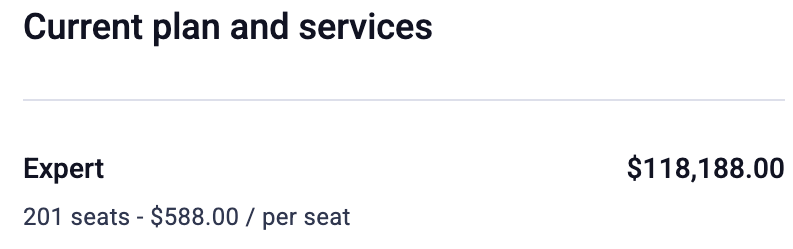 This view is useful for quickly checking your current costs.
Export call charges
For a full breakdown of all charges, use the **Credit Movement export**.
To export your data:
1. Go to **Dashboard > Settings > Billing**
2. In the **Credit** section, click **Export credit movements**
3. Download the CSV file
 This export includes all charges deducted from your credit, including call costs.
The export doesn't include the From or To phone numbers. To see which numbers a charge relates to, look up its Call ID in the Call Log, as described in the [Credit Movement export guide](/en/articles/14470553-credit-movement-export).
This export includes all charges deducted from your credit, including call costs.
The export doesn't include the From or To phone numbers. To see which numbers a charge relates to, look up its Call ID in the Call Log, as described in the [Credit Movement export guide](/en/articles/14470553-credit-movement-export).
Alternative: Export call charges from Call Log
You can also export call data from the [Call Log](/en/articles/10682286-call-log).
1. Go to **Analytics > Call Log > Export**.
2. In the top-right corner, use filters to refine your search.
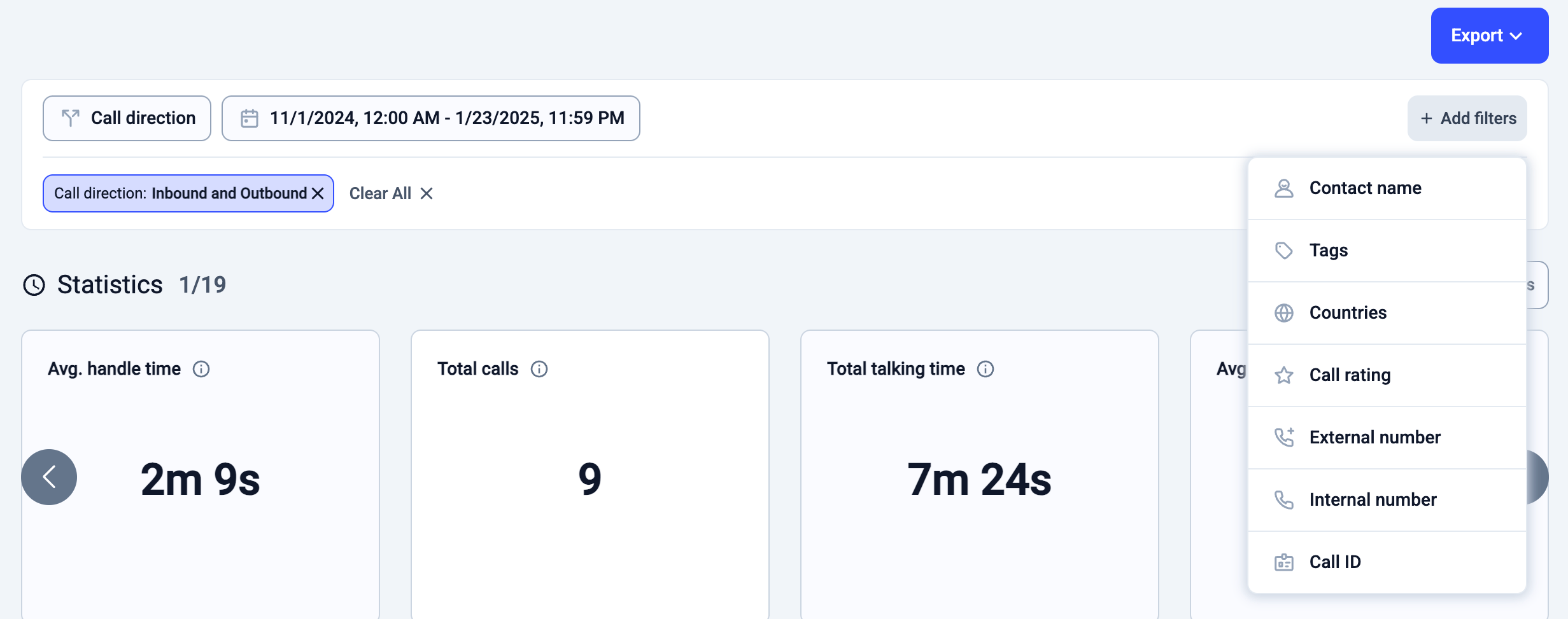 3. After applying filters, click **Export**.
4. Choose **CSV** to download the data.
5. Open the exported file to find the **Price** column, which displays the charge for each call.
Open the call-history excel document as shown below, find 'Price' to see the charge for each call.
3. After applying filters, click **Export**.
4. Choose **CSV** to download the data.
5. Open the exported file to find the **Price** column, which displays the charge for each call.
Open the call-history excel document as shown below, find 'Price' to see the charge for each call.
 Not all charges come from calls. Credit may also be used for messaging, add-ons, and other services.
To understand all possible charges, see [What uses credit.](/en/articles/14634073-what-uses-credit)
***
*Need help or have a question?* Just reach out through our [Support portal](https://support.cloudtalk.io/hc/en-us/requests/new?ticket_form_id=26305535257884) — we’re here for you.
## Related topics
- [Where can I find my invoices in CloudTalk?](/en/articles/5595445-where-can-i-find-my-invoices-in-cloudtalk.md)
- [Your New CloudTalk Menu and Where Everything Moved](/en/articles/your-new-cloudtalk-menu.md)
- [Message Inbox Filters](/en/articles/9082531-message-inbox-filters.md)
This documentation is built and hosted on [Mintlify](https://mintlify.com), a developer documentation platform.
Not all charges come from calls. Credit may also be used for messaging, add-ons, and other services.
To understand all possible charges, see [What uses credit.](/en/articles/14634073-what-uses-credit)
***
*Need help or have a question?* Just reach out through our [Support portal](https://support.cloudtalk.io/hc/en-us/requests/new?ticket_form_id=26305535257884) — we’re here for you.
## Related topics
- [Where can I find my invoices in CloudTalk?](/en/articles/5595445-where-can-i-find-my-invoices-in-cloudtalk.md)
- [Your New CloudTalk Menu and Where Everything Moved](/en/articles/your-new-cloudtalk-menu.md)
- [Message Inbox Filters](/en/articles/9082531-message-inbox-filters.md)
This documentation is built and hosted on [Mintlify](https://mintlify.com), a developer documentation platform.