> ## Documentation Index
> Fetch the complete documentation index at: https://help.cloudtalk.io/llms.txt
> Use this file to discover all available pages before exploring further.
# Blacklist a Number
> Block unwanted calls by managing blacklisted phone numbers in CloudTalk
CloudTalk allows you to create a blacklist of phone numbers to block unwanted calls. In this article, you’ll learn how to add, edit, and remove blacklisted numbers, as well as how to manage them using the CloudTalk API.
**User level:** Admin
***
Blacklist phone numbers in CloudTalk
You can add phone numbers to your **Blacklist** to prevent unwanted calls. This is useful if you regularly receive calls from:
* Bots
* Annoying vendors
* Persistent telemarketers
* Spam callers
Once a number is blacklisted, CloudTalk will automatically block it based on your chosen call direction.
How to add a number to the blacklist
1. In the **Dashboard**, go to **Account > Settings > Blacklist**.
 2\. Click **`+ Add number`** in the top-left corner.
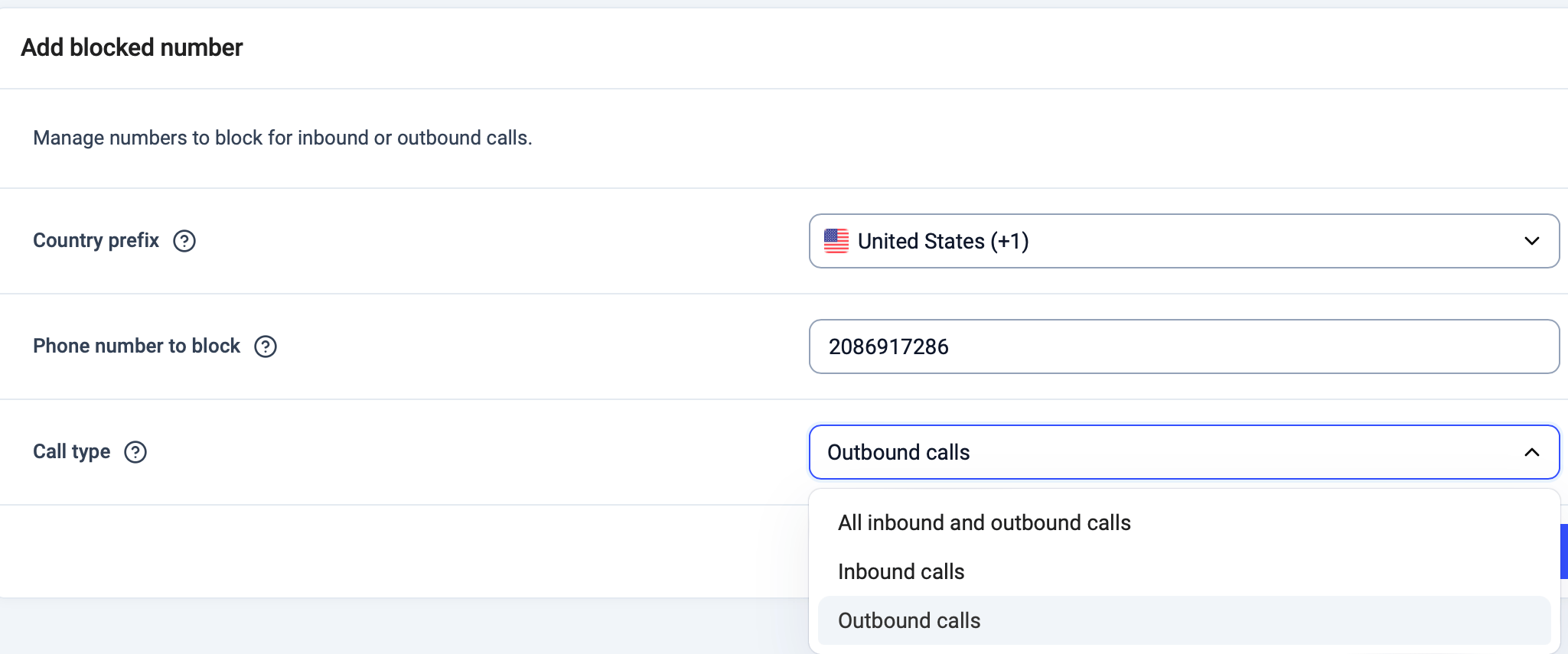
3\. In the **Add blocked number** panel:
* Select the **Country prefix**.
* Enter the **Phone number to block** in its basic format (for example, `949111222`).
* Choose the **Call type**:
* Inbound calls
* Outbound calls
* Both inbound and outbound calls
2\. Click **`+ Add number`** in the top-left corner.
3\. In the **Add blocked number** panel:
* Select the **Country prefix**.
* Enter the **Phone number to block** in its basic format (for example, `949111222`).
* Choose the **Call type**:
* Inbound calls
* Outbound calls
* Both inbound and outbound calls
 4\. Click **`Add number`**.
There is currently **no limit** to the number of phone numbers you can add to your blacklist.
You can later **edit** a blacklisted number by clicking the **edit (pencil) icon** next to it and updating the country prefix, phone number, or call type.
4\. Click **`Add number`**.
There is currently **no limit** to the number of phone numbers you can add to your blacklist.
You can later **edit** a blacklisted number by clicking the **edit (pencil) icon** next to it and updating the country prefix, phone number, or call type.
Managing the Blacklist via API (advanced)
For teams that prefer automation or need to manage the Blacklist at scale, CloudTalk also allows you to maintain blacklisted numbers through the **CloudTalk API**.
Using the **Blacklist API**, you can:
* View all blacklisted numbers
* Add new numbers
* Update existing blacklist rules
* Remove numbers from the blacklist
You can find detailed information about these API endpoints in our [API documentation.](/developers#tag/Other/paths/~1blacklist~1index.json/get)
**Tip:** By using a combination of the API **[Add number to blacklist](/developers#tag/Other/paths/~1blacklist~1add.json/put)** endpoint and CloudTalk’s **Workflow Automation** feature, you can automatically blacklist numbers based on call results.
A common example is when a campaign call ends with a call disposition such as **"Do not call again"**. In this case, the workflow can automatically add the caller’s number to the blacklist without any manual action.
This setup is especially useful for outbound campaigns and compliance-driven workflows.
👉 Learn more about **Workflow Automations** [here](/en/articles/5450779-configuring-workflow-automations).
How to remove a number from the Blacklist
In **Account > Settings > Blacklist,** find the number you want to remove, click the **delete (trash) icon** on the right, and confirm the action.
The number is removed from the blacklist immediately.
***
*Need help or have a question?* Just reach out through our [Support portal](https://support.cloudtalk.io/hc/en-us/requests/new?ticket_form_id=26305535257884) — we’re here for you.
## Related topics
- [Account Settings Guide](/en/articles/10550593-account-settings-guide.md)
- [Add number to blacklist](/api-reference/utilities/add-number-to-blacklist.md)
- [Delete number from blacklist](/api-reference/utilities/delete-number-from-blacklist.md)
This documentation is built and hosted on [Mintlify](https://mintlify.com), a developer documentation platform.